- Bluetooth uses the same frequency as other elements like, industrial machines, scientific
equipment or medical and other devices that may interfere if done the match near these types
of products.
- Some devices, especially those that have not been tested or approved by the Bluetooth SIG
may be incompatible with the DZ09.
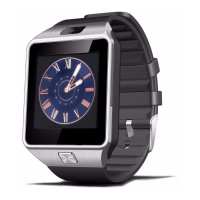
10. Connecting to the mobile device DZ09 DZ09 Connecting to the mobile device
BTNotification install on the mobile device and connect the DZ09 by connecting terminal
Bluetooth.
- You can only connect a smartwatch while DZ09
- In the DZ09 select Menu and go to "Quick Response"
- Select the Quick Response icon and scan the QR code
- Then go into the app: BTNotification and select "Bluetooth Settings ". Turn on Bluetooth on
your terminal and locate the DZ09. when ordering confirmation matching, a window will appear
on both devices.
Select "YES" on both devices.
- End the match following the instructions displayed on the screen his mobile terminal.
11. Lock and unlock the lock and unlock the DZ09 DZ09 When the smartwatch is not in use,
lock the DZ09 to prevent unwanted actions.
For Thus, pressures the ON / OFF button when in the HOME screen.


 To Next Page