FR
EN
DE
NL
IT
10
To see the time
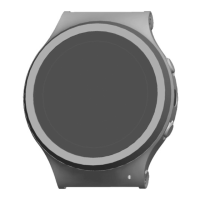
The watch face is activated by briey tapping the watch face
(1) with one nger. Another way is to briey press the button
(2) for 1 second.
Starting an alarm
Press the button (2) rmly for 2-3 seconds until you feel
a vibration and hear a beep. This is the “beep before
alarm”. The watch face (1) will display a countdown. If you
unintentionally start an alarm, you can cancel it by tapping
the screen. If you do not cancel the alarm, a red alarm
symbol will appear on the watch face (1). This is the visual
conrmation that your alarm is going out to your helper(s).


 To Next Page