10
Chapter 2 - Getting Started
After unpacking the EZ Connect(tm) USB/Ethernet Converter, check
the contents of the box to be sure you have received the following
components:
Equipment Checklist
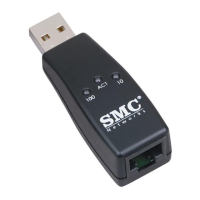
* USB 10/100 Ethernet Adapter
* Driver Diskette
* This Installation Guide
* Warranty Registration Card
Power Requirements
USB devices can be either self-powered or bus-powered. A device
which has no power connector is bus-powered, and derives its operating
power from the USB connection directly. The EZ Connect(tm) USB/Ethernet
Converter is bus-powered - all you need to do is plug it into a PC or self-
powered USB hub.
System Requirements
To use the EZ Connect(tm) USB/Ethernet Converter you must have:
* A host PC that supports the Universal Serial Bus
* 16 MB of RAM
* Windows 98 or sooner
You also need to provide a standard twisted-pair Ethernet cable to
connect to a local network 10BASE-T/100BASE-TX hub or switch.
You will be installing the USB 10/100 Ethernet adapter in your
computer.
In order to use this device, you must have a copy of Microsoft
Windows 98/ME (or Windows 2000) operating system installed on your PC.
Some versions of Windows 95 version B (OSR2) support USB, but the device
drivers included in this package are designed specifically for Windows 98 and
Windows 2000


 To Next Page
 Loading...