12
5. Set the source unit’s volume to zero. Select the
track on the CD that corresponds to the desired
frequency you wish to match gains at. If you
don’t know which frequency to use try 40 Hz
(track 10 Disc A) if it is a subwoofer amplifier, or
1 kHz (track 8 Disc B) if it is a full range
amplifier. Play track on repeat.
6. Continue by turning up the source unit volume
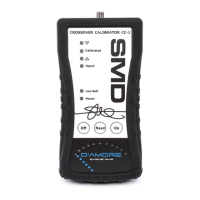
until you see the Signal LED illuminate green. If
the LED turns red, this indicates the volume is
too high. Turn volume down until LED remains
green.
7. When Signal LED remains Green, press the
READ button. The Blue Calibrated LED should
illuminate.
8. Now without touching any adjustments on
anything, connect the CC-1 to the output of the
next amplifier that you wish to match it’s gain to
the first amplifier.
9. The LEDs will indicate if the gain is too high or
too low compared to the “Master” amplifier.
10. Adjust gain on the amplifier that the CC-1 is now
connected to until the Calibrated LED
illuminates. The amplifier’s gain is now matched
to the Master amplifier’s gain within +/- 0.05dB !!
11. Repeat steps 9 – 11 for any other amplifiers in
the system.


 To Next Page