Use
42
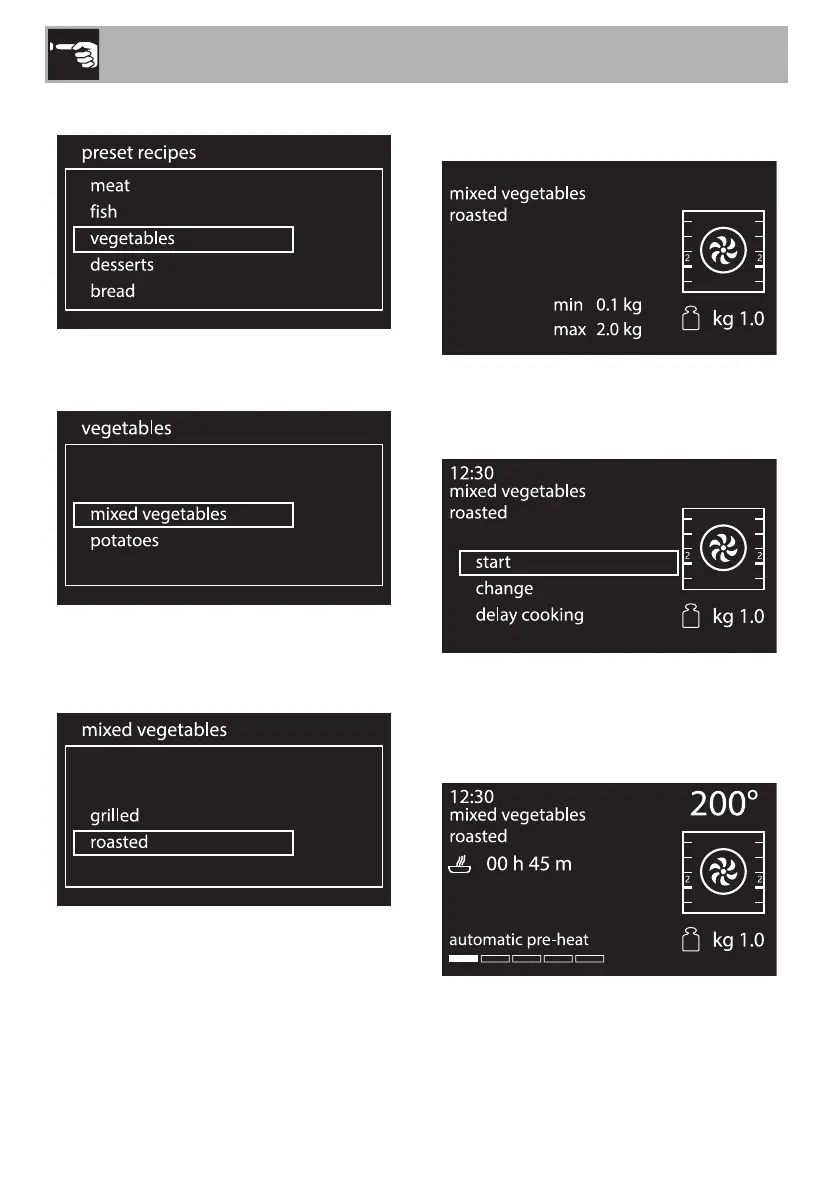
2. Press the control knob to confirm.
3. Select the food group of the dish to cook
and press the control knob to confirm.
4. Select the type of cooking (where
possible, depending on the dish chosen)
and press the control knob to confirm.
5. Turn the control knob to select the weight
of the food.
Now you can start the selected program,
permanently modify the settings or perform
delay cooking.
6. If you choose the start option, cooking
will start with the program’s predefined
settings and the display will show all the
parameters set.


 To Next Page