User instructions
10
SETTING THE WASHING PROGRAM
To select the most suitable washing program, refer to the table below
which indicates the recommended washing according to dish type and
the degree of soiling.
After using the table to identify the most appropriate washing program,
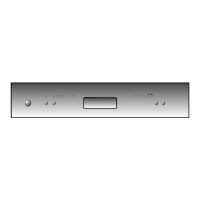
turn the
PROGRAM SELECTION
knob
(1)
(see section “3. Description
of the controls”) to set the program of choice by aligning the pointer with
the program number. If necessary, depending on the programme
selected, press one of the keys
(3
or
4)
allowing selection of the
½ LOAD
or
45°C
wash programmes.
Now simply pressing the
ON/OFF
key
(2)
will start the program. The
PILOT LIGHT (4/5)
lights up.
TABLE OF PROGRAMS (2 buttons model)
AMOUNT OF
DETERGENT
DURATION CONSUMPTION
SWITCH
CYCLE AND
BUTTON
TYPE AND
DEGREE
OF DIRT
ON DISHES
PROGRAM
SEQUENCE
GRAMS MINUTES
(2)
WATER
LITRES (1)
POWER
KWh (2)
SOAK
1
_
Pans and dishes
awaiting
completion
of the load
Cold prewash
_
6' 4
_
STRONG
2
(1/2)
Very dirty pans
and dishes,
dirt dried-on
Cold prewash
Wash at 60°C
2 cold rinses
Rinse at 65°C
Dry
30 90' 22 1,55
NORMAL
ECO 60°C
(*)
3
(1/2)
Normally dirty
pans and dishes
Wash at 65°C
Cold rinse
Rinse at 65°C
Dry
30 80' 18 1,40
RINSE
4
_
Dishes requiring
“refreshing”
Cold rinse
Rinse at 65°C
Dry
_
45'
_
0,80



 To Next Page