User instructions
13
IMPORTANT:
at the end of the program remember
to deactivate the
function
to ensure the next wash is not also carried out in half load
mode
by mistake
.
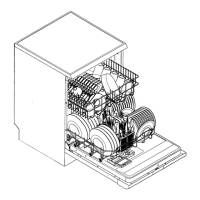
A cutlery basket can be placed in the upper basket, while the lower
basket must be left empty.
CAUTION: there is no point in loading dishes and cutlery in the
lower basket, since the jet of water will only reach the upper basket.
CANCELLING THE CURRENT PROGRAM
To cancel the program in progress the dishwasher must be switched off
by pressing the
ON/OFF
key
(2)
(see section "3. Description of the
controls").
Turn the program selector to
SOAK
and wait for the dishwasher to start.
On completion of the program, switch off the dishwasher by pressing the
ON/OFF
key
(2)
.
CHANGING THE PROGRAM
To change the program in progress the dishwasher must be switched off
by pressing the
ON/OFF
key
(2)
(see section "3. Description of the
controls").
Turn the program selector to the program required and then switch the
dishwasher on again by pressing
ON/OFF
key
(2)
. The dishwasher will
carry out the new program automatically.
TO SAVE ON ENERGY! … AND PROTECT THE ENVIRONMENT
•
Always try to run the dishwasher fully loaded.
•
Do not wash the dishes in running water.
•
Use the washing program that is most appropriate for each type of
load.
•
Do not carry out any preliminary rinsing.
•
If available, connect the dishwasher to a hot water supply up to
60°C.
•
When possible, disable the drying cycle and leave the door open
at the end of the washing cycle: the residual air and heat will dry the
dishes perfectly.



 To Next Page