9
EN
Basic settings
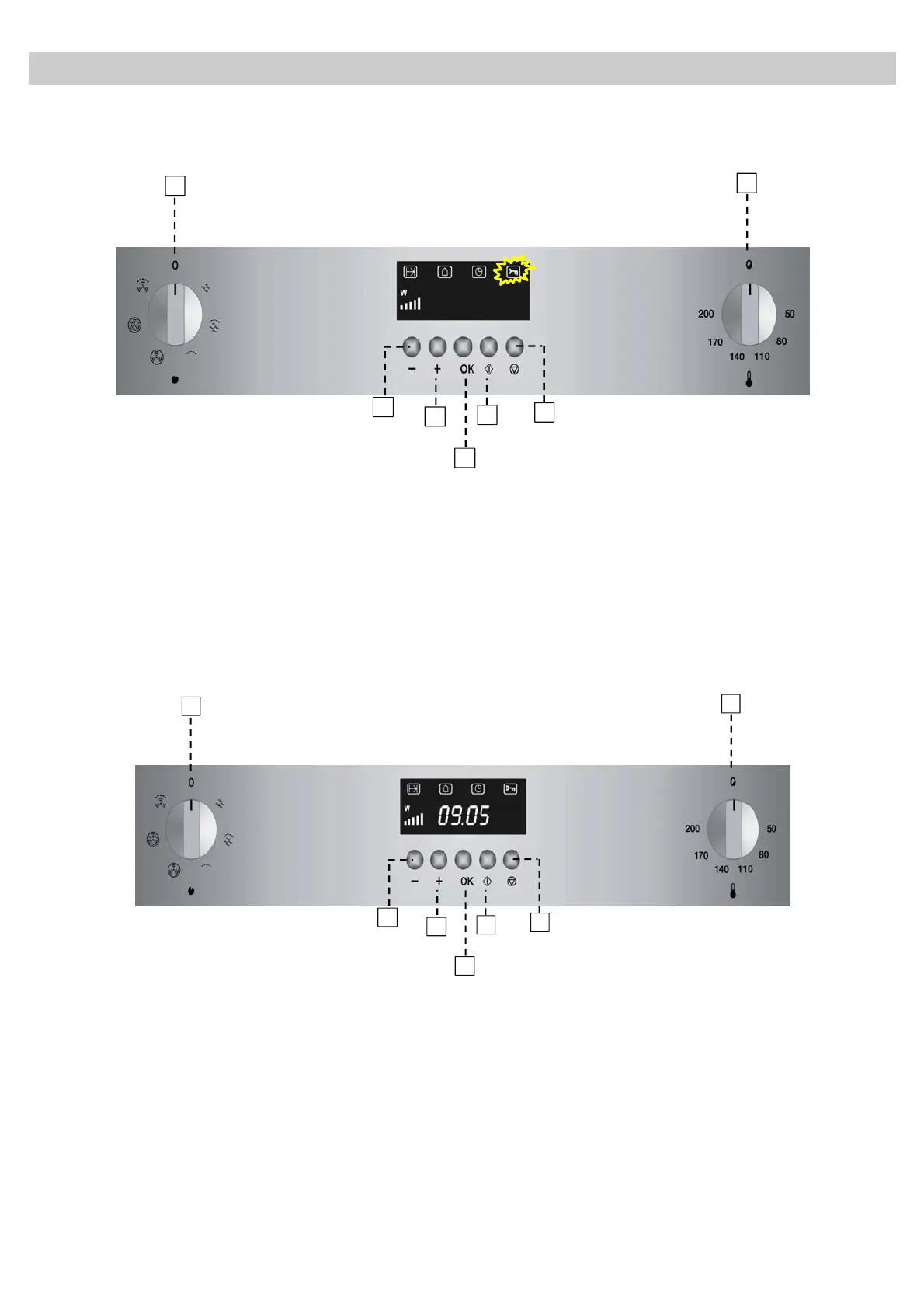
Child lock
The oven functioning can be blocked (for example to stop it being used by children).
5
2
1
7
6
3
4
SAFE
1. To Block the oven, press the Stop key (7) for 3
seconds. When a key is pressed the display
shows a Key symbol and the oven performs no
function.
2. To unblock the oven press again the Stop key (7)
for 3 seconds.
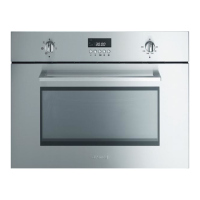
Timer
5
2
1
7
6
3
4
1. Press the “+” key (4) until the Timer
indicator flashes.
2. Press the OK key (5).
3. The numbers flash. Press the “+” (4) and “-”
(3) keys to set the desired time.
4. Press the OK key (5). The timer will
countdown to zero and at the end of the set
time the oven will sound 3 beeps every 30
seconds until the OK key (5) is pressed.
To cancel the active Timer function repeat the
above steps but setting the time to zero


 To Next Page