17
EN4 / USING YOUR APPLIANCE
- To limit your oven’s consumption of energy
when it is not in use, you may put it on
STAND-BY MODE.
To do so, perform the following procedure:
AACCTTIIVVAATTIIOONN OOFF SSTTAANNDD--BBYY MMOODDEE::
Your oven must be in time display mode.
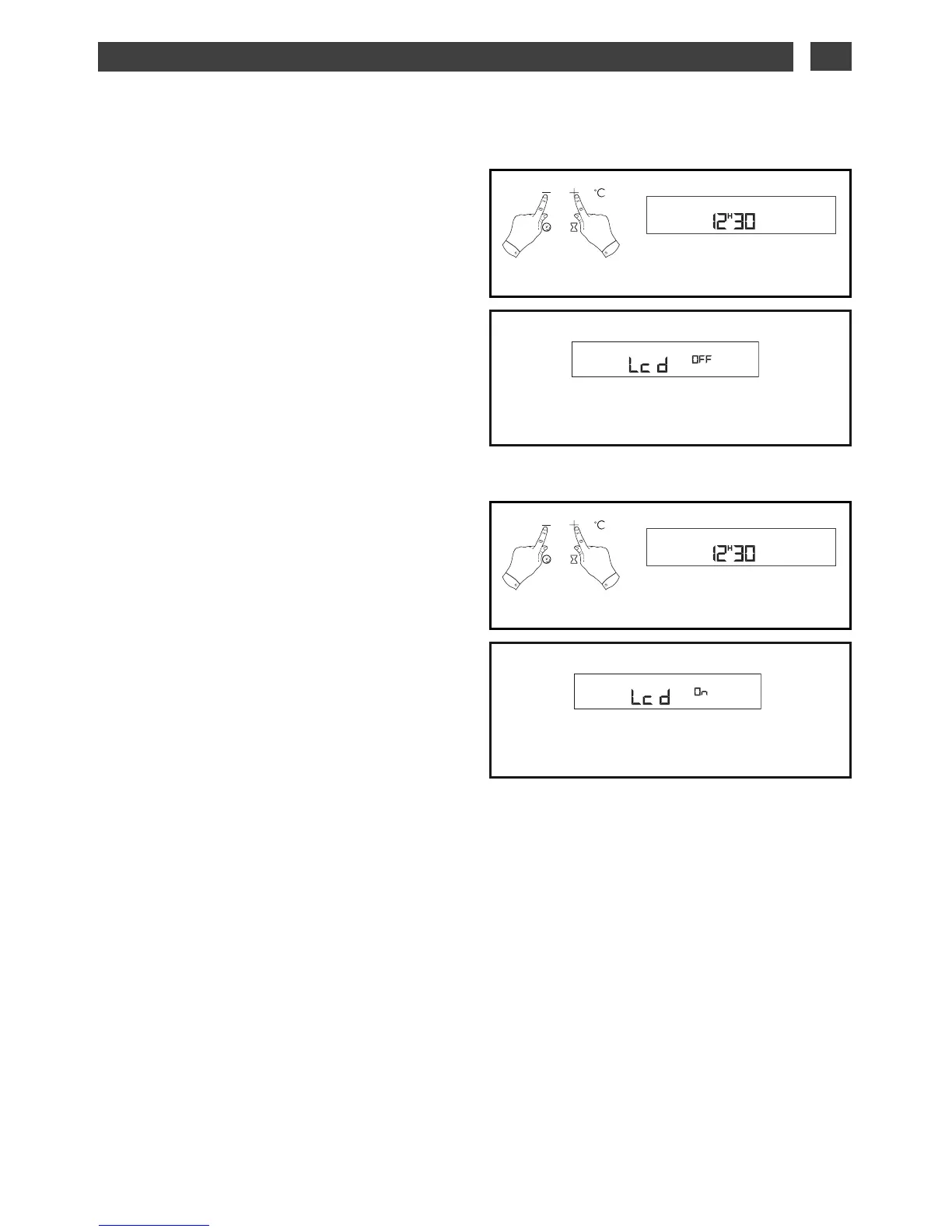
- Press the + and – touch controls
simultaneously for 5 seconds (fig.1).
- Your display indicates “LCD OFF” (fig.2).
- Release the buttons.
- 30 seconds later, your display will turn off.
Your oven is now in stand-by mode, it will
automatically turn off after 30 seconds in time
display mode.
DDEEAACCTTIIVVAATTIIOONN OOFF SSTTAANNDD--BBYY MMOODDEE::
- Your oven must be in time display mode.
- Press the + and – touch controls
simultaneously for 5 seconds (fig.1).
- Your display indicates “LCD ON” (fig.2).
- Release the buttons.
- You are out of STAND-BY MODE, your
display will remain on constantly.
DISPLAY STAND-BY MODE
••
fig.2


 To Next Page