18
4 / USING YOUR APPLIANCE
EN
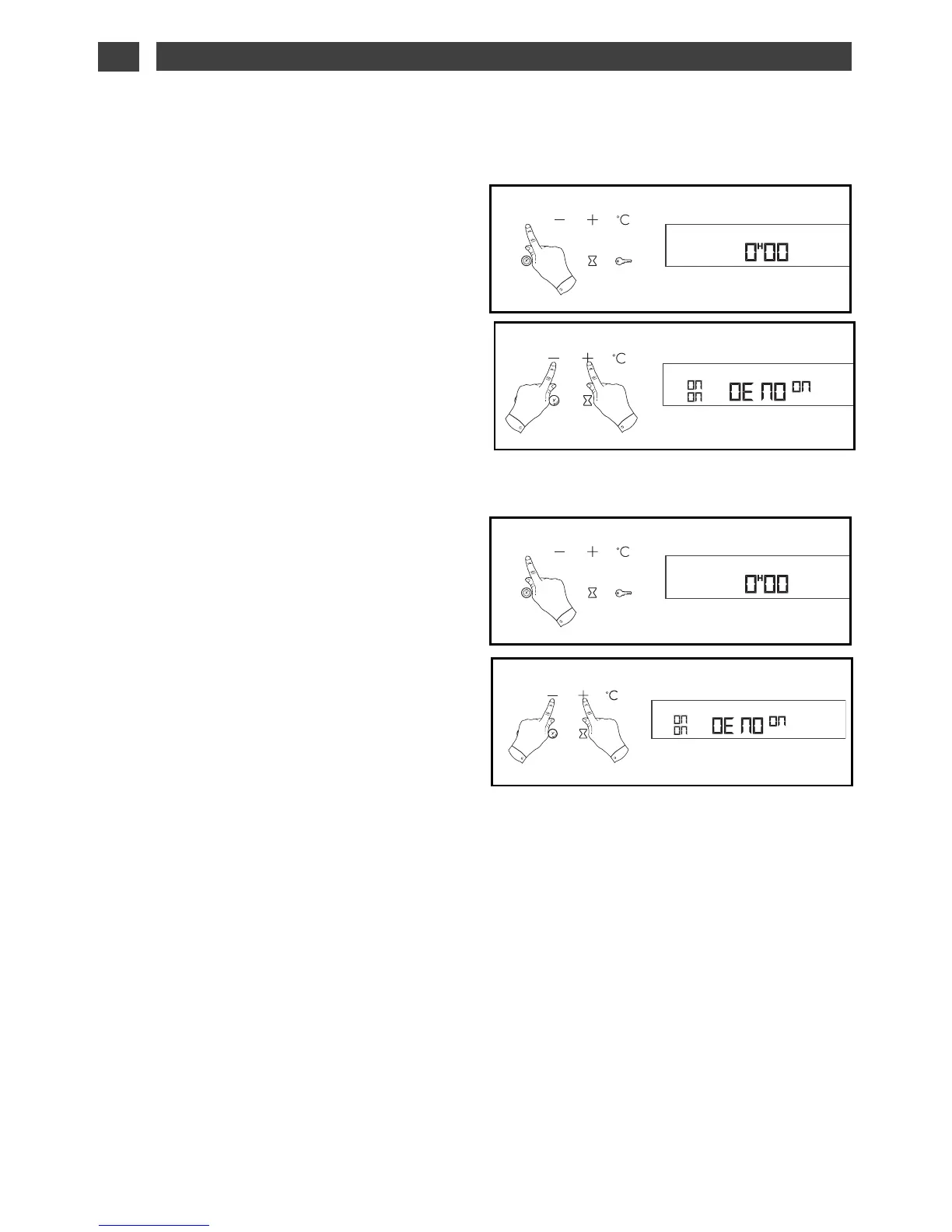
AACCTTIIVVAATTIINNGG DDEEMMOO MMOODDEE::
- Set the time to 0H00.
- confirm the time using the START/STOP
keys (fig.1).
- Press the + and – keys simultaneously for
10 seconds (fig. 2) until “DEMO ON” is
displayed.
Your oven is now in “demo” mode.
DDEEAACCTTIIVVAATTIINNGG DDEEMMOO MMOODDEE::
- Set the time to 0H00.
- Confirm the time using the START/STOP
keys (fig.1).
- Press the + and – keys simultaneously for
10 seconds (fig.2) until “DEMO OFF” is
displayed.
DISPLAY DEMO MODE
••


 To Next Page