How to Use the Tab Key
--=~-------=====':J
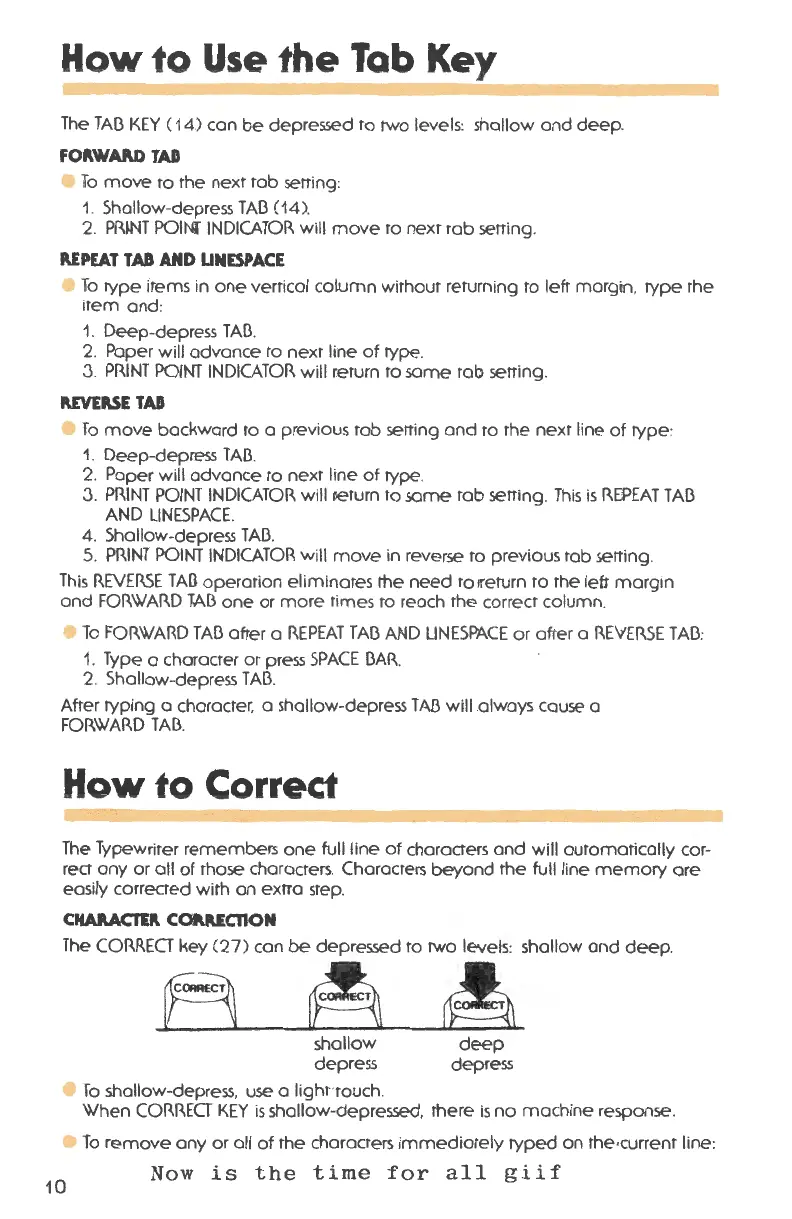
The TAC3 KEY ( 14) con be depressed to two levels: shallow and deep .
FO~WAP.D TAD
• To move to the next rob setting :
1. Shallow-depress TAC3 (14).
2. PRINT POINf INDICATOR will move to next tab setting.
REPEAT TAD AND UNESPACE
To type items in one vertical column without returning to left margin . type rhe
item and :
1. Deep -depress TAO.
2. Paper will advance to next line of type .
3. PRINT POINT INDICATOR will return to same tab setting .
REVERSE TAD
• To move backward to a previous tab setting and to the next line of type :
1. Deep-depress TAO.
2. Paper will advance ro nexr line of type .
3. PRINT POINT INDICATOR will lleturn ro same rob serring . This is REPEAT TAC3
AND LINESPACE.
4. Shallow -depress TAC3.
5. PRINT POINT INDICATOR will move in reverse ro previous rob setting .
This REVERSE TAD operation elim inates the need ro ireturn to rhe lefr margin
and FORWARD TAB one or mor e rimes ro reach rhe correct column .
To FORWARD TAB after a REPEAT TAC3 AND UNESPACE or afte r a REVERSE TAC3:
1. Type a character or press SPACE C3AR.
2. Shallow-depress TAC3.
After typing a character . a shallow-depress TAB will .always cause a
FORWARD TAC3.
How to Correct
The Typewriter remembers one full line of characters and will automatically cor-
rect any or all of those characters . Characters beyond the full line memory ore
easily corrected with an extra step.
CHARACTER. COAAECTION
The CORRECT key (27 ) can be depressed to two levels : shallow and deep .
10
A~~
shallow
depress
To shallow -depress. use a lighnouch .
deep
depress
When CORRECT KEY is shallow-depressed. there is no machine response .
To remove any or all of the characters immediately typed on the ,current line :
Now is the time for all giif



 To Next Page