tray after the cooking is complete.
F) Pan handle:
• Assists with removing the wire rack, mesh tray and baking tray from the Air Fryer
Convection Oven.
G) Crumb tray:
• Slide the drip tray into one of the lower rack slots in the Air Fryer Convection Oven.
• The crumb tray comes prepackaged at the very bottom, inside the Air Fryer
Convection Oven. Always keep the crumb tray in this position while using the
appliance.
• Please always keep the drip tray in the lowest layer inside the Air Fryer Convection
Oven for gathering oil from fried food.
Note: Please use your own oven mitts to remove the crumb tray after the cooking is
complete.
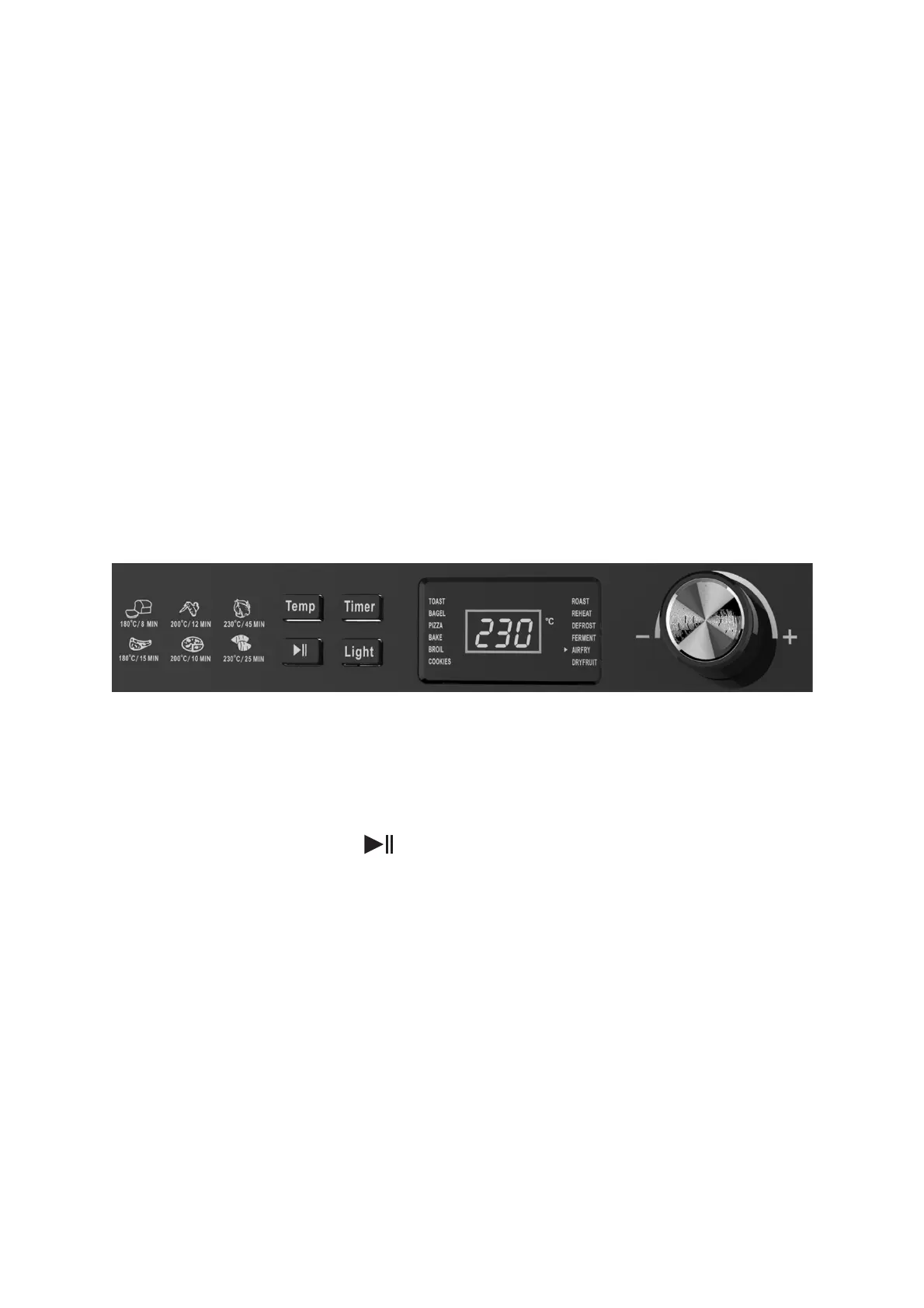
Control panel:
1) Selector dial
• When there is power to the unit, the digital display screen will illuminate.
• To choose one of the pre-set cooking programs, simply turn the selector dial.
Once the triangle illuminates on the digital display screen next to the desired
cooking program, press the button to begin the cooking process.
2) Temp button
• Press the Temp button to manually set your own chosen temperature.
• Once the Temp button is pressed, turn the selector dial to make your selection.
• Turning the selector dial clockwise increases the temperature.
• Turning the selector dial anti-clockwise decreases the temperature.
3) Timer button
• Press the Timer button to manually set your own chosen cooking time.
• Once the Timer button is pressed, turn the selector dial to make your selection.
• Turning the selector dial clockwise increases the cooking time.
• Turning the selector dial anti-clockwise decreases the cooking time.


 To Next Page