< 22 >
OPERATION INSTRUCTIONS
keep the door opened while programming to avoid
being locking out accidentally.
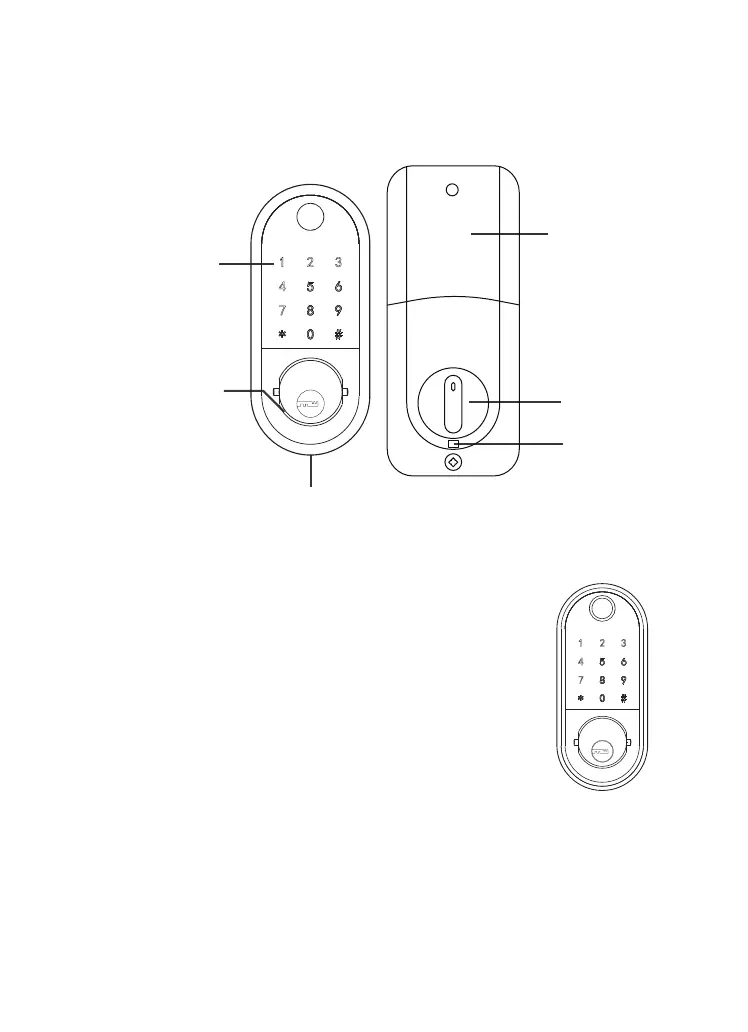
Battery Cover
Thumb Turn Piece
Dead lock
/Reset button
Touch screen button
A micro USB Backup Power Interface
Metal Keyhole Cover
Setting Admin Passcode
Via App:
TTLock - Settings - Basics - Admin Passcode
Via keypad (when not added to the phone):
Enter [*12#123456#Custom Admin pass-
code#Confirm Admin passcode#] in keypad.


 To Next Page