< 24 >
Reset
1.Takeout one of thebatterytopoweroffthelockabout5seconds.
Then put in the battery, poweron the lockandlongpressthebutton
about10seconds.
Once hearing "Please enter the initialization password",please
enter "000#" to confirm.
You will receive a voice prompt after reset successfully.
2.Long press and hold the reset button in back panel for 10
seconds.
Once hearing "Please enter the initialization password",please
enter "000#" to confirm.
You will receive a voice prompt after reset successfully.
Battery Power Runs Out
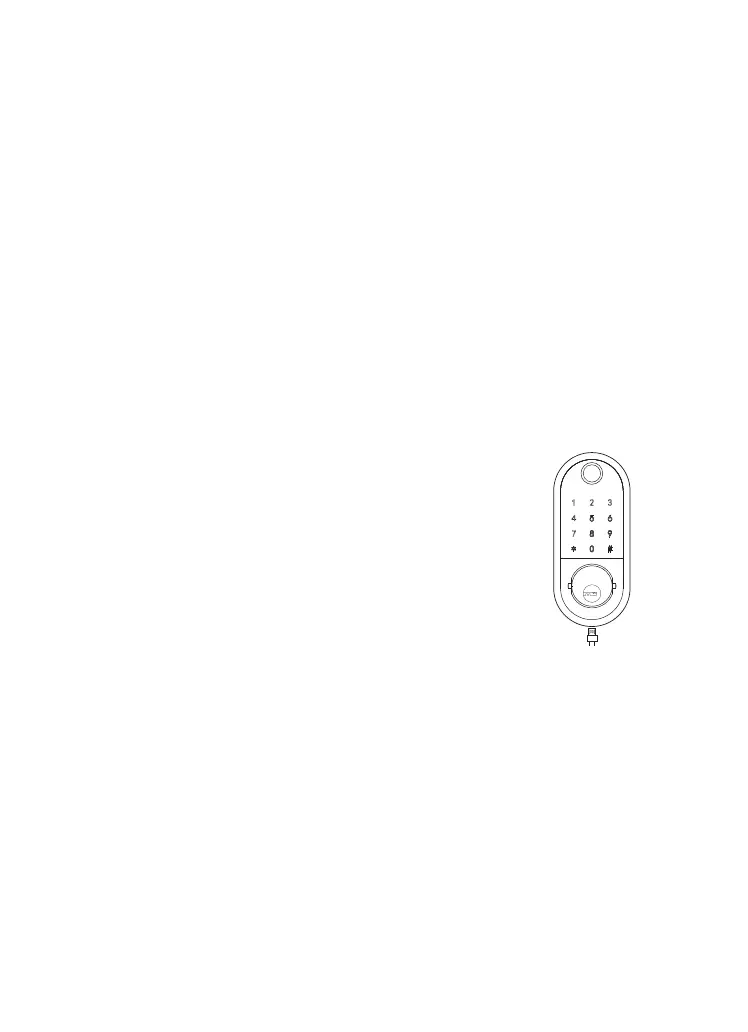
The smart lock will sounds an alarm when the
battery power is low.
A micro USB can directly power the lock and
activate the keyboard. Charging it via the
ports under the lock.
USB


 To Next Page