
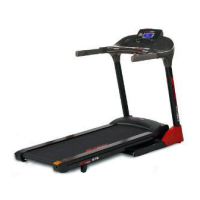
 Need help?
Do you have a question about the Smooth Fitness 675 and is the answer not in the manual?
 General
| Brand | Smooth Fitness |
|---|---|
| Model | 675 |
| Category | Treadmill |
| Language | English |
Inventory all parts included in the boxes and hardware.
Gather all necessary tools to assemble the unit properly.
Ensure sufficient space for assembly and operation.
Get assistance for potentially heavy lifting during assembly.
Do not exceed the 350 lbs (160 Kgs) weight limit.
Inspect, maintain, and replace defective parts promptly.
Attach console mast to base frame using bolts and washers.
Keep the treadmill in top working condition through proper maintenance.
Adjust the running belt tension to keep it centered on the treadmill.
Lubricate the walking deck periodically for optimal performance.
Consult a physician before use and stop if discomfort occurs.
Start exercise programs slowly based on physical condition.
Guidance on preparing and recovering muscles with exercises.
Instructions for Toe Touch, Shoulder Lift, Inner Thigh, Side, Hamstring, Calf, and Head Roll stretches.
Introduction to the online fitness tracking platform.
Steps to create a user account on the mySMOOTH platform.
Instructions for installing software and syncing data with USB.
Guide to manually entering exercise and health metrics.
Information on using the USB port for charging devices.
Solutions for issues with the display not powering on.
Troubleshooting steps for abnormal LCD display behavior.
Solutions for speed feedback or motor console errors.
Troubleshooting for incline motor malfunction.
Information on warranty periods for different treadmill components.
Procedure for requesting warranty service or repairs.
Conditions and exclusions that are not covered by the warranty.

 To Next Page