REV 4.1 Printed 09/2018
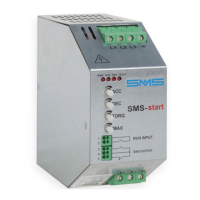
SMS-start
14
* The FAULT LED ashes “xN” indicates that the FAULT LED ashes synchronously with the PWR LED “N” times.
ENGLISH
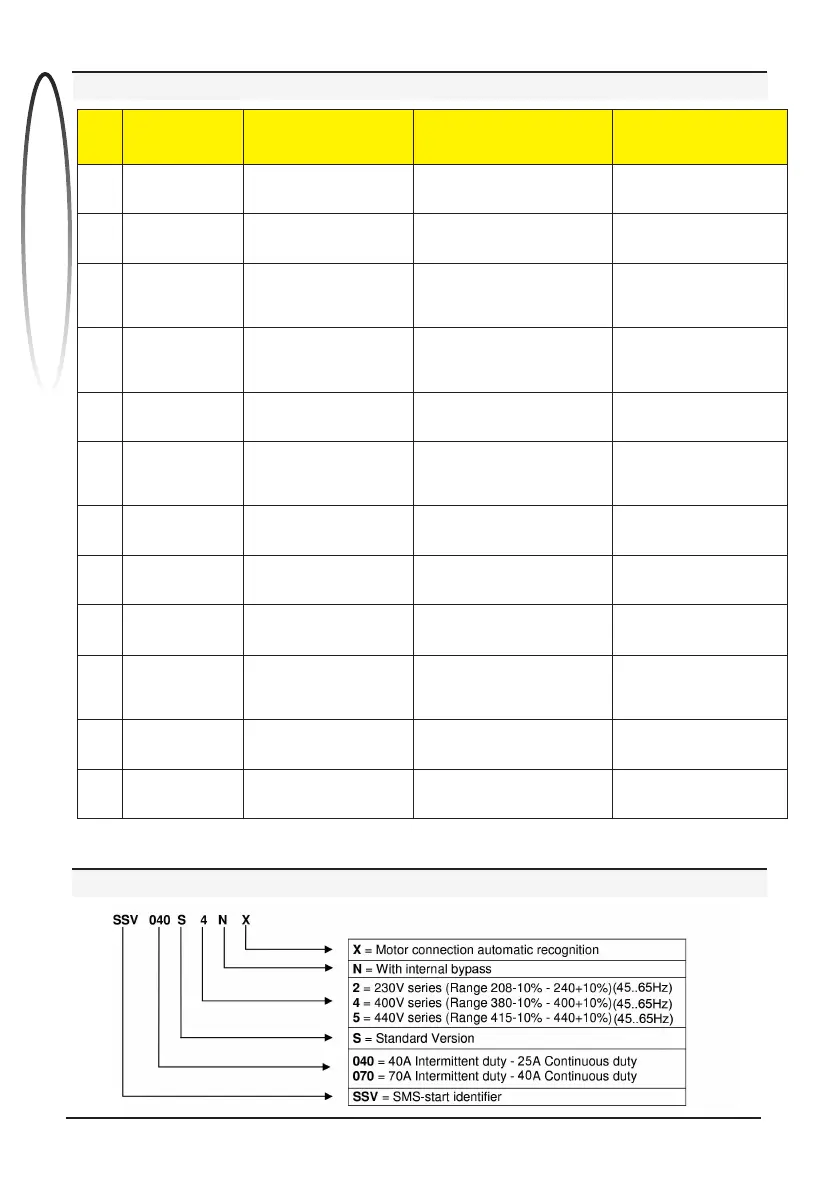
TROUBLESHOOTING
Diagnostics Cause Checks
Conclusions / Actions to be
performed if the suggested
checks are negative
1
The POWER led
doesn’t ash
The control board is not
powered
Check that the correct supply is
present on terminals L1/L2/L3
Probable damage on the
internal supplier. Contact
SMS
2
The RUN doesn’t lit
Check that between terminals 1-2
(RUN) the contact il closed
Probable failure of the run
command. Contact SMS
3
The FAULT* LED
ashes once
The starting current exceeds
the maximum limits of the
device
Check the insulation of the motor.
Make sure that the size of the
device is compatible with the
power of the motor
Probable failure of the
by-pass relays. Contact SMS
4
The FAULT* LED
ashes twice
The heatsink temperature
exceeds 80°C
Check that the ventilation slots are
not obstructed. Wait for several
minutes to allow the heatsink to
reduce the temperature
Probable failure of the
temperature probe.
Contact SMS
5
The FAULT* LED
ashes three times
SMS start is not
synchronizing with the mains
Check that the mains frequency is
between 45Hz and 65Hz
Probable electrical network
failures or faulty components
6
The FAULT* LED
ashes four times
SMS start doesn’t detect
the 3 phases of the power
supply
Check that the motor
is properly connected.
Check that the correct supply is
present on terminals L1/L2/L3
Probable damage on the
power components.
One of the phases missing
7
The FAULT* LED
ashes ve times
SMS Start recognises an
incorrectly connected motor
Check that the motor is properly
connected
Probable damage on the
power components
8
The FAULT* LED
ashes six times
SMS Start detects the failure
of a power component
Make sure that the power supply
voltage is correct
Probable damage on the
power components
9
The FAULT* LED
ashes seven
times
SMS Start detects that the
by-pass relays have not
been activated
Make sure that the power supply
voltage is correct
Probable damage on the
power components
10
The FAULT* LED
ashes eight times
SMS Start detects an
overload on the power
components
Make sure that the size of the
device is compatible with the
power of the motor. Wait a few
minutes and try to start it again
Replace the device with a
greater size one
11
The FAULT* LED
ashes nine times
SMS Start is not able to
nish the start-up process
Try to increase again
the IMAX trimmer
Replace the device with a
greater size one
12
The FAULT* LED
ashes ten times
SMS Start detects an
undesired ignition
Try to increase again
the TORQ trimmer
Probable damage on the
power components
SMS-start CODE FORMAT


 To Next Page