18
Troubleshooting
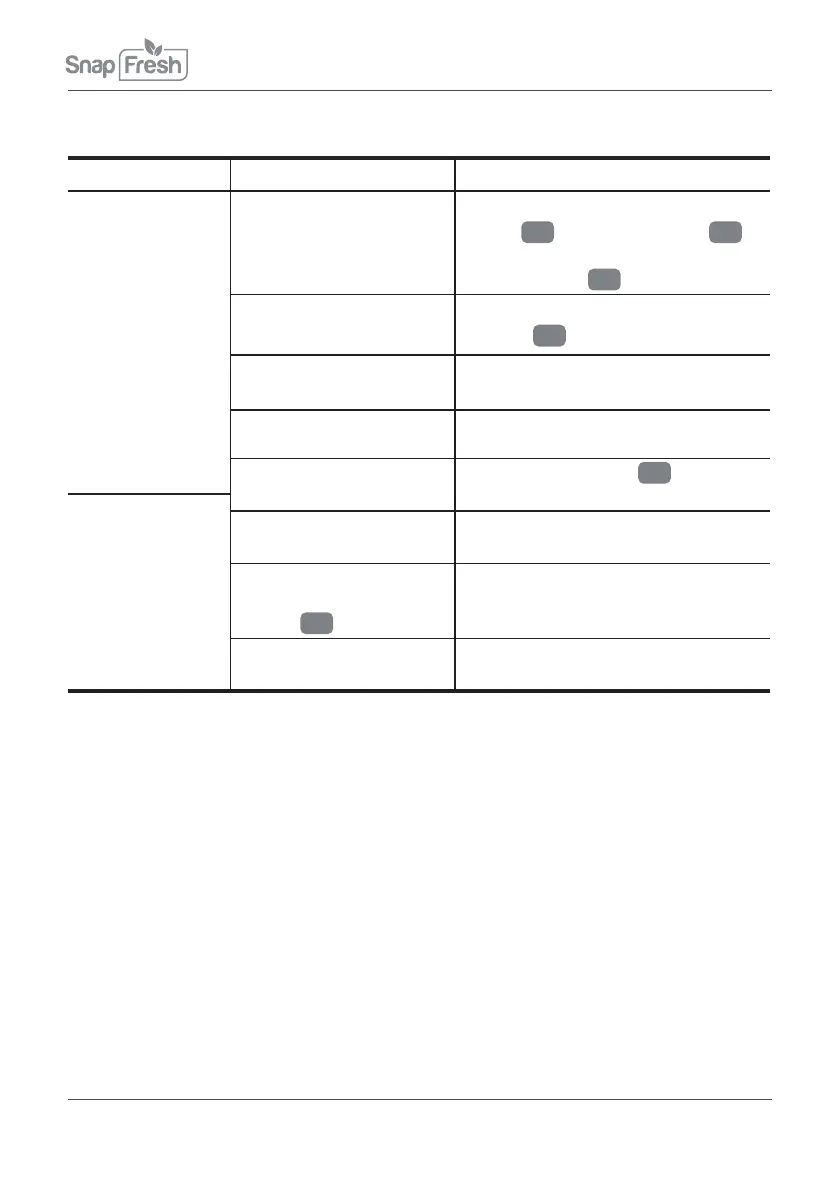
Problem Probable cause Suggested remedy
Blade will not run Switch in off position Make sure you depress lock-off
button
2
and on/off switch
1
.
Your tool is now on. Release
lock-off button
2
Battery is powered off
Charge your tool with the supplied
charger
8
Switch broke down
Please contact us via email:
afterservice@snapfreshpro.com
Please contact us via email:
afterservice@snapfreshpro.com
Please contact us via email:
afterservice@snapfreshpro.com
Motor broke down
Your tool is in charging
status
Unplug the charger
8
after
charging is completed
Charging
indicator light
will not on
Charger broke down
Connector pin is not
plugged in the charger
socket
6
completely
Make sure the connection is well.
No electrical power at
wall outlet
Check circuit breaker or fuse at
electrical panel
Maintenance
Your tool requires no additional lubrication or maintenance. There are no user
serviceable parts in your power tool. Never use water or chemical cleaners to
clean your power tool. Wipe clean with a dry cloth. Always store your power tool
in a dry place. Keep the motor ventilation slots clean. Keep all working controls
free of dust. Occasionally you may see sparks through the ventilation slots. This
is normal and will not damage your power tool.
For Battery tools
The ambient temperature range for the use and storage of tool and
battery is 0°C-45°C.
The recommended ambient temperature range for the charging
system during
charging is 4°C-4°0C.


 To Next Page