11
Connecting to a Surround Processor
When using a powered subwoofer:
➤ Select the SMALL or NORMAL setting on your
receiver or processor for your main and center
channels. This routes all bass information (typi-
cally below 120Hz) to your subwoofer.
When not using a powered subwoofer:
➤ Select the LARGE setting on your receiver or
processor for your main speakers. This routes all
bass information (typically below 120Hz) to
your main speakers.
Match the sound levels of each speaker.
➤ Your home theater system most likely includes
a test signal that simplifies level matching.
Refer to the instructions provided with these
electronics.
Connecting the CR.5mk2
Connecting the CR.5mk2 to a Surround
Processor
➤ Select the SMALL or NORMAL setting on your
receiver or processor for the center channel. This
routes all bass information (typically below
120Hz) to your subwoofer.
➤ When making connections, be sure to connect
+ to + (red) and — to — (black).
➤ Match the sound levels of each speaker. Your
home theater system most likely includes a test
signal that simplifies level matching. Refer to
the instructions provided with these electronics.
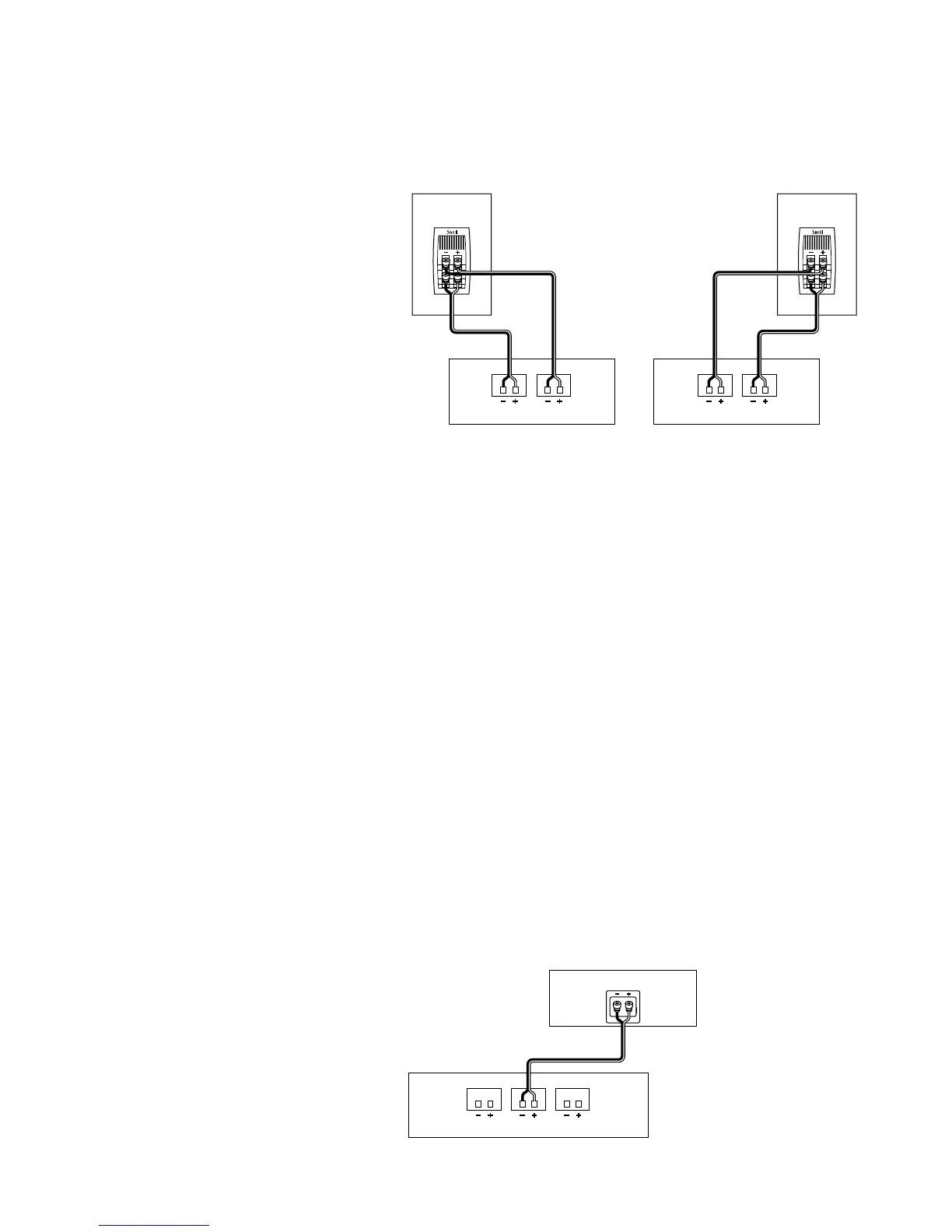
Using One Amplifier for Each Speaker
Make sure that the amplifiers are identical.
1. Unscrew both sets of terminals and remove the
jumper straps.
2. Connect the cables from the bottom set of
terminals to the first amplifier’s right channel.
3. Connect the cables from the top set of termi-
nals to the first amplifier’s left channel.
4. Repeat steps 2 and 3 for the second amplifier.



 To Next Page