V: 12/19/2024 - 1 ©2024 Snom Technology GmbH 11/19
Short User Manual
(2) Adjusting the D140 / D150 settings
A comparatively small number of settings can be adjusted directly on the phone via
menu-driven phone user
interface (PUI)
; many more can be conveniently customized via the
phone's web user interface (WUI)
from a
computer with web browser.
Note: Snom phones can be operated in administrator or user mode. In administrator mode, all settings are
accessible and can be modified; in user mode, a number of settings are not accessible. → Default setting:
administrator mode
If your phone is administered centrally, user mode may be the rule. Please check with your network
administrator or VoIP provider. When the phone is running in user mode, the administrator password is
required to switch to administrator mode.
Phone user interf ace (PUI)
Press
Settings
to open the settings menu on the display. To
open submenus and settings, select the
submenu or setting with the navigation key
and press
Ok
Web user interface (WUI)
Available items in the vertical menu on the left side of the window
depend on whether the phone is running in user or administrator mode.
Any changes you make on the web interface will not take effect until you
click on Save or on Apply and Save, depending on your firmware
version. Changes will be lost if you open another page of the web
interface without first clicking on Apply/Save.
2
3
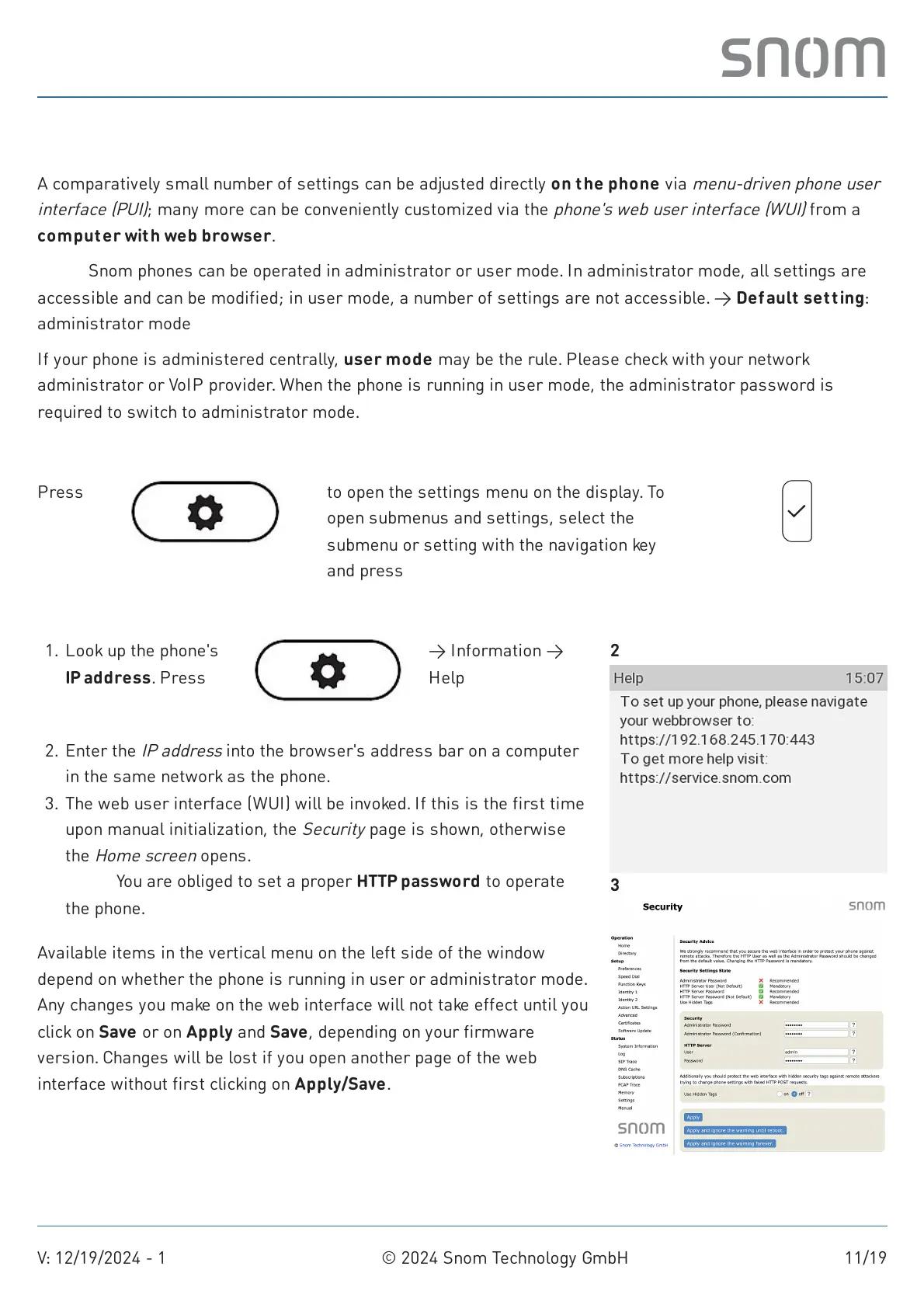
1. Look up the phone's
IP address. Press
Settings
→ Information →
Help
Enter the
IP address
into the browser's address bar on a computer
in the same network as the phone.
2.
The web user interface (WUI) will be invoked. If this is the first time
upon manual initialization, the
Security
page is shown, otherwise
the
Home screen
opens.
Note: You are obliged to set a proper HTTP password to operate
the phone.
3.



 To Next Page