V: 10/13/2024 - 1 ©2024 Snom Technology GmbH 10/22
Short User Manual
Audio control keys (see →
Getting started
→ Getting to know the D815W components
→ 10)
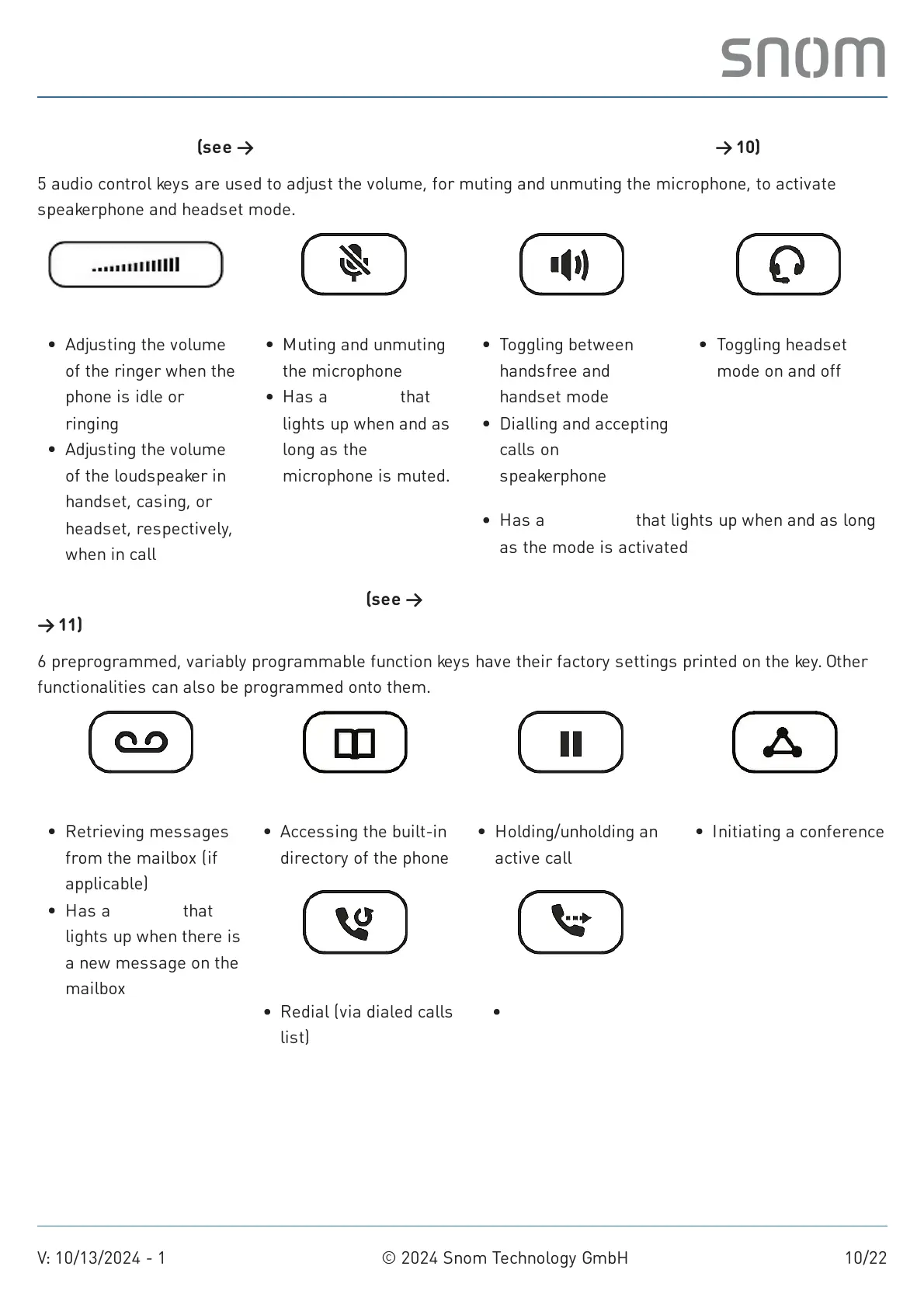
5 audio control keys are used to adjust the volume, for muting and unmuting the microphone, to activate
speakerphone and headset mode.
Dedicated, customizable function keys (see →
Getting started
→ Getting to know the D815W components
→ 11)
6 preprogrammed, variably programmable function keys have their factory settings printed on the key. Other
functionalities can also be programmed onto them.
Volume + / -
Adjusting the volume
of the ringer when the
phone is idle or
ringing
Adjusting the volume
of the loudspeaker in
handset, casing, or
headset, respectively,
when in call
Mute
Muting and unmuting
the microphone
Has a red LED that
lights up when and as
long as the
microphone is muted.
Speakerphone
Toggling between
handsfree and
handset mode
Dialling and accepting
calls on
speakerphone
Headset
Toggling headset
mode on and off
Has a green LED that lights up when and as long
as the mode is activated
Message
Retrieving messages
from the mailbox (if
applicable)
Has a red LED that
lights up when there is
a new message on the
mailbox
Directory
Accessing the built-in
directory of the phone
Redial
Redial (via dialed calls
list)
Hold
Holding/unholding an
active call
Transfer
Transferring calls
Conference
Initiating a conference



 To Next Page