Need help?
Do you have a question about the Snom M Series and is the answer not in the manual?
Steps for connecting the Snom M400 Base Station using Power over Ethernet.
Instructions for connecting the Snom M400 Base Station without PoE.
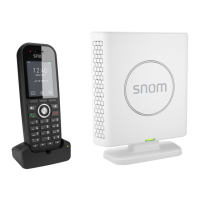
Instructions for setting up the Snom M30 handset and its charger.
Instructions for setting up the Snom M70 handset and its charger.
Steps to pair the first M30/M70 handset to the M400 base station.
How to pair subsequent handsets to the Snom M400 base station.
Steps for transferring calls after speaking to the recipient.
Steps for transferring calls without speaking to the recipient.
Steps to transfer an incoming call using the blind transfer method.
Steps to enable call forwarding (Unconditionally, Busy, No Answer).
Procedure to disable active call forwarding settings.
Identification and explanation of M400 base unit's wall mounting, ports, reset key, and LED status indicator.
Explanation of M30 handset's speaker, battery status, menus, keys, microphone, and LED indicators.
Explanation of M70 handset's speaker, battery status, menus, keys, microphone, and LED indicators.
 General
| Brand | Snom |
|---|---|
| Model | M Series |
| Category | Cordless Telephone |
| Language | English |


 To Next Page