Using the WebUI 76 Back to Contents
M100 KLE Administrator and Provisioning Manual
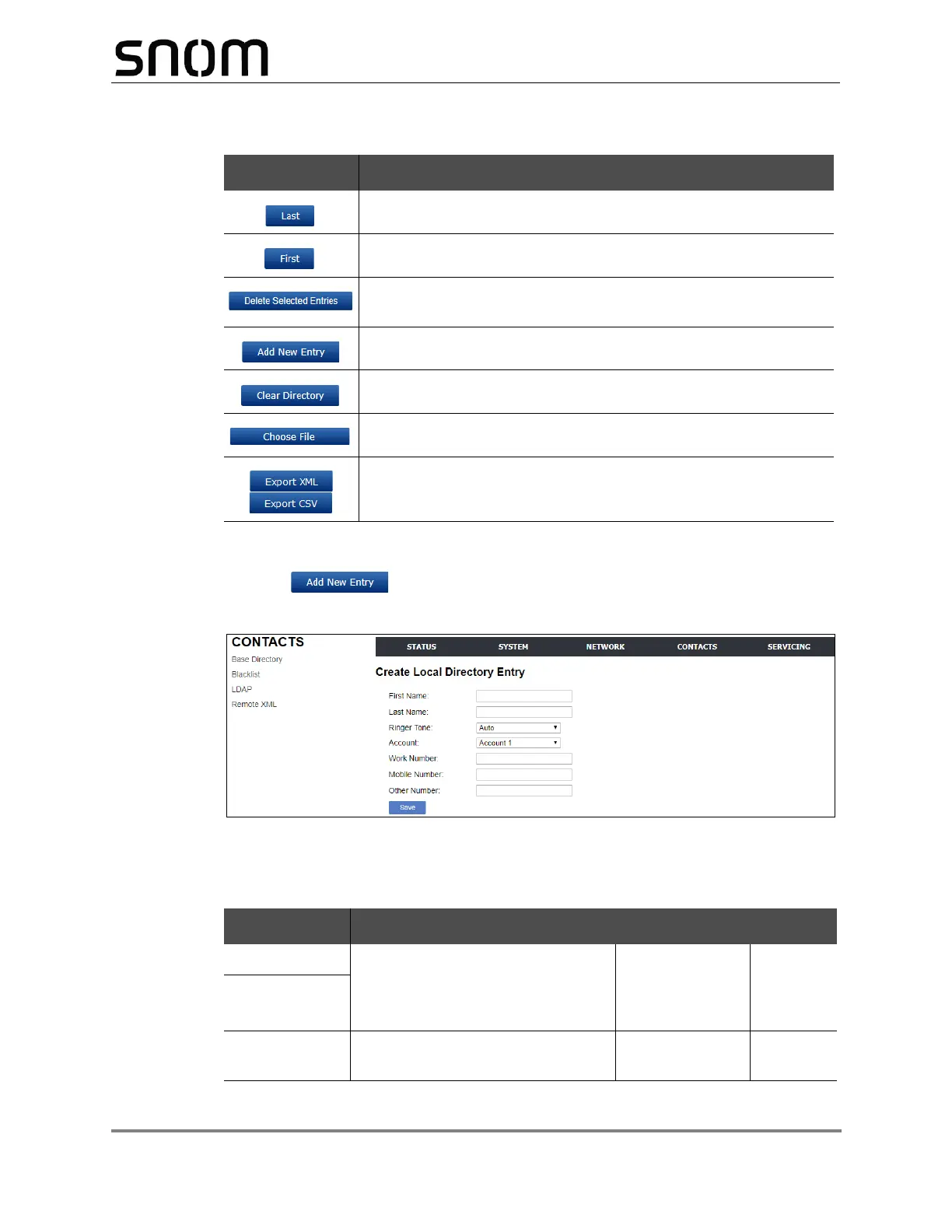
To add a new directory entry:
1. Click .
The Create Base Directory Entry page appears.
2. Enter the required information as described in the following table.
Create Base Directory Entry
View the last page of entries.
View the first page of entries.
Delete selected entries from the directory. Click Select All to
select every entry on the page you are viewing.
Add a new directory entry.
Delete all Directory entries.
Import a directory file.
Export the directory.
Setting Description Range Default
First Name Enter the appropriate names in
these fields. The maximum length
of the first name and last name
fields is 15 characters.
n/a Blank
Last Name
Ringer Tone Sets a unique ringer tone for calls
from this directory entry.
Auto, Tone 1–10 Tone 1
Table 5. BaseDirectory commands
Click To...


 To Next Page