Cellular Device Training Manual
11
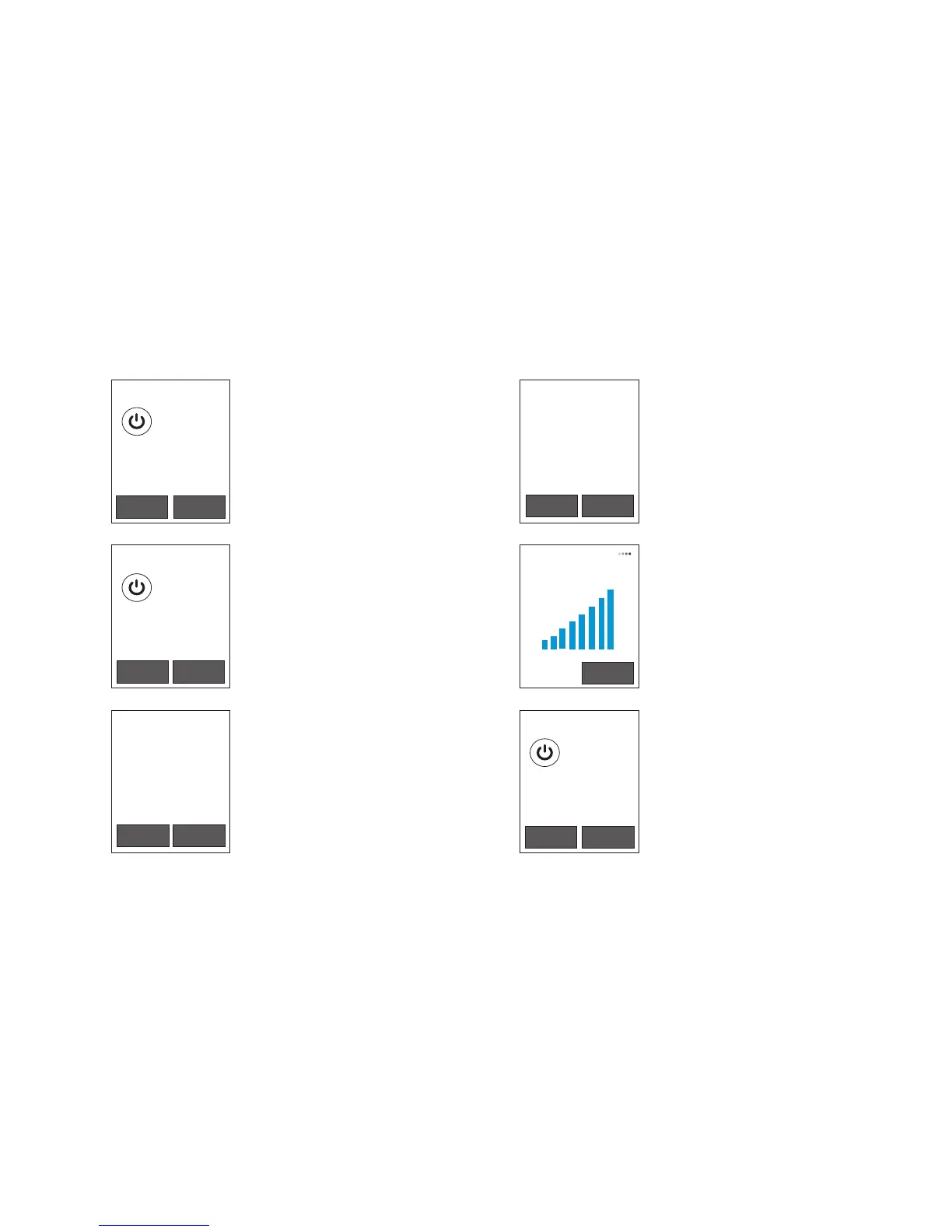
Device Screens
Menu Options
To access or exit the Menu,
click both display buttons at
the same time.
The power button will act as
the selection button.
Test Details
The test details may include
BrAC results and error details if
applicable.
Test History.
All testing attempts will
be recorded here in UTC
(Universal) time.
Use the display buttons to
scroll through the tests and the
power button to select a test.
HOME BACK
Test Details
Date:
Time:
BrAC:
Status:
Cell:
GPS:
11/09/2013
10:20PM
0.000
SENT
2,3,2706,-59
NEW
Test History
11/09
11/09
11/08
11/07
11/07
10:20PM
09:52AM
06:04PM
10:11PM
09:59AM
PEND
PEND
SENT
SENT
SENT
PREV NEXT
PREV NEXT
Menu Options
Test history
Air blank test
Cell coverage
Reset Device
Air Blank Test
Use this feature to make sure
the Device’s fuel cell isn’t
damaged.
The Device should test blank
air at 0.000.
Cellular Coverage
The strength of the Device’s
cellular signal is displayed on
this screen.
Reset Device
To avoid accidental reset, a
certain button combination
must be keyed after selecting
this option –
Power, left, right, power.
Air Blank Test
Device 10000001
Date: --/--/--
Time: --:--
Result: 0.000
HOME BACK
Cellular Coverage
PREV NEXT
Menu Options
Test history
Air blank test
Check for updates
Reset Device
CANCEL
to select
to select
to select


 To Next Page