Cellular Device Training Manual
13
Device Screens
Queuing Test History
A queued test is displayed
in the Test History on the
device as PEND (pending).
Once the Device regains
cellular coverage, the
Test History on the Device
will reconcile with the
Monitoring Web Portal.
Queuing Compliant Test
If a Client attempts to
submit a compliant test
without cellular coverage,
the Device will store the test
results until connectivity is
restored.
Note: Queuing must be
enabled.
Test History
11/09
11/09
11/08
11/08
NEXT
BACK
to select
10:20PM
09:52AM
06:04PM
10:11PM
PEND
PEND
SENT
SENT
Connect
To Power
Retest Required
Wait 15 minutes
Send an additional
test in 15 minutes
Time: 3:09PM PDT
OK
Queuing Non-Compliant Test
If a Client attempts to submit
a non-compliant test without
cellular coverage, the device
will store the test results until
connectivity is restored. Upon
submitting a non-compliant
test, Clients will be asked to
submit a retest in 15 minutes.
Compliant Test
Has Been Stored
Test will be sent
automatically when
coverage improves.
Time: 3:09PM PDT
CLOSEHOME
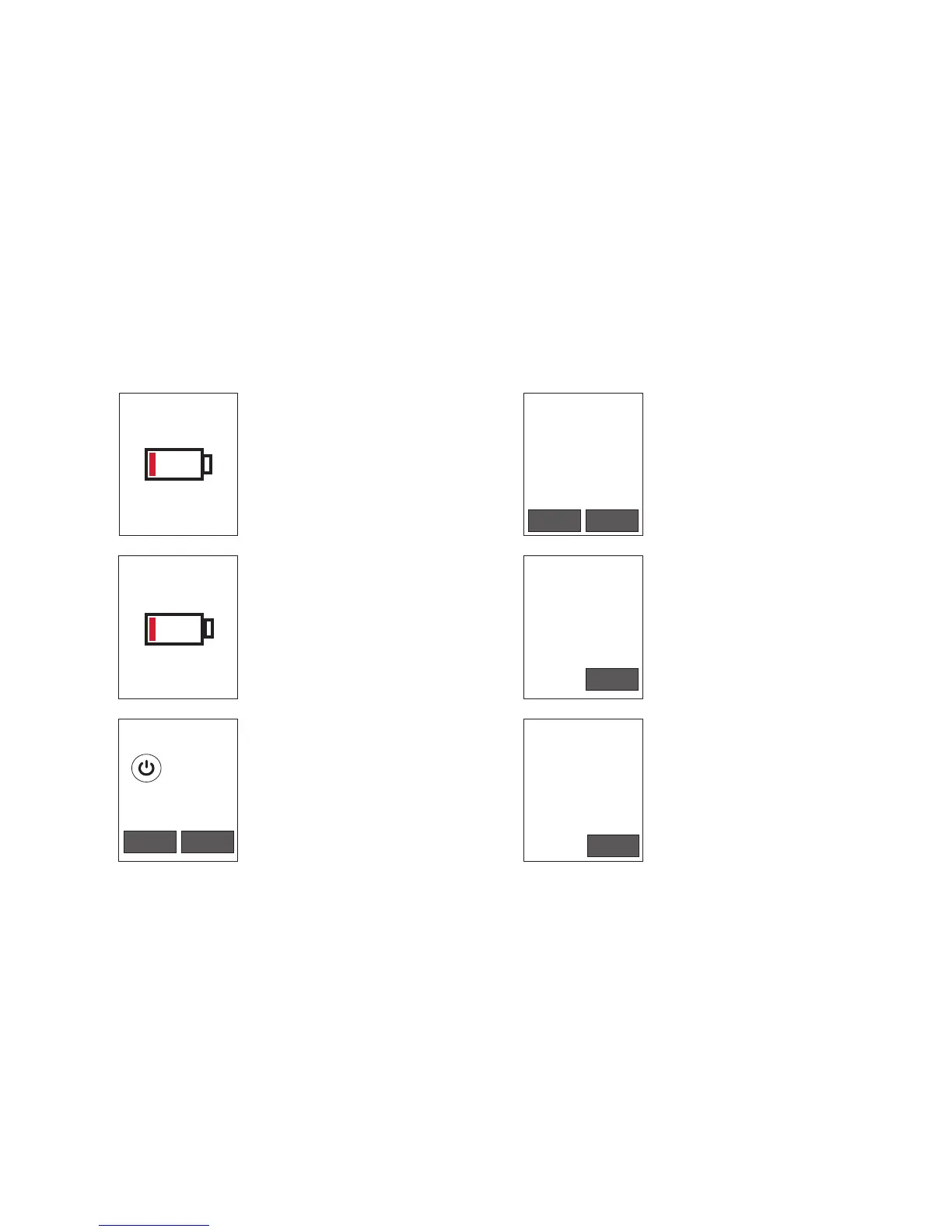
Connect to Power
A battery icon will be
displayed when the battery is
too low to power the Device.
Retest Required
Wait 15 minutes
Additional test
required at
3:24PM PDT
OK
Queuing Non-Compliant Retest
After clicking “OK” on the
previous retest screen, the
Device screen will display what
time the Client is required to
submit a retest.
Charging Icon
A battery icon will be
displayed when the Device’s
battery power is low but
charging.
Charging


 To Next Page