Cellular Device Training Manual
4
User Acvaon
Security Questions
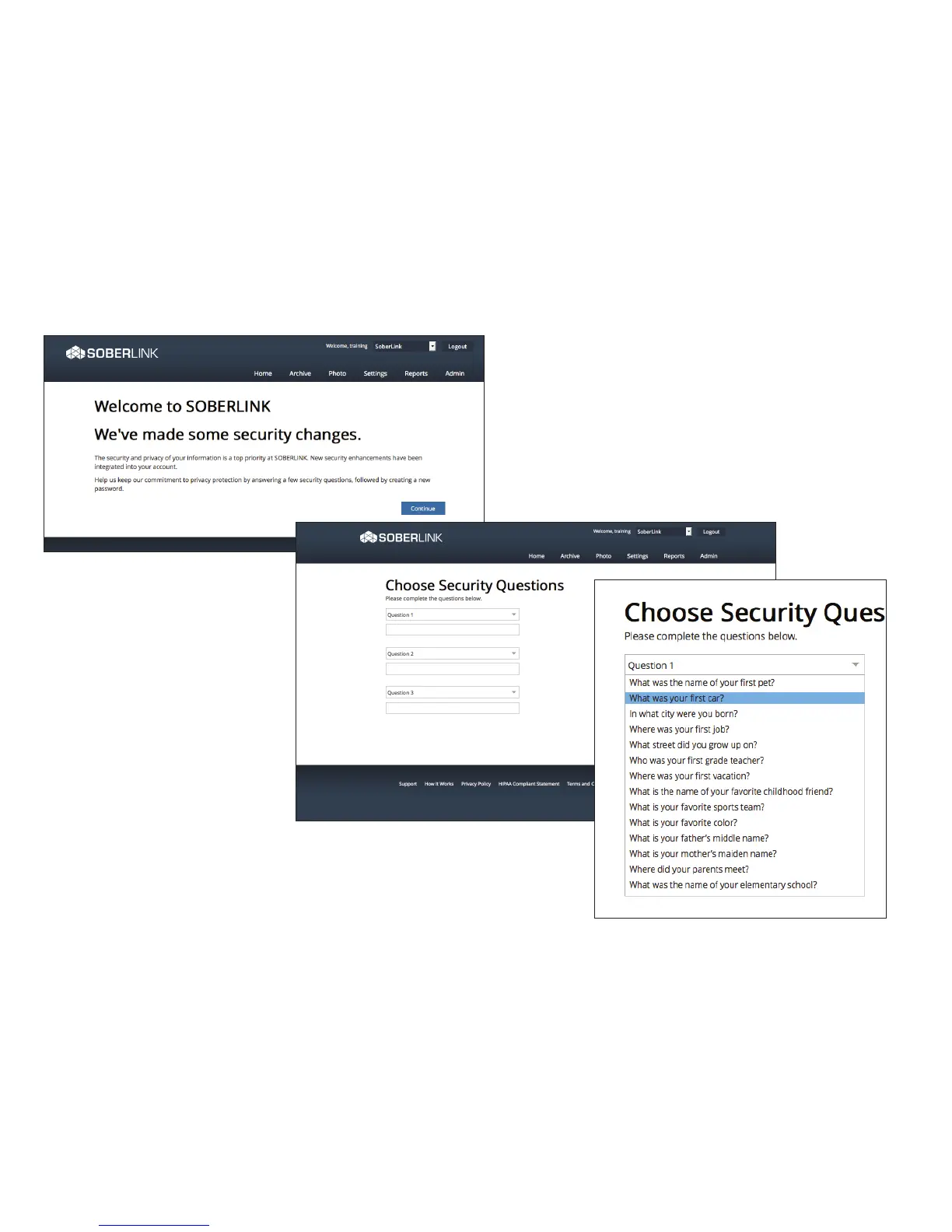
After the welcome screen, the User will
be prompted to select and answer three
security questions.
To complete the security questions follow
these steps:
1. Click the drop-down arrows for each
question.
2. Select the desired security question
(each question may only be selected
once).
3. Fill in a personalized answer for each question.
4. Click Continue.


 To Next Page