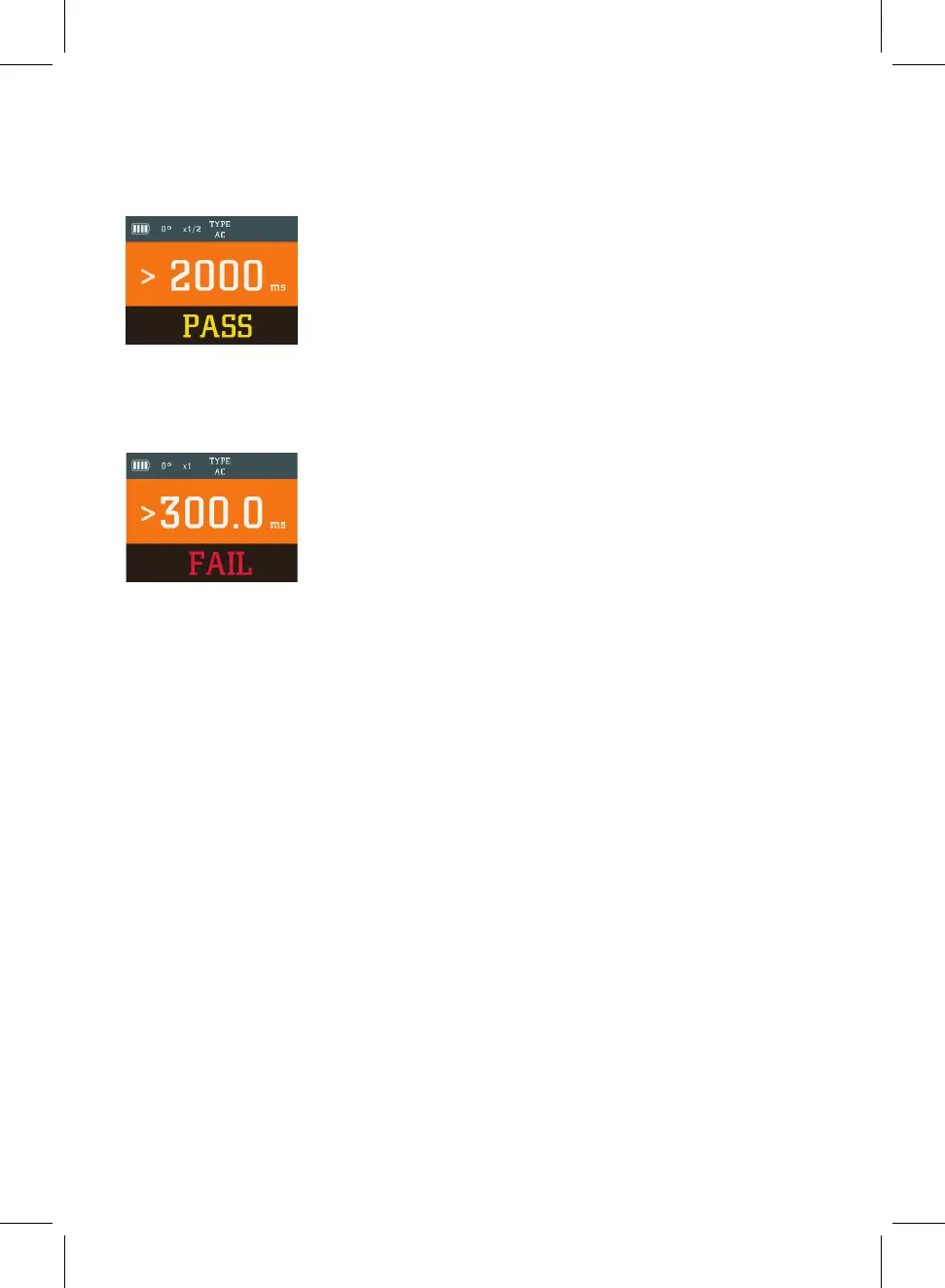
The main display shows that the fault current was supplied for over 2000 milliseconds
(2 seconds) without tripping the RCD. The secondary display confirms that this passes
the requirements of BS7671.
In the event of the RCD failing the test and tripping within 2 seconds at half the rated
current the main display will show the trip time and the secondary display will show
‘FAIL’. A short 2 tone alert will also sound.
After displaying the result for a few seconds the tester will switch to the 180° phase
polarity setting in readiness for the next test.
When both tests have been conducted at the x½ setting press the multiplier button to
change the test current to the x1 setting.
Press the test button to conduct a test at the x1 setting a 0°. The result will be shown as
a pass if RCD trips within 300ms. After displaying the result for a few seconds the
tester will switch to the 180° phase polarity setting in readiness for the second test at
the x1 current setting.
If the 30mA setting has been selected at the x5 current option will be available by using
the multiplier button. This option is not available or required for other ratings.
Ramp Test
The Socket & See MFT5000 also includes a diagnostic Ramp test feature. In this mode
rather than applying a steady fault current and measuring the time taken for the RCD to
trip, the
Socket & See MFT5000 gradually increases the fault current and identifies the level of
additional leakage at which the RCD trips.
This is particularly useful in diagnostic testing of circuits where nuisance tripping is a
problem and helps to identify the dierence between an over sensitive RCD and
excessive leakage from poor insulation or equipment with high leakage.
Use the rotary switch to select the rating of the RCD.
Select AC or A using the A/AC button.
Press the RCD multiplier button until the
Ramp symbol is displayed.
Press the test button to start the test. The fault current applied will increment in 3mA
steps until the RCD trips.
28


 To Next Page