APPENDIX F: COMMAND BARCODES FOR CHS 7E, 7M, 7P, 7NRX 105
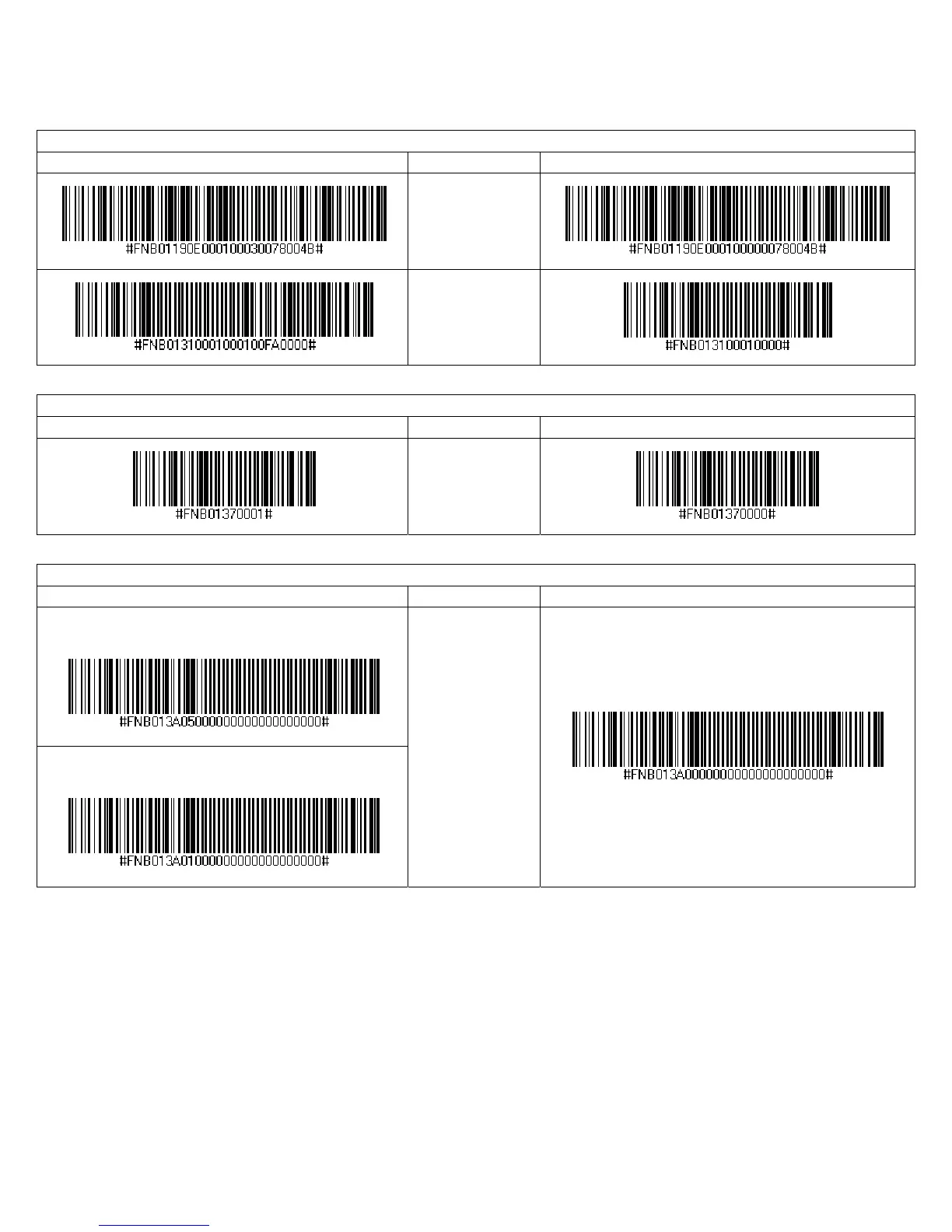
IMPORTANT! Print out the page to scan the barcodes. Do not scan them onscreen.
Good Scan Indicators
Scan to Enable Description Scan to Disable
Beep after
Decoding Data
(default)
Vibrate after
Decoding Data
(default)
VIN (Vehicle Identification Number) Prefix Removal
Scan to Enable Description Scan to Disable
Return only the
last 17 characters
of a Code 39
barcode.
Apple iOS Onscreen Keyboard (HID Mode only)
Scan to Enable Description Scan to Disable
With Beep when onscreen keyboard appears
No Beep when onscreen keyboard appears
Double-press CHS
power button to
access onscreen
keyboard of
Apple device.
(default with
beep)


 To Next Page