80
To pair the CHS with your BlackBerry smartphone:
You only need to pair the CHS with your phone the first time you try to connect.
The following instructions are based on Socket EZ Pair, a feature of SocketScan 10
software. For instructions on how to connect by generating and scanning a special
barcode, please see Appendix I
.
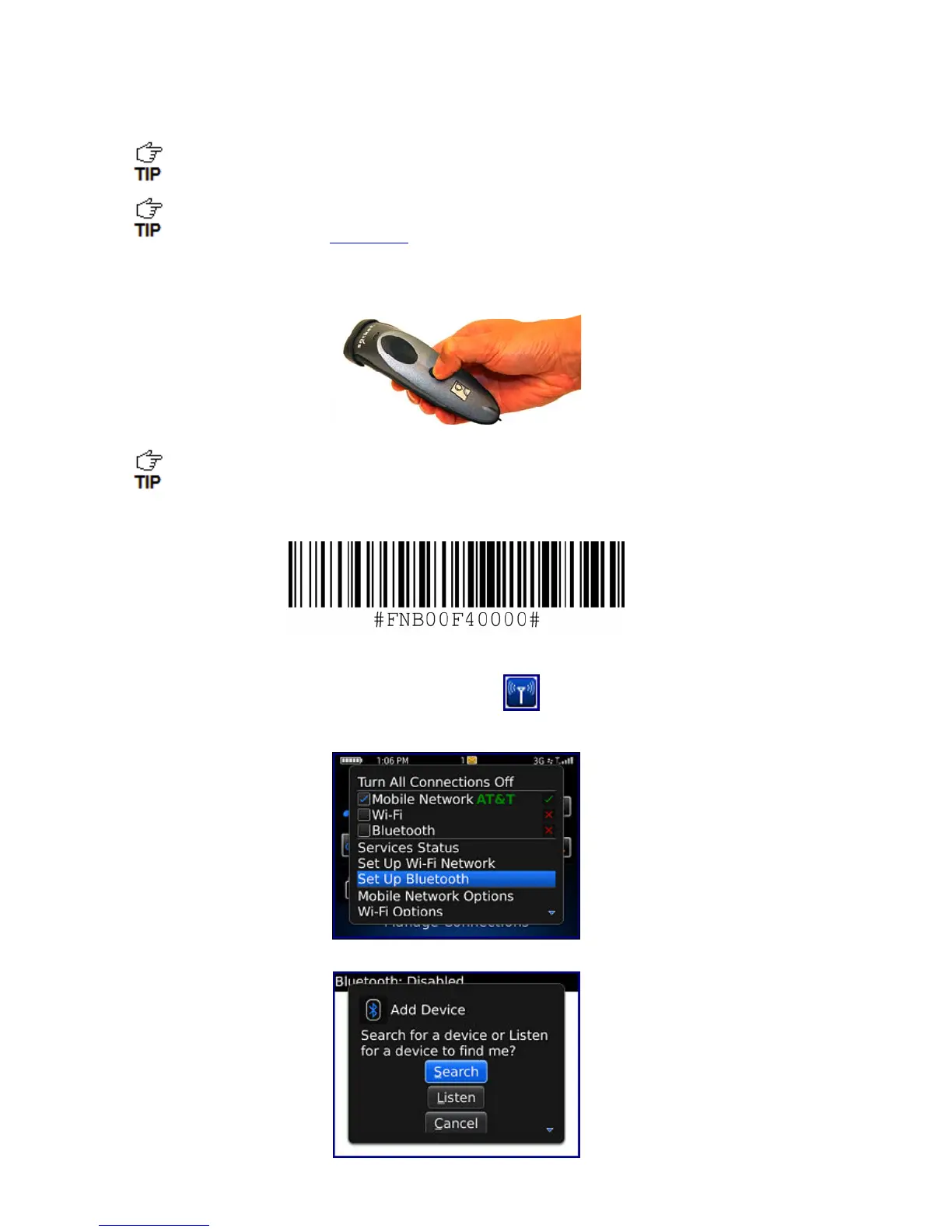
1. Power on the CHS. Press and hold the small power button until the LED turns blue and
the CHS beeps twice (low-high).
The LED blinks blue once per second to show that the Bluetooth radio is on but not
connected.
2. Scan this barcode to change the CHS to SPP mode. Afterwards, the CHS will beep 3 times.
IMPORTANT! Print out this page to scan the barcode. Do not scan it onscreen.
3. In the Home Screen, click Manage Connections .
4. Click Set Up Bluetooth.
5. Click Search.


 To Next Page