CHAPTER 7: SETUP FOR BLACKBERRY 81
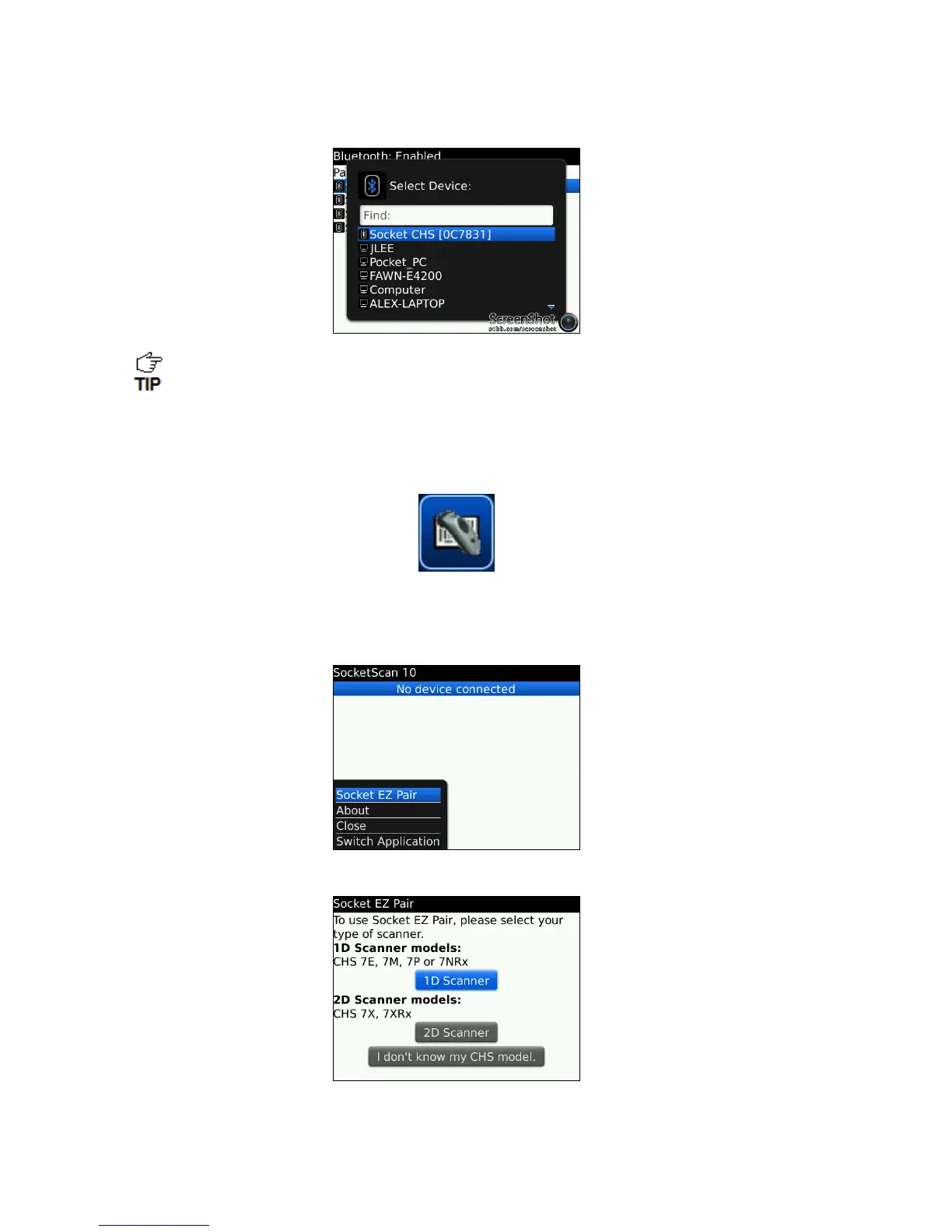
6. In the list of found devices, click Socket CHS.
The CHS will appear in the Bluetooth search as Socket CHS [xxxxxx], where the
characters in brackets are the last 6 characters of the Bluetooth Device Address
(BDA), which is printed on a label inside the battery compartment.
7. If prompted for a passkey, enter 0000 (four zeroes).
8. In the Home screen, click Downloads | SocketScan 10.
9. If asked if you want to grant trusted application status, click Yes.
10. In SocketScan 10, click Menu | Socket EZ Pair.
11. Click 1D Scanner.
12. If prompted, select your CHS.


 To Next Page