6
ABOUT BLUETOOTH HID AND SPP MODES
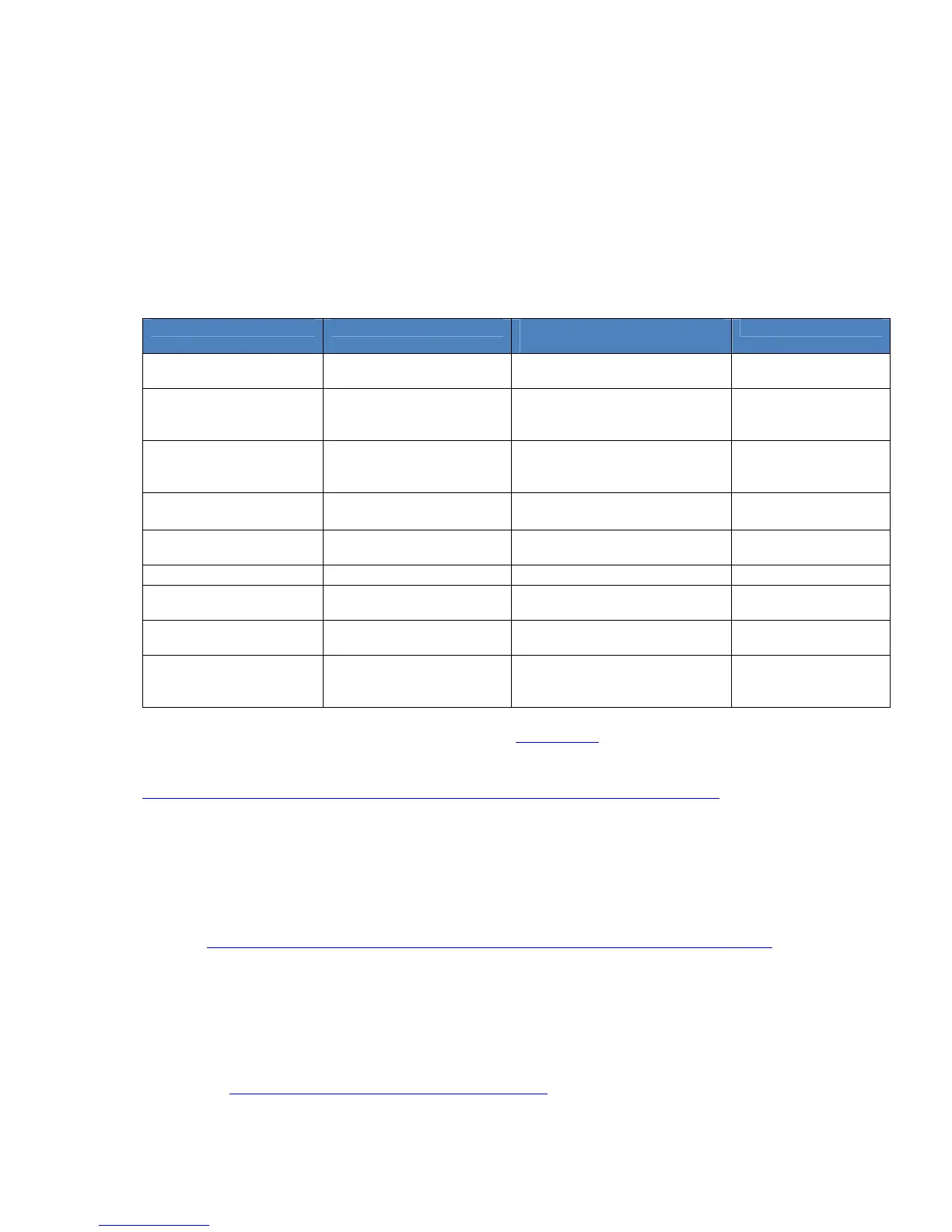
The CHS support two kinds of Bluetooth connections (known as Bluetooth profiles): SPP (Serial
Port Profile) and HID (Human Interface Device), each with its advantages and disadvantages.
By default, the CHS is set to HID mode for Keyboard devices, which requires no
SocketScan 10 software installation.
For better performance, Socket highly recommends that you use SPP mode or iOS
mode, especially if scanning barcodes that contain a lot of data.
Feature CHS with HID mode CHS in SPP mode for Android,
Windows, BlackBerry
CHS in iOS mode
No software installation
required
Supports SocketScan 10
software with Socket EZ
Pair
Non-printable ASCII,
UNICODE, international
keyboard support
International keyboard
support
French, German,
Spanish
as supported by OS as supported by
OS
Parsing / data checks (with
SocketScan 10 SDK)
Binary data (with SDK)
Scanner configuration
methods
Special barcodes SocketScan 10 utility or special
barcodes
Scanner Settings app
or special barcodes
Scanner configuration
options
Limited configuration
options
Many configuration options Many configuration
options
Barcodes containing a lot
of data
Less efficient
communications may lead
to slower performance
More efficient data
communications
More efficient data
communications
To change modes, use the Command Barcodes in Appendix E
.
To learn more about HID and SPP, please read our white paper:
http://www.socketmobile.com/pdf/techbrief/socketscan-10-sdk_white-paper.pdf
ABOUT SOCKETSCAN 10 SOFTWARE
SocketScan
™
10 keyboard wedge software for Android, Windows and BlackBerry OS enters
scanned data directly into any program as if the data were manually typed. It includes a utility
for configuring Prefix/Suffixes, sounds, symbologies, and other settings. Download the latest
version: http://www.socketmobile.com/support/downloads/data-collection/series7/ss10/
Software for Bluetooth SPP mode only. No software installation required for HID
mode.
SocketScan 10 keyboard wedge software is designed for scanning 7 bit ASCII data. For
Unicode, DoubleByte, Multibyte (e.g., for Japanese or Chinese) or binary data, use the
SocketScan 10 SDK to convert the data before it is sent to your application. Learn more about
the SDK at: http://www.socketmobile.com/products/sdk/















 To Next Page