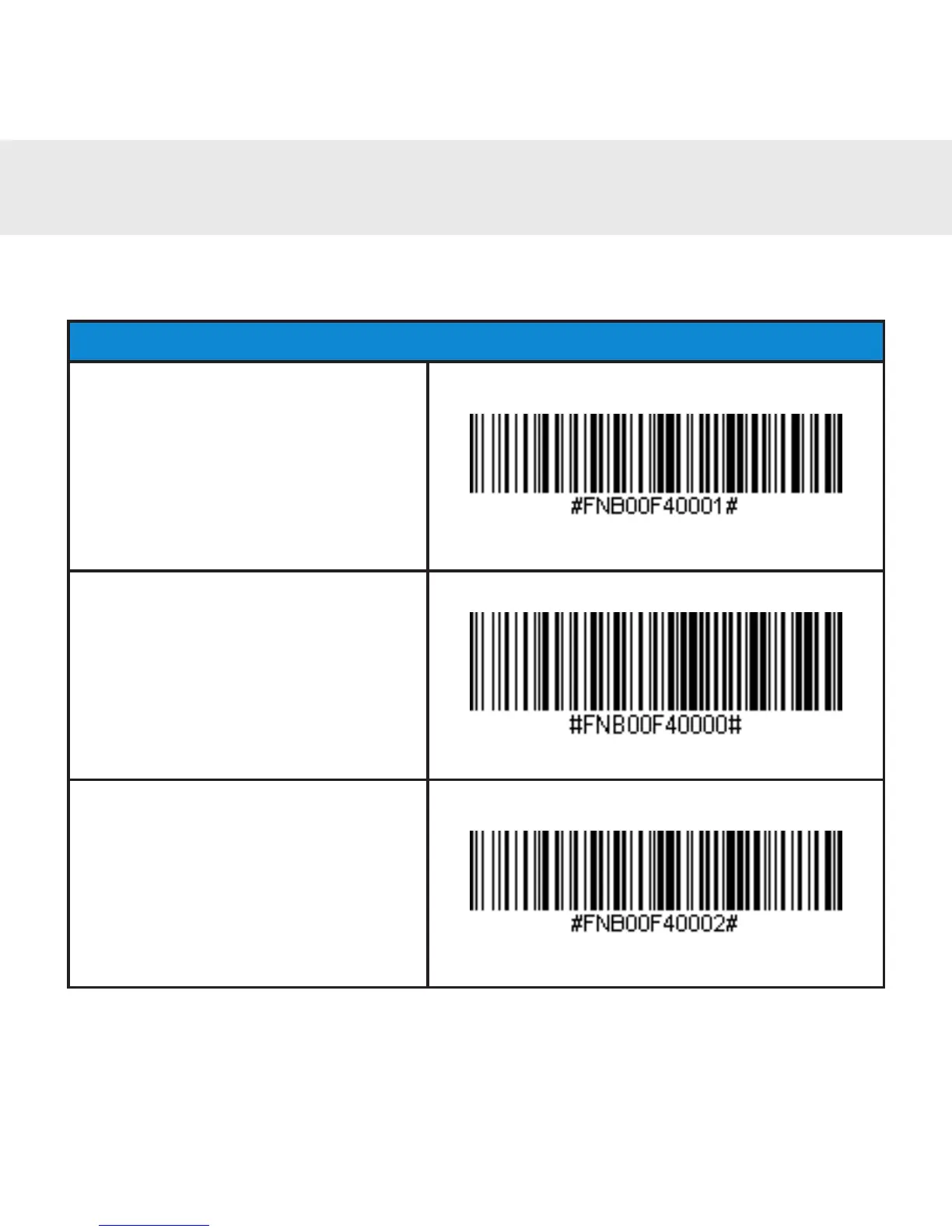
Important! Make sure the CHS is not connected to a host computer or
device before scanning a command barcode!
Bluetooth Connection Modes
HID-Keyboard (default)
CongurestheCHStoHuman
Interface Device (HID) mode
as a Keyboard class device.
SPP Mode
Changes the CHS to SPP
mode.
iOS Mode
Changes the CHS to iOS
mode.
COMMAND BARCODES
17















 To Next Page