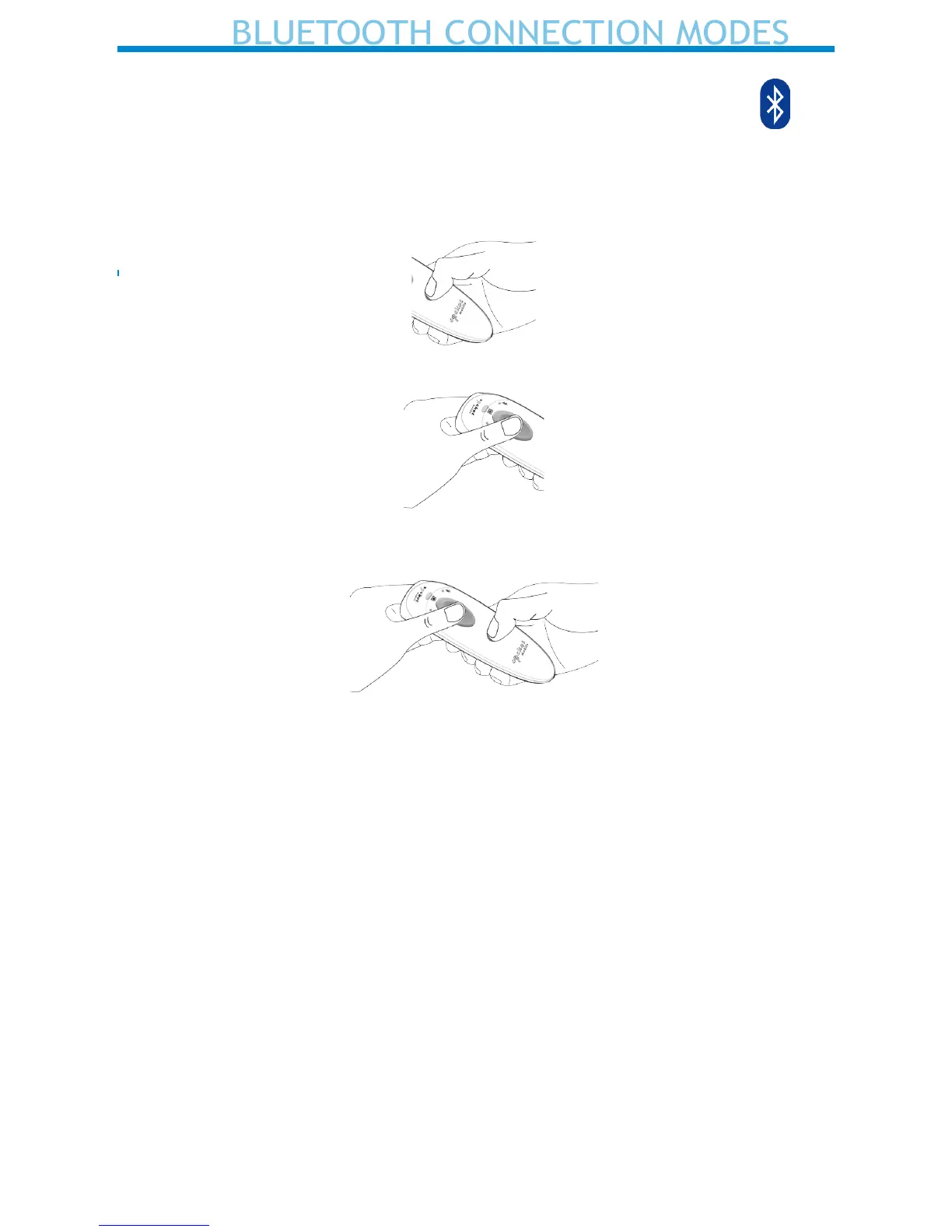
Bluetooth Connection Mode button sequence will toggle the D600 between
Mode B and Mode A.
Follow the Bluetooth Connection Mode (button) sequence:
1. Power OFF the D600.
2. Press and hold the trigger button.
3. Press and hold the power button while continuing to press the trigger
button. Hold both buttons for 10 seconds.
4. After 10 seconds, release both buttons. The D600 will play the Success
Melody and it will be powered on and ready to pair in the new mode.
Note: If either button is released before 10 seconds, the D600 just per-
forms a normal Power on.
Mode Indications:
a. Mode B - two tones synchronized with two short vibrations and two
green RFID LED ashes
b. Mode A - three tones synchronized with three short vibrations and three
green RFID LED ashes


 To Next Page