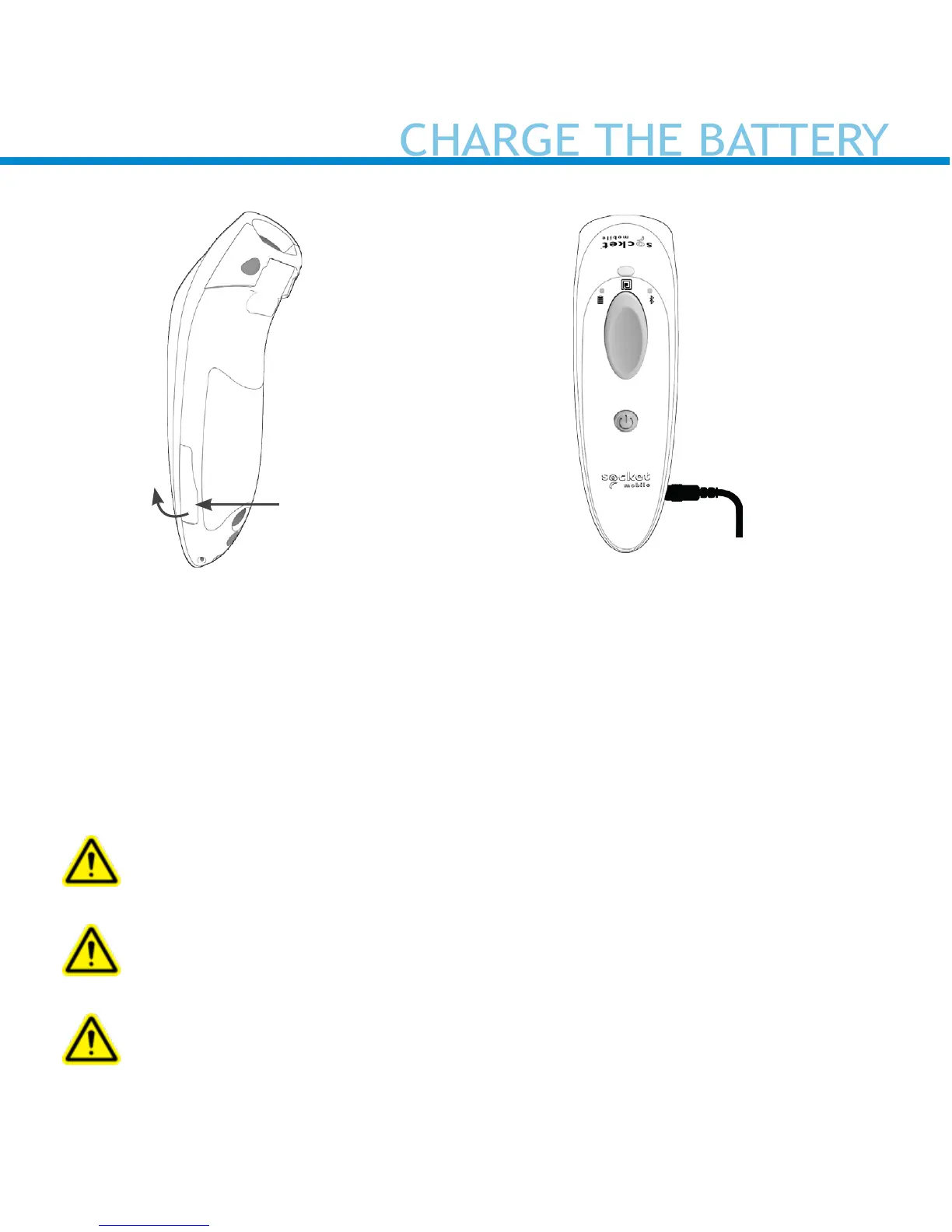
The reader must be fully charged before rst use. Please allow 6 hours
of uninterrupted charging for the initial battery charge.
Lift the rubber ap to access the power connector.
• Yellow Light = Charging
• Green Light = Fully charged
Important: Charging from a computer USB port is not reliable and
not recommended.
The reader beeps twice (high-high tone) to indicate a valid power
supply is detected and the reader has started charging.
Only use a USB to DC plug charging cable (with the yellow plastic
tip, provided by Socket Mobile)


 To Next Page