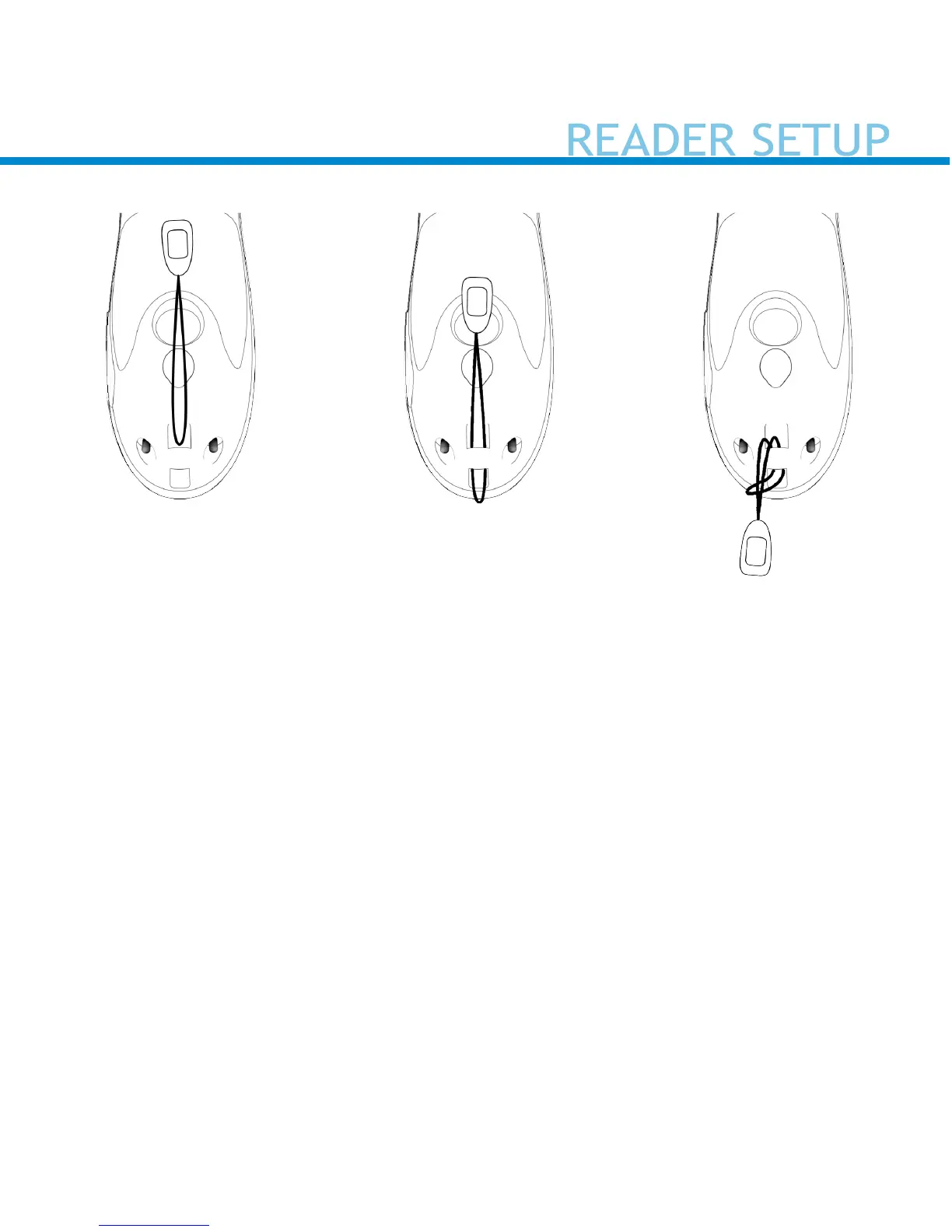
Attach the Lanyard (optional)
1. Detach the string loop of the tether from the lanyard.
2. Feed the string loop through the eyelet.
3. Pull the gimbal through the string loop.
4. Pull tight so the string loop is secure.
5. Reattach the string loop’s tether to the lanyard.


 To Next Page