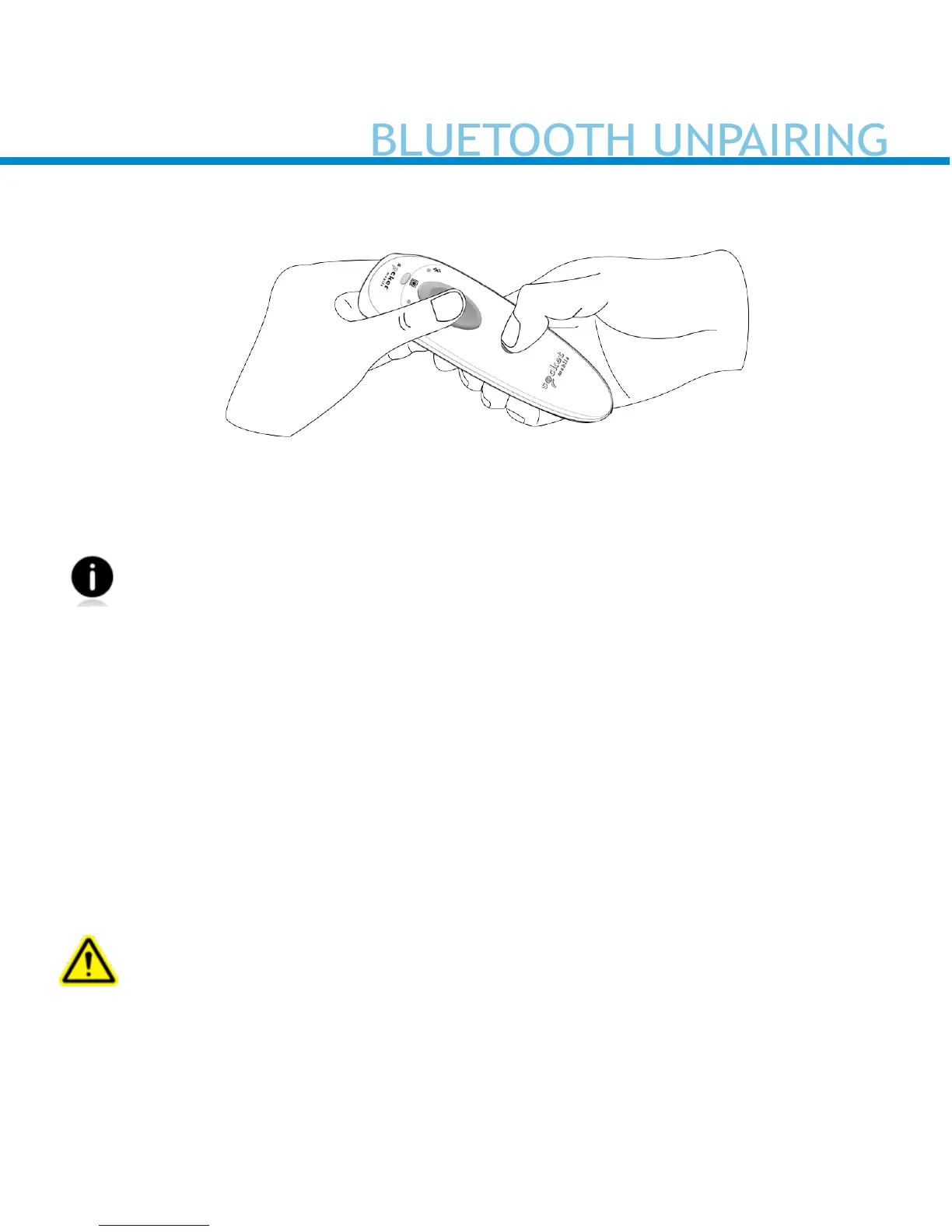
Note: This procedure will put the reader in discoverable mode.
Step 1: Unpairing the reader: Delete the Bluetooth Pairing
If the reader is paired with a device, unpair it before trying to
connect to a dierent device.
a. Power on the reader.
b. Press the trigger button then power button and hold both until you hear
3 beeps.
The reader will unpair and automatically power o. The next time you
power on the reader, it will be discoverable.
Step 2: Remove or forget the reader from the Bluetooth list on the
host device
Important: Both steps above must be done to complete
the unpairing.
12


 To Next Page