EasyManua.ls Logo

socomec ITY3-EX030HB - User Manual

socomec ITY3-EX030HB
40 pages
Print Icon
To Next Page IconTo Next Page
Loading...
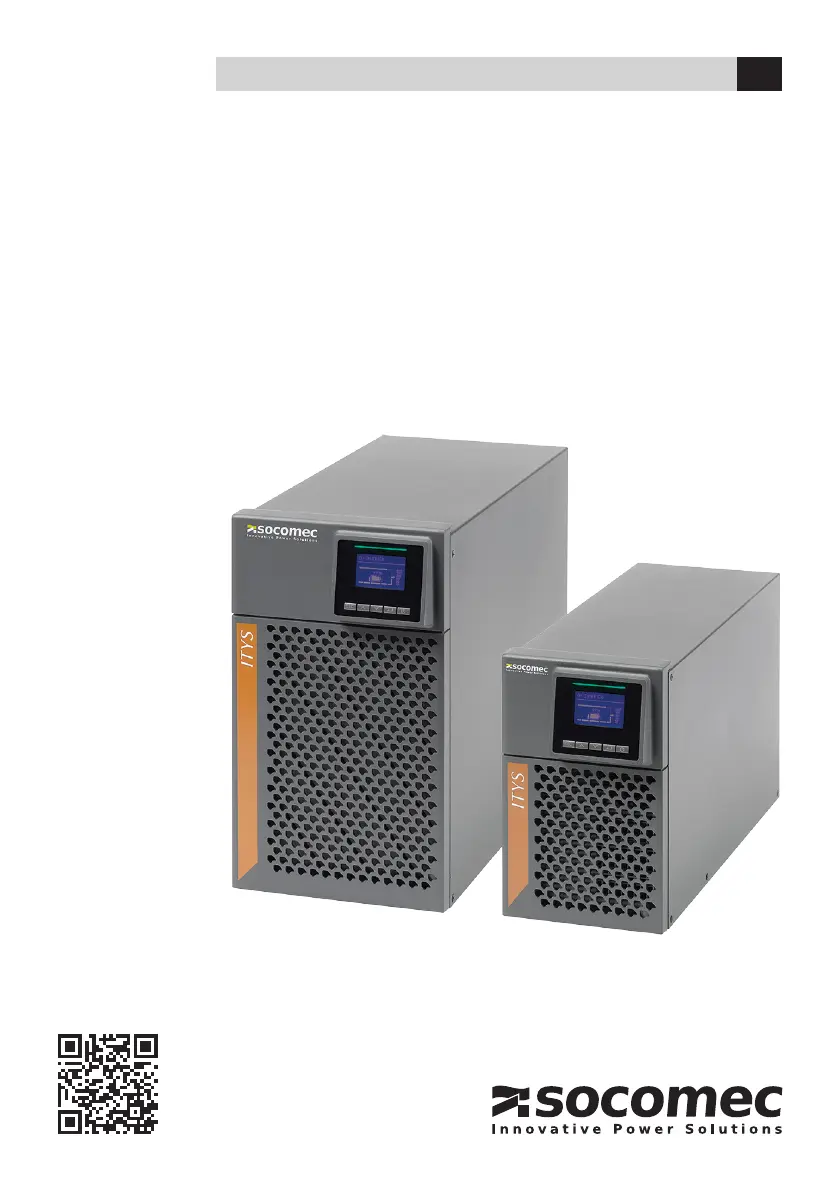
1 - 3 kVA UPS
ITYS
INSTALLATION AND OPERATING MANUAL EN
www.socomec.com/itys-manuals

Questions and Answers

  • G
    Gregory MayAug 18, 2025
    What to do if socomec ITY3-EX030HB UPS shows power overload?
    • S
      Susan FarleyAug 18, 2025
      If your socomec UPS indicates a power overload, it means the power requirements of the connected equipment exceed the UPS capacity (more than 105% of nominal). To resolve this, disconnect some equipment from the UPS. The alarm will reset once the overload condition is no longer present.
  • S
    Sarah GordonAug 20, 2025
    Why is my socomec ITY3-EX030HB in bypass mode?
    • M
      Mitchell WalkerAug 20, 2025
      Your socomec UPS may be in Bypass mode due to an overload, a fault, or a received command. When in Bypass mode, the equipment is powered but not protected by the UPS. Check for alarms related to over-temperature, overload, or forced bypass from a dry-in signal.
  • A
    Andrew GonzalezAug 23, 2025
    How to switch socomec ITY3-EX030HB to battery mode?
    • J
      Jennifer MillerAug 23, 2025
      The socomec UPS switches to Battery mode automatically when a mains power failure occurs. While in this mode, the UPS is powering your equipment using battery power. It is recommended to prepare your equipment for shutdown.
  • J
    Jerome HernandezAug 26, 2025
    What causes over-temperature warning on socomec ITY3-EX030HB UPS?
    • M
      Mary LevyAug 26, 2025
      An over-temperature warning on your socomec UPS indicates that the internal temperature is too high. To resolve this, clear any obstructions from the vents, remove any nearby heat sources, and ensure that airflow around the UPS is not restricted. The UPS will continue to operate in its current state while the warning is active.
  • T
    Thomas WilliamsAug 27, 2025
    Why socomec ITY3-EX030HB UPS does not provide expected backup time?
    • D
      Derek EstradaAug 27, 2025
      If your socomec UPS isn't providing the expected backup time, the batteries may need charging or servicing. Connect the UPS to mains power for 48 hours to allow the batteries to charge. If the problem persists, contact your service representative.
  • J
    Jerry RichardsonAug 30, 2025
    What to do if socomec UPS shows battery fault?
    • L
      Lisa DillonAug 30, 2025
      If your socomec UPS displays a battery fault, it means the battery test has failed. This could be due to bad or disconnected batteries, or the battery minimum voltage being reached in Optimize Battery Management cycling mode. Check that all batteries are properly connected. You can start a new battery test. If the condition persists, contact your service representative.
  • N
    Nicole BrooksSep 1, 2025
    Why socomec ITY3-EX030HB does not start?
    • H
      hreyesSep 1, 2025
      If your socomec UPS doesn't start, the input source may not be connected correctly, or the Remote Power Off (RPO) switch might be active, or the RPO connector may be missing. Check the input connections and, if the UPS Status menu displays the 'Remote Power Off' notice, deactivate the RPO input.
  • C
    Caleb MitchellSep 3, 2025
    What to do for over-temperature fault on socomec ITY3-EX030HB UPS?
    • J
      Jamie DiazSep 4, 2025
      If your socomec UPS indicates an over-temperature fault, the internal temperature is too high, causing the UPS to go to bypass or stop. Check the UPS ventilation and the ambient temperature to ensure they are within acceptable limits.
  • A
    amber63Sep 6, 2025
    What does battery low mean on socomec ITY3-EX030HB UPS?
    • B
      Brittany FowlerSep 6, 2025
      When your socomec UPS indicates 'Battery Low', it means the UPS is operating in Battery mode and the battery is running low. Note that the time to shutdown is approximate and may vary significantly.
  • S
    Sarah VargasSep 8, 2025
    What causes emergency power off on socomec UPS?
    • M
      Melissa RiceSep 8, 2025
      Emergency power off on your socomec UPS is activated when the RPO (Remote Power Off) is active. Check the RPO connector status to resolve this.

Summary

Warranty Certificate and Conditions

Warranty Details

Safety Instructions

Safety of Persons

Guidelines and precautions to ensure the safety of individuals when using the UPS.

General Safety Precautions

Important safety guidelines for installation, operation, and handling of the UPS unit.

Battery Safety Precautions

Specific safety measures for handling batteries, including risks of shock and disposal.

Product Safety Guidelines

Safety requirements related to the UPS enclosure, electrical connections, and environmental conditions.

Product Overview

User Settings and Configuration Options

List of configurable user settings, available options, and default values.

Installation Guide

Installing the UPS Unit

Step-by-step instructions for physically installing the UPS unit, including spacing requirements.

Recommended Upstream Protection

Guidance on selecting appropriate upstream circuit breakers for the UPS system.

UPS Operation Guide

Starting the UPS from Mains Power

Step-by-step guide to powering on the UPS using the AC mains supply.

Starting the UPS from Battery Power

Instructions for starting the UPS using battery power, including prerequisites.

UPS Shutdown Procedure

Steps for safely shutting down the UPS unit.

Understanding Operating Modes

Explanation of different operating modes (Line, Battery, Bypass, ECO, Standby, OFF).

UPS Maintenance

Troubleshooting Common Issues

Typical Alarms and Faults

Guide to identifying and resolving common UPS problems, alarms, and fault messages.

socomec ITY3-EX030HB Specifications

General IconGeneral
ModelITY3-EX030HB
CategoryUPS
TypeOnline Double Conversion
Nominal Power30 kVA
Apparent Power30 kVA
Active Power27 kW
Input Frequency50/60 Hz
Output Frequency50/60 Hz
TopologyDouble Conversion Online
Battery TypeValve Regulated Lead Acid (VRLA)
DisplayLCD
CoolingForced Air
Protection DegreeIP20
Form FactorTower
Communication InterfacesRS232, USB, SNMP
Operating Temperature0 to 40°C
Relative Humidity0 to 95% non-condensing
Standards ComplianceIEC 62040-1, IEC 62040-2
Input Voltage400 V (3Ph+N)
Output Voltage400 V (3Ph+N)
Audible Noise<65 dB at 1 m

Related product manuals