Wire EDM Machine Operation Chapter 15
Copyright November, 98 Page 15-19 Sodick Inc.
S
S
E
E
T
T
,
,
T
T
R
R
A
A
V
V
E
E
L
L
S
S
C
C
R
R
E
E
E
E
N
N
#
#
1
1
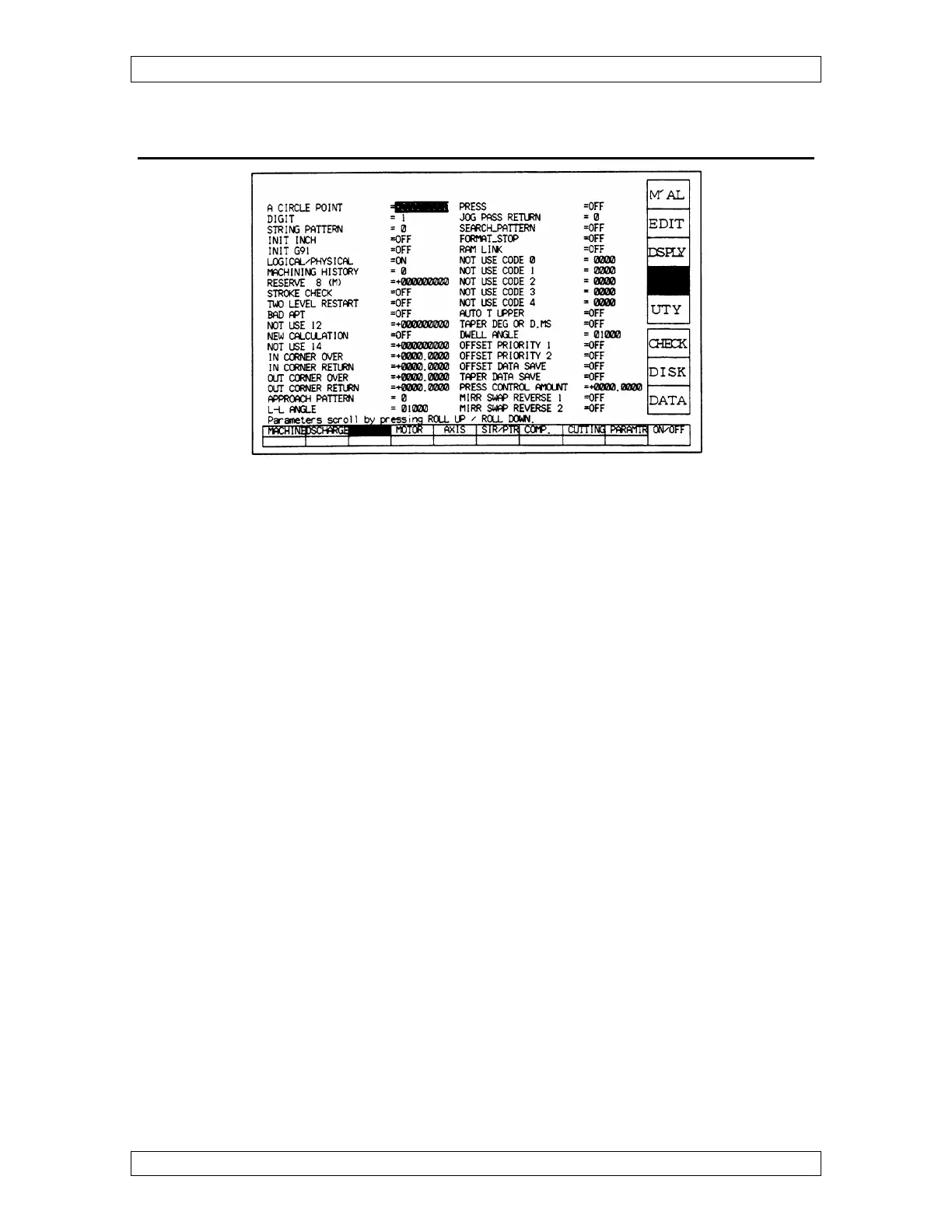
A CIRCLE POINT - When using G2 & G3, it compares the radius at the start and end
points. If within the value specified in this parameter, the program will run.
DIGIT - Can be set at 0,1 or 2 which shows 4, 5, or 6 place decimal when running in
inch mode. It should be set the same as digit in the Edit, Graph, Scrn Flag Input Screen.
5 and 6 place allow you to split a tenth on the offset amount.
STRING PATTERN – 1 activates the string file. Usually set to 1.
INIT INCH - Initialize Inch mode ON or OFF.
INIT G91 - Initialize Incremental mode ON or OFF.
APPROACH PATTERN - Affects how the machine enters and exits the geometry at
90° intersections. See page 7-3 for more details.
0 - Leads in at an angle, the offset amount and leads out at an angle.
1 - Leads in straight and stops short the offset amount & leads out at 90°.
JOG PASS RETURN -
0 - When the HALT key is pressed during operation of a program & the machine
is jogged, and RST is pressed, the machine returns back in a straight line.
1 - It reverses the path that you jogged the machine to return back.
AUTO T UPPER - (For Power Z- Axis) When turned on, it automatically tracks the
location of the upper head and stores that location in Table To Upper in the SET Screen.
TWO LEVEL OFF - Only available on certain versions of software. When turned on
and the machine is executing a program, you can press off and it will allow you to edit



 To Next Page