English
77
1.8 Electronic nameplate
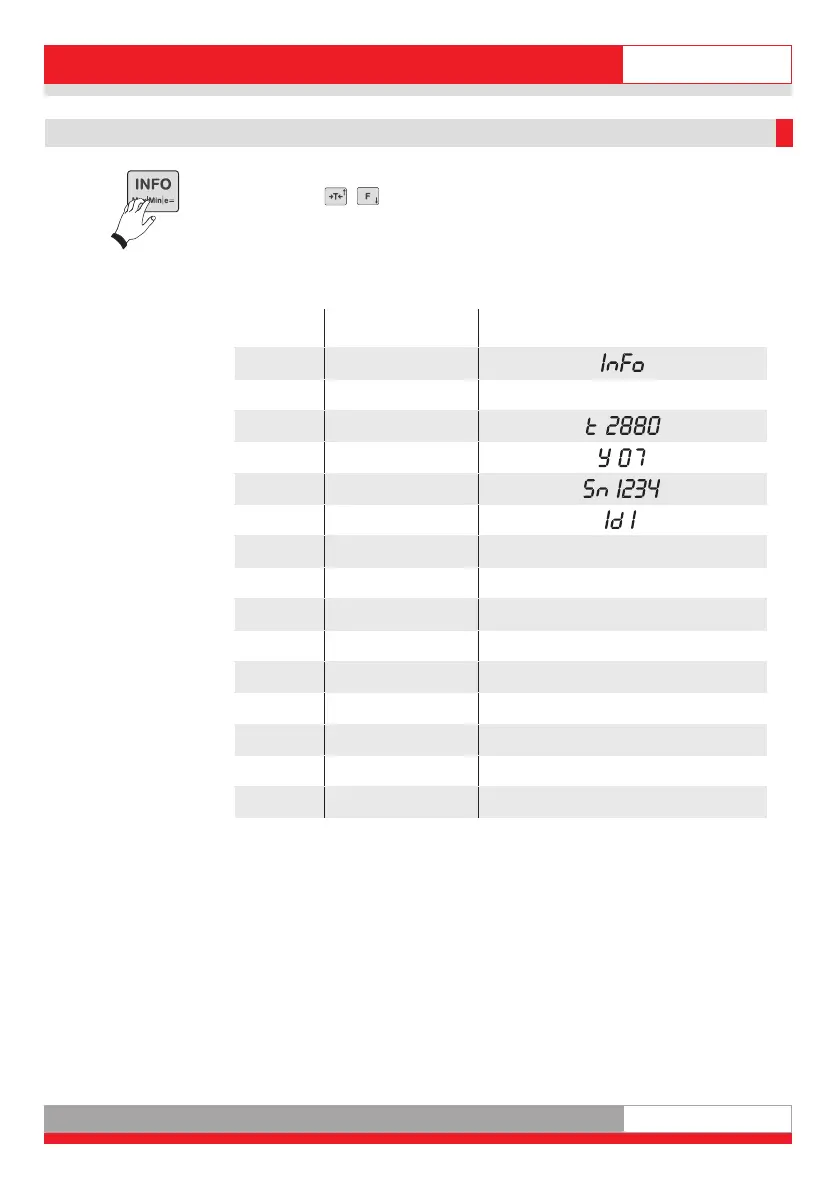
Press the Info key twice to display the electronic nameplate. Press the
arrow keys ( / ) to indicate the electronic nameplate, the Serial No.
and the calibration counter of the activated measuring points in the display.
Press the CL key to cancel or end display of the electronic nameplate.
With a 1 or 2-range scale, the parameters of the other ranges disappear.
Display
step
Parameter Reading
1. -
2.
-
3. Type
4. Year
5. Serial No.
6. ID Chip
7. Max of Range 1 ¯ 10,00kg and symbol for Range 1
8. Min of Range 1 _ 0,20kg and symbol for Range 1
9.
d of Range 1 d 0,01kg and symbol for Range 1
10. Max of Range 2 ¯ 20,00kg and symbol for Range 2
11. Min of Range 2 _ 0,40kg and symbol for Range 2
12. d of Range 2 d 0,02kg and symbol for Range 2
13. Max of Range 3 ¯ 30,00kg and symbol for Range 3
14. Min of Range 3 _ 1,00kg and symbol for Range 3
15.
d of Range 3 d 0,05kg and symbol for Range 3
Ba_3010_GB.qxd 03.04.2008 17:07 Seite 7



 To Next Page