EasyManua.ls Logo

Sofar solar SOFAR 7.5KTLM - User Manual

Sofar solar SOFAR 7.5KTLM
70 pages
Print Icon
To Next Page IconTo Next Page
Loading...
Shenzhen SOFARSOLAR CO., Ltd.
Solar Grid-tied Inverter
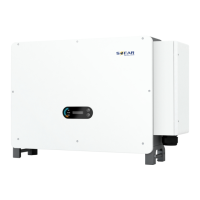
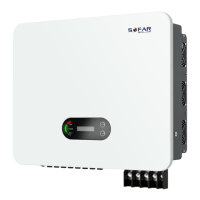
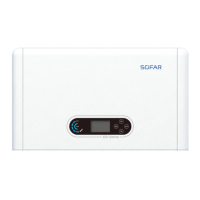
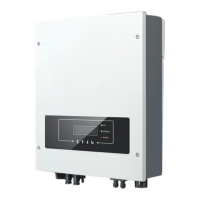
Product Model: SOFAR 7.5KTLM
User manual

Questions and Answers

  • K
    katrina97Aug 14, 2025
    What to do if the country setting is invalid on my Sofar solar Inverter?
    • R
      Rachel AlvarezAug 15, 2025
      Check the country setting of your Sofar solar Inverter according to Section 6.3 (C) 5.Country of this user manual. If it’s incorrect, change it according to Section 6.3 (A) 4.Set Country Code of this manual.
  • D
    David AndersonAug 18, 2025
    What to do if the power grid voltage is too high on my Sofar solar SOFAR 7.5KTLM?
    • D
      Dennis HamiltonAug 18, 2025
      If the Sofar solar inverter grid voltage alarm occurs occasionally, it might be due to temporary grid issues; the inverter should automatically resume normal operation when the grid stabilizes. If the alarm is frequent, verify that the grid voltage and frequency are within the correct range. If they aren't, contact technical support. If they are, inspect the AC circuit breaker and AC wiring of the inverter. If the grid voltage and frequency are correct, and the wiring is also correct, but the alarm persists, contact technical support to adjust the grid over-voltage, under-voltage, over-frequency, and under-frequency protection settings, but only after obtaining approval from your local electrical grid operator.
  • R
    Richard BakerAug 21, 2025
    Why is my Sofar solar SOFAR 7.5KTLM Inverter temp too high?
    • K
      kaitlyn09Aug 21, 2025
      Ensure that the installation position and method comply with the guidelines in Section 3.4 of the user manual. Verify that the ambient temperature at the installation site does not exceed the specified upper limit. If it does, improve ventilation to lower the temperature.
  • J
    John Reese MDAug 25, 2025
    Why is my Sofar solar SOFAR 7.5KTLM derating because of high temperature?
    • M
      michaeltuckerAug 25, 2025
      Ensure that the installation position and method comply with the guidelines in Section 3.4 of the user manual. Verify that the ambient temperature at the installation site does not exceed the specified upper limit. If it does, improve ventilation to lower the temperature.
  • J
    Jason YoungAug 28, 2025
    What to do if the input voltage is too high on my Sofar solar SOFAR 7.5KTLM?
    • J
      Julian WrightAug 28, 2025
      If too many PV modules are connected in series in a PV string, the voltage (Voc) of the PV string might exceed the maximum input voltage of your Sofar solar Inverter. If this is the case, adjust the number of PV modules connected in series to reduce the voltage of the PV string, ensuring it remains within the inverter's input voltage range. After making these adjustments, the inverter should automatically return to normal operation.
  • J
    Jacob ManningAug 31, 2025
    What to do if the input voltage is too low on my Sofar solar Inverter?
    • R
      Ronald RogersAug 31, 2025
      If too few PV modules are connected in series in a PV string, the voltage (Vmp) of the PV string might be lower than the minimum operating voltage of your Sofar solar Inverter. If this is the case, adjust the number of PV modules connected in series to increase the voltage of the PV string, ensuring it fits within the inverter's input voltage range. After making these adjustments, the inverter should automatically return to normal operation.
  • J
    Jennifer MontgomerySep 4, 2025
    What to do if the bus voltage is too low on my Sofar solar Inverter?
    • A
      Ashley PopeSep 4, 2025
      If the PV array configuration is correct and there is no ID05 fault, the solar irradiance may be too low. Your Sofar solar Inverter should automatically return to normal operation once the solar irradiance increases to a normal level.
  • K
    Kevin SchultzSep 6, 2025
    What to do if the input current is not balanced on my Sofar solar SOFAR 7.5KTLM Inverter?
    • N
      norrisbrianSep 7, 2025
      Check the input mode (parallel mode or independent mode) setting of your Sofar solar Inverter according to Section 6.3 (C) 6.Input Mode of this user manual. If it’s incorrect, change it according to Section 6.3 (A) 10.Set Input mode of this manual.
  • S
    snormanSep 10, 2025
    What to do if the SD card is faulty on my Sofar solar SOFAR 7.5KTLM?
    • T
      timothy67Sep 10, 2025
      Please replace the SD card in your Sofar solar Inverter.

Summary

Preface

Outline

Provides a brief overview of the manual's structure and content.

Scope

Defines the product manual's coverage for SOFAR 7.5KTLM inverters.

Target Group

Identifies qualified electrical personnel and PV plant operators as the intended audience.

Symbols Used

Explains the purpose of safety symbols to ensure personal and property security.

1. Basic safety information

1.1. Safety instructions

Outlines essential safety precautions for installation and operation.

Qualified persons

Specifies that only trained and qualified electricians should install the inverter.

Installation requirements

Details site selection, mounting, and ventilation for safe and proper installation.

Transport requirements

Advises on safe handling and inspection of the inverter during transport.

Electric connection

Emphasizes compliance with electrical regulations and safe connection procedures.

Operation

Covers safety precautions related to handling electrical grid connections and hot components.

Maintenance and repair

Details safety steps before maintenance and unauthorized repair prohibitions.

EMC;noise level of inverter

Explains electromagnetic compatibility and its importance for equipment function.

1.2. Symbols and signs

Introduces safety symbols and their meanings for hazard identification.

2. Product characteristics

2.1. Product dimensions

Describes the physical dimensions and general configuration of the inverter.

Labels on the equipment

Stresses the importance of keeping equipment labels visible and unobstructed.

2.2. Function description

Explains the internal components and their roles in power conversion.

Function module

Details various functional modules like energy management, reactive power, and data transmission.

Electrical block diagram

Illustrates the internal electrical connections and signal flow within the inverter.

2.3. Efficiency curve

Presents graphical data showing inverter efficiency under different output power levels.

3. Installation

Installation notes

Provides critical safety warnings before and during the installation process.

3.1. Installation Process

Outlines the step-by-step procedure for installing the inverter.

3.2. Checking Before Installation

Details procedures for inspecting outer packaging and delivered components.

3.3. Product Overview

Identifies and illustrates the main components and connection ports of the inverter.

3.4. Tools

Lists and describes the necessary tools for installation and electrical connections.

3.5. Determining the Installation Position

Guides on selecting an appropriate location based on safety and operational requirements.

3.6. Moving the SOFAR 7.5 KTLM

Describes safe methods for handling and transporting the inverter.

3.7. Installing SOFAR 7.5 KTLM

Details the process of mounting the inverter onto the wall.

4. Electrical Connections

4.1. Electrical connection

Presents a flowchart for connecting various cables to the inverter.

4.2. Connecting PGND Cables

Explains the procedure for grounding the inverter and associated components.

4.3. Connecting DC Input Power Cables

Details how to connect the DC power input cables to the inverter.

4.4. Connecting AC Output Power Cables

Guides on connecting the AC output cables for grid power feed-in.

4.5. RS485,CT,inverter logic interface connection

Describes connections for communication and logic interfaces.

4.6. Wi-Fi;GPRS;Ethernet module installation procedure

Explains how to install optional communication modules.

4.7. Communication method

Covers different methods for communicating with the inverter, including PC and network.

5. Commissioning of inverter

5.1. Safety inspection before commissioning

Highlights essential safety checks before starting the inverter.

5.2. Start inverter

Details the steps to safely start up the inverter after installation.

6. Operation interface

6.1. Operation and Display Panel

Describes the buttons, indicator lights, and display layout of the inverter.

6.2. Standard Interface

Shows examples of common display screens for monitoring inverter status.

6.3. Main Interface

Explains navigation and options within the inverter's main menu for settings.

6.4. Update Software online

Provides instructions for updating the inverter's firmware via an SD card.

7. Trouble shooting

7.1. Trouble shooting

Offers guidance on identifying and resolving common inverter faults and errors.

7.2. Maintenance

Outlines recommended maintenance procedures for ensuring long-term inverter operation.

8. Technical data

8.1. Input parameters (DC)

Lists detailed DC input specifications for the inverter.

8.2. Output parameters (AC)

Details the AC output specifications, including power and voltage.

8.3. Efficiency,Protection and Communication

Summarizes efficiency ratings, safety standards, and communication interfaces.

8.4. General Date

Provides overall technical specifications like topology, temperature, and dimensions.

9. Quality Assurance

Standard warranty period

Explains the duration and conditions of the standard warranty.

Extended warranty period

Describes options and terms for purchasing extended warranty coverage.

Invalid warranty clause

Lists conditions and actions that void the inverter's warranty.

Statement

Provides legal statements regarding consumer rights and warranty in Australia.

Sofar solar SOFAR 7.5KTLM Specifications

General IconGeneral
ModelSOFAR 7.5KTLM
Rated Output Power7500 W
Max. DC Input Voltage1000 V
Number of MPPTs2
Max. AC Power8250 VA
Rated AC Voltage230V
AC Voltage Range180-280V
THDi<3%
Power Factor0.8 leading to 0.8 lagging
AC Grid Frequency50/60Hz
Maximum Efficiency98.2%
Euro Efficiency97.7%
Protection DegreeIP65
CoolingNatural Convection
Output Voltage230V
Output Frequency50/60 Hz
TypeString Inverter
MPPT Voltage Range200 V - 850 V
Operating Temperature Range-25°C to +60°C

Related product manuals