EasyManua.ls Logo

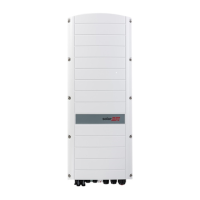
SolarEdge SE10000H-US - User Manual

SolarEdge SE10000H-US
81 pages
Print Icon
To Next Page IconTo Next Page
Loading...
Installation Guide
Single Phase Inverter with HD-
Wave Technology
with SetApp Configuration
For North America
Version 1.3

Table of Contents

Questions and Answers

  • C
    Cassie WestAug 19, 2025
    What to do if my SolarEdge SE10000H-US has no internet connection?
    • J
      Jose OrozcoSep 12, 2025
      If your SolarEdge Inverter has no internet connection, connect a laptop to the network and check for internet access. If internet access is unavailable, contact your IT administrator or your internet provider.
  • D
    Donna ShermanAug 21, 2025
    What to do if SolarEdge SE10000H-US gateway is not responding?
    • C
      Cheyenne CarterAug 21, 2025
      If the SolarEdge Inverter gateway is not responding, check the physical connection to the switch/router and ensure the link LED at the router/switch is lit, indicating a physical link. If the connection is OK, contact your network IT. Otherwise, replace the cable or change it from a cross to straight connection.
  • K
    Kevin BrownAug 23, 2025
    What to do if pairing failed on SolarEdge SE10000H-US?
    • M
      Mark HopkinsAug 23, 2025
      If pairing failed on your SolarEdge Inverter, and you've connected the inverter to the monitoring platform, retry pairing remotely during sunlight. Ensure the inverter's ON/OFF/P switch is set to ON and that S_OK appears on the status screen. This issue may occur if power optimizers are shaded.
  • S
    Susan WilliamsAug 26, 2025
    How to fix LAN cable disconnected error on SolarEdge SE10000H-US?
    • T
      Tracie PattersonAug 26, 2025
      If you see a 'LAN cable disconnected' error on your SolarEdge Inverter, check the cable pin-out assignment and the cable connection for any physical faults.
  • A
    Andrea DavisAug 28, 2025
    Why SolarEdge SE10000H-US Inverter shows no DHCP?
    • K
      Kevin GarciaAug 28, 2025
      If your SolarEdge Inverter shows 'No DHCP', it indicates an IP settings issue. Check the router and its configuration. You may need to consult your network IT for assistance.
  • L
    Lisa AdkinsAug 29, 2025
    How to troubleshoot 0V string voltage on SolarEdge SE10000H-US Inverter?
    • J
      James JonesAug 30, 2025
      If the string voltage is 0V on your SolarEdge Inverter, it indicates that the power optimizer(s) output is disconnected. Connect all power optimizer outputs.
  • S
    Stephen WhiteSep 1, 2025
    What to do if SolarEdge Inverter Server x Ping Failed?
    • E
      Erin StantonSep 1, 2025
      If the SolarEdge server ping fails, verify the SolarEdge server address under the LAN Conf submenu. Ensure the address is prod.solaredge.com and the port is 22222. Also, consult with your network administrator to check if a firewall or another device is blocking the transmission.
  • S
    Sarah FloresSep 3, 2025
    How to fix SolarEdge SE10000H-US Inverter G Server Ping Failed?
    • A
      austin71Sep 3, 2025
      If the ping to google.com fails, connect a laptop to the network and check for internet connectivity. If there is no internet access, contact your IT administrator or your internet provider.
  • J
    Jacqueline HayesSep 5, 2025
    What to do if SolarEdge SE10000H-US Inverter Gateway Ping Failed?
    • N
      Nichole MurraySep 5, 2025
      If the ping to the router fails, check the physical connection to the switch or router and ensure that the link LED at the router or switch is lit, indicating a physical link. If the link is OK, contact your network IT. Otherwise, replace the cable or change it from a cross to a straight connection.
  • R
    Roberta GreenSep 7, 2025
    How to troubleshoot SolarEdge SE10000H-US LAN Disconnected?
    • J
      Jody CastanedaSep 8, 2025
      If the LAN is disconnected, check the cable pin-out assignment and cable connection for any physical faults.

Summary

HANDLING AND SAFETY INSTRUCTIONS

IMPORTANT SAFETY INSTRUCTIONS

Chapter 1: Introducing the SolarEdge Power Harvesting System

Power Optimizer

Description of the function and features of power optimizers.

SolarEdge Inverter

Explanation of the inverter's role in the system.

Installation Procedure

Step-by-step guide for installing the system.

Chapter 2: Installing the Power Optimizer

Safety

Safety precautions specific to power optimizer installation.

Installation Guidelines

Detailed instructions for installing power optimizers.

Step 1: Mounting and Grounding the Power Optimizers

Step 2: Connecting a PV module to a Power Optimizer

Step 3: Connecting Power Optimizers in Strings

Step 4: Verifying Proper Power Optimizer Connection

Chapter 3: Installing the Inverter

Inverter Interfaces

Description of the inverter's connectors and components.

Mounting the Inverter

Instructions for physically mounting the inverter.

Chapter 4: Connecting the AC and the Strings to the Safety Switch

Grid Connection Guidelines

Rules for connecting the system to the AC grid.

Connecting the AC Grid to the Safety Switch

Procedure for wiring the AC grid to the safety switch.

Connecting the Strings to the Safety Switch

Chapter 5: Activating, Commissioning and Configuring the System

Step 1: Activating the Installation

Process for activating the system using the SetApp.

Step 2: Commissioning and Configuring the Installation

Guide to setting up system parameters via SetApp.

Step 3: Verifying Proper Activation and Commissioning

Chapter 6: Setting Up Communication to the Monitoring Platform

Removing the Inverter Cover

Procedure for safely removing the inverter cover.

Removing the Safety Switch Cover

Procedure for removing the safety switch cover.

Creating an Ethernet (LAN) Connection

Steps to establish an Ethernet network connection.

Appendix A: Errors and Troubleshooting

Power Optimizer Troubleshooting

Appendix C: Replacing and Adding System Components

Recommended OCPD Size per Grid

Default Trip Limits and Times According to IEEE1547

SolarEdge SE10000H-US Specifications

General IconGeneral
BrandSolarEdge
ModelSE10000H-US
CategoryInverter
LanguageEnglish

Related product manuals