29
Solarpower24.it by Barba S.r.l. – via Locchi, 3F – 47122-Forlì – Italia
Tel/What’s up +39 05431995799 – web www.solarpower24.it – email solarpower24@solarpower24.it
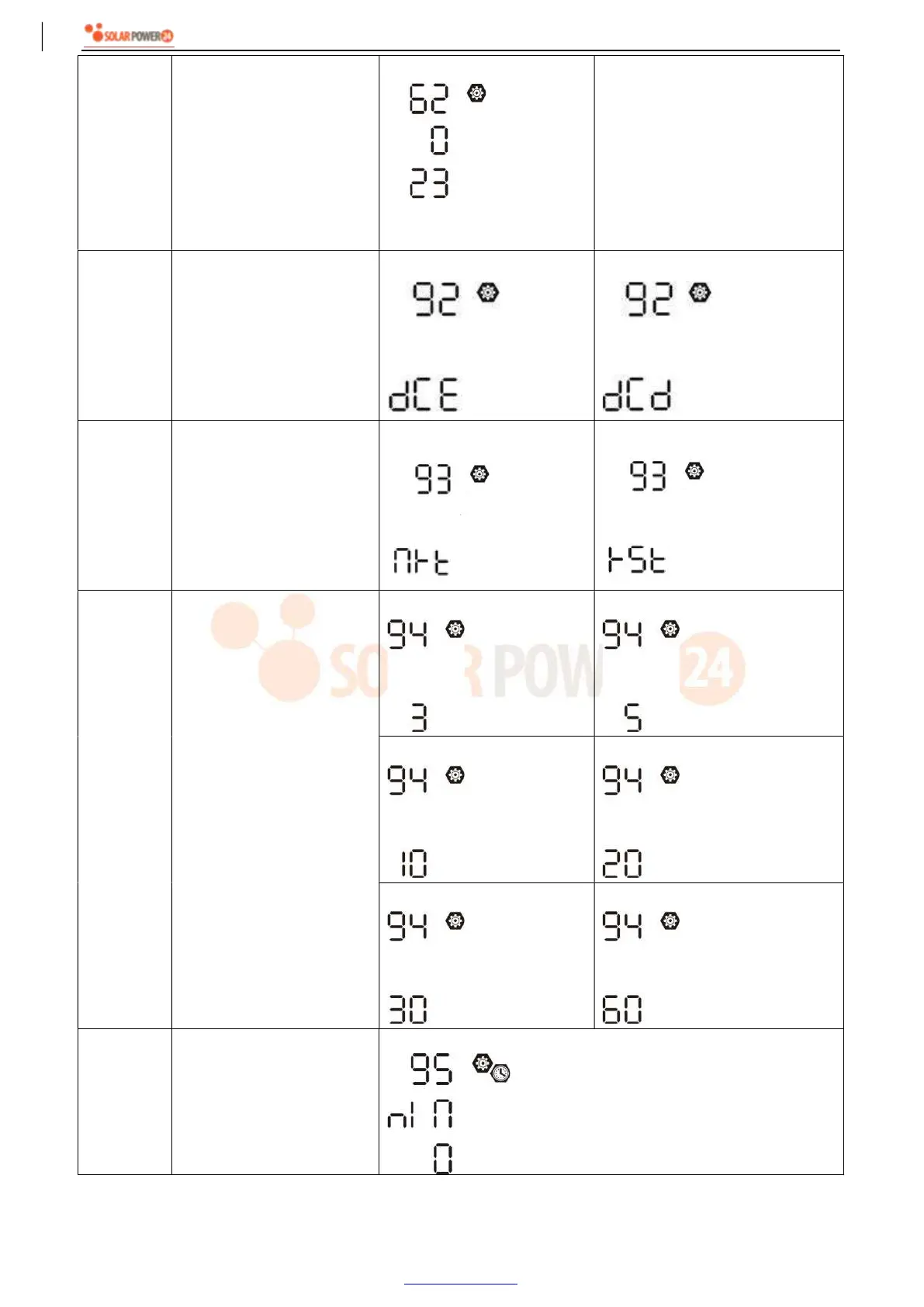
62
Setting time interval for turn
on the second output (L2) if
"Single" is selected in
program 28.
00~23 (Default)
Setting range is from 00 to 23.
Increment of each click is 1 hour.
If setting range is from 00 to 08,
the second output will be turned
on until 09:00. During this period,
it will be turned off if any setting
value in program 60 or 61 is
reached.
92
On/Off control for 12V DC
output
Enable (default)
Disable
93 Erase all data log
Not reset (Default)
Reset
94
Data log recorded interval
*The maximum data log
number is 1440. If it’s over
1440, it will re-write the first
log.
3 minutes
5 minutes
10 minutes (default)
20 minutes
30 minutes
60 minutes
95 Time setting – Minute
For minute setting, the range is from 0 to 59.



 To Next Page