28
Solarpower24.it by Barba S.r.l. – via Locchi, 3F – 47122-Forlì – Italia
Tel/What’s up +39 05431995799 – web www.solarpower24.it – email solarpower24@solarpower24.it
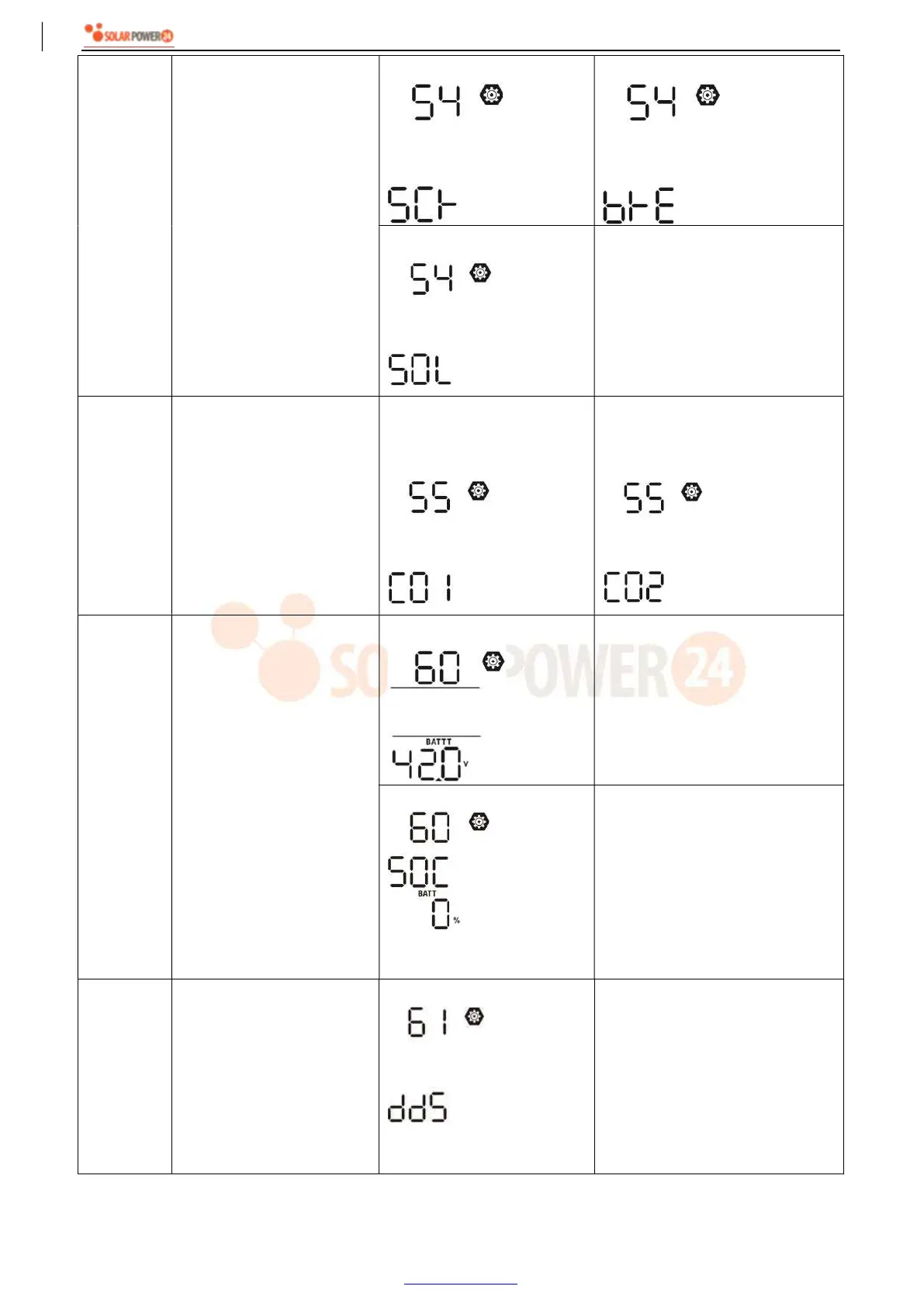
54 RGB LED effects
Scrolling
Breathing
Solid on (Default)
55
Color combination of RGB
LED to show energy source
and battery
charge/discharge status:
Grid-PV-Battery
Battery charge/discharge
status
C01: (Default)
Violet-White-Sky blue
Pink-Honey
C02:
White-Yellow-Green
Royal blue-Lime yellow
60
Setting cut-off voltage point
or SOC percentage on the
second output (L2) if
"Single" is selected in
program 28.
default setting: 42.0V
If “User-defined” is selected in
program 05, this setting range is
from 42.0V to 61.0V for 48V
model. Increment of each click is
0.1V.
SOC 0% (default for Lithium)
If any type of lithium battery is
selected in program 05, this
parameter value will be displayed
in percentage and value setting is
based on battery capacity
percentage. Setting range is from
0% to 95%. Increment of each
click is 5%.
61
Setting discharge time on
the second output (L2) if
"Single" is selected in
program 28.
Disable (Default)
Setting range is disable and then
from 0 min to 990 min. Increment
of each click is 5 min.
*If the battery discharge time
achieves the setting time in
program 61 and the program 60
function is not triggered, the
output will be turned off.



 To Next Page