74
Solarpower24.it by Barba S.r.l. – via Locchi, 3F – 47122-Forlì – Italia
Tel/What’s up +39 05431995799 – web www.solarpower24.it – email solarpower24@solarpower24.it
Devices
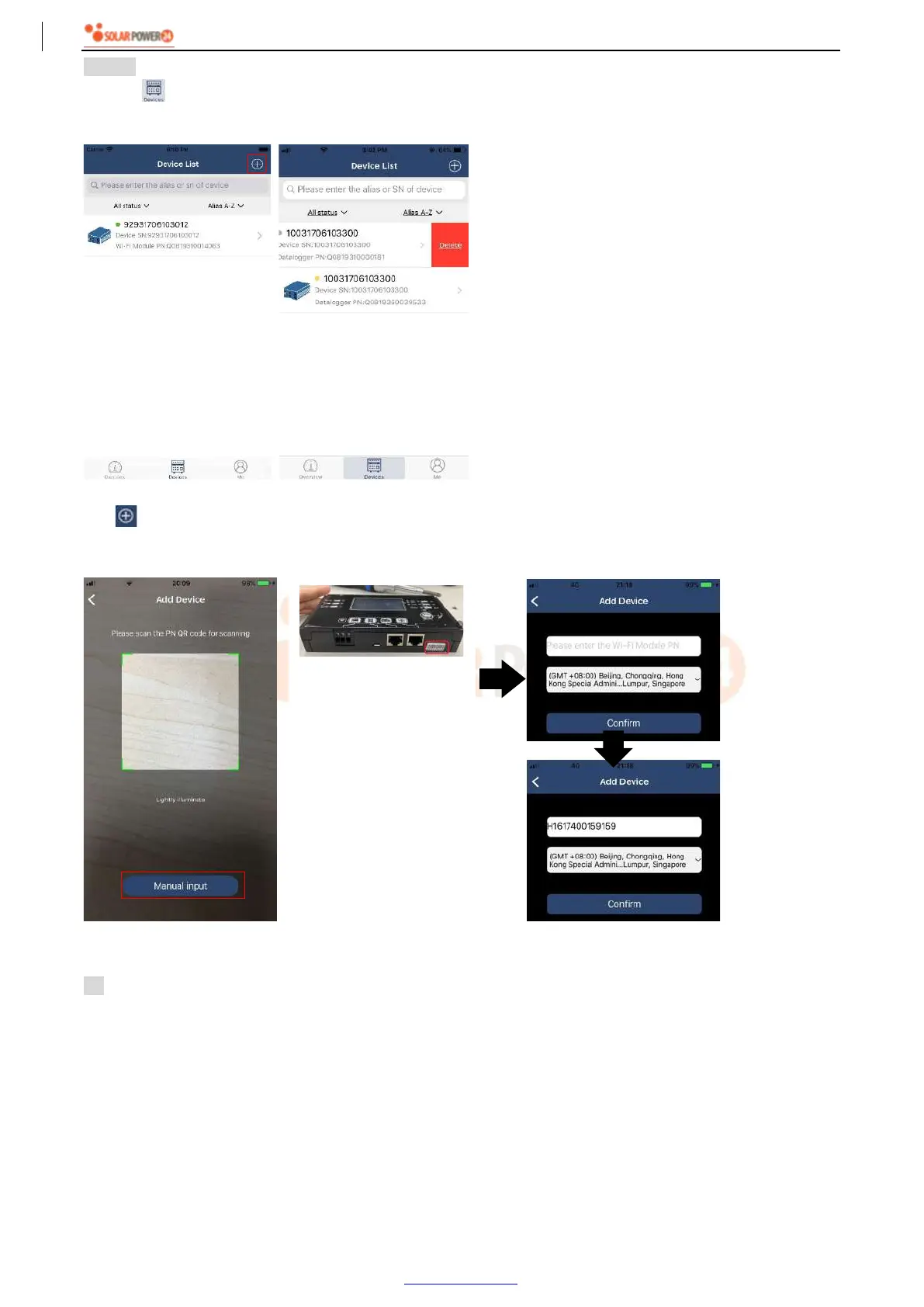
Tap the icon (located on the bottom) to enter Device List page. You can review all devices here by adding
or deleting Wi-Fi Module in this page.
Add device Delete device
Tap icon on the top right corner and manually enter part number to add device. This part number label is
pasted on the bottom of remote LCD panel. After entering part number, tap “Confirm” to add this device in the
Device list.
For more information about Device List, please refer to the section 2.4.
ME
In ME page, users can modify “My information”, including【User’s Photo】,【Account security】, 【Modify
password】,【Clear cache】,and【Log-out】, shown as below diagrams.
Part number label is
pasted on the bottom of
remote LCD panel.



 To Next Page