75
Solarpower24.it by Barba S.r.l. – via Locchi, 3F – 47122-Forlì – Italia
Tel/What’s up +39 05431995799 – web www.solarpower24.it – email solarpower24@solarpower24.it
2-4. Device List
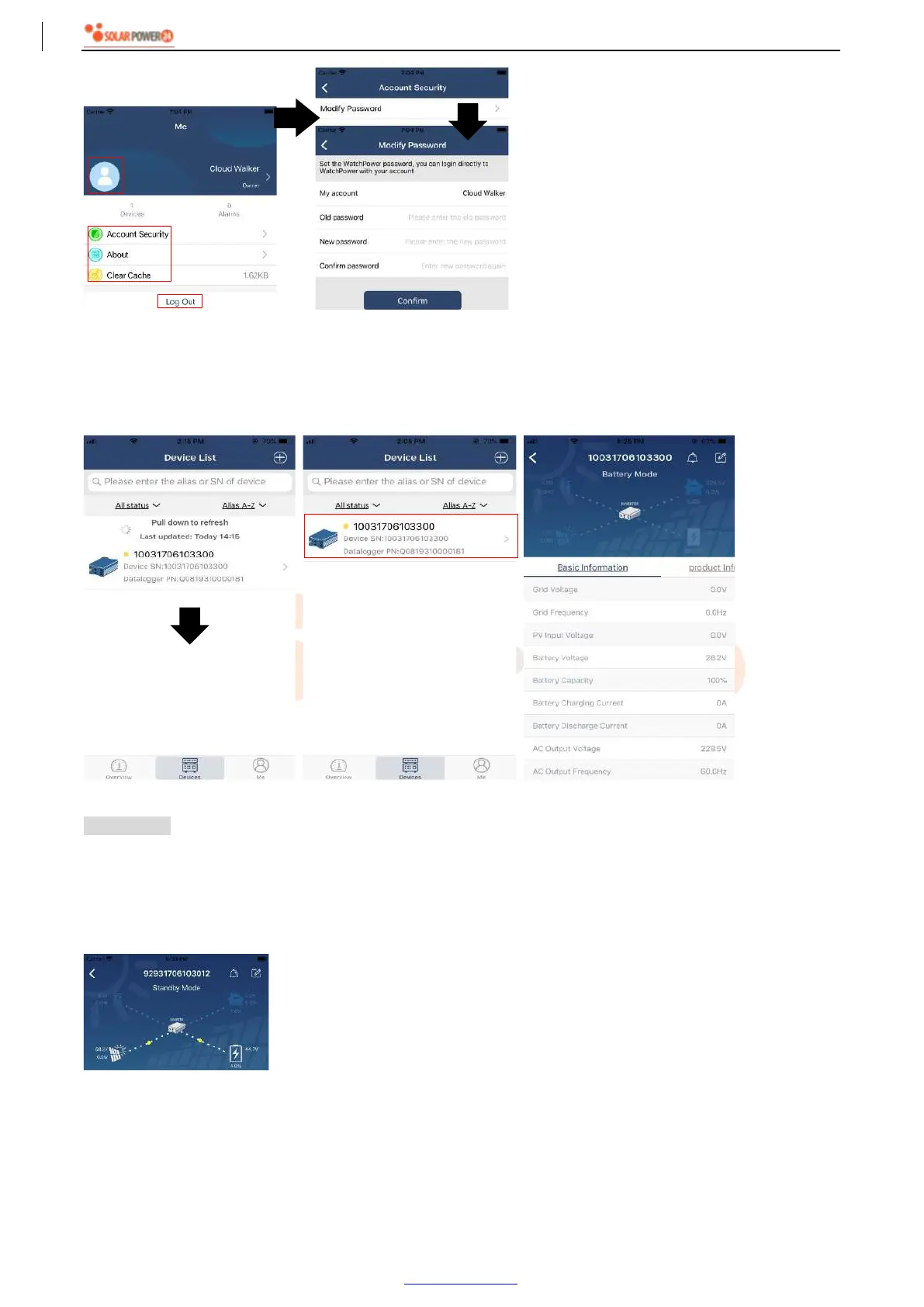
In Device List page, you can pull down to refresh the device information and then tap any device you want to
check up for its real-time status and related information as well as to change parameter settings. Please refer
to the parameter setting list.
Device Mode
On the top of screen, there is a dynamic power flow chart to show live operation. It contains five icons to
present PV power, inverter, load, utility and battery. Based on your inverter model status, there will be
【Standby Mode】,【Line Mode】,【Battery Mode】.
【Standby Mode】Inverter will not power the load until “ON” switch is pressed. Qualified utility or PV source
can charge battery in standby mode.
【Line Mode】Inverter will power the load from the utility with or without PV charging. Qualified utility or PV
source can charge battery.



 To Next Page