76
Solarpower24.it by Barba S.r.l. – via Locchi, 3F – 47122-Forlì – Italia
Tel/What’s up +39 05431995799 – web www.solarpower24.it – email solarpower24@solarpower24.it
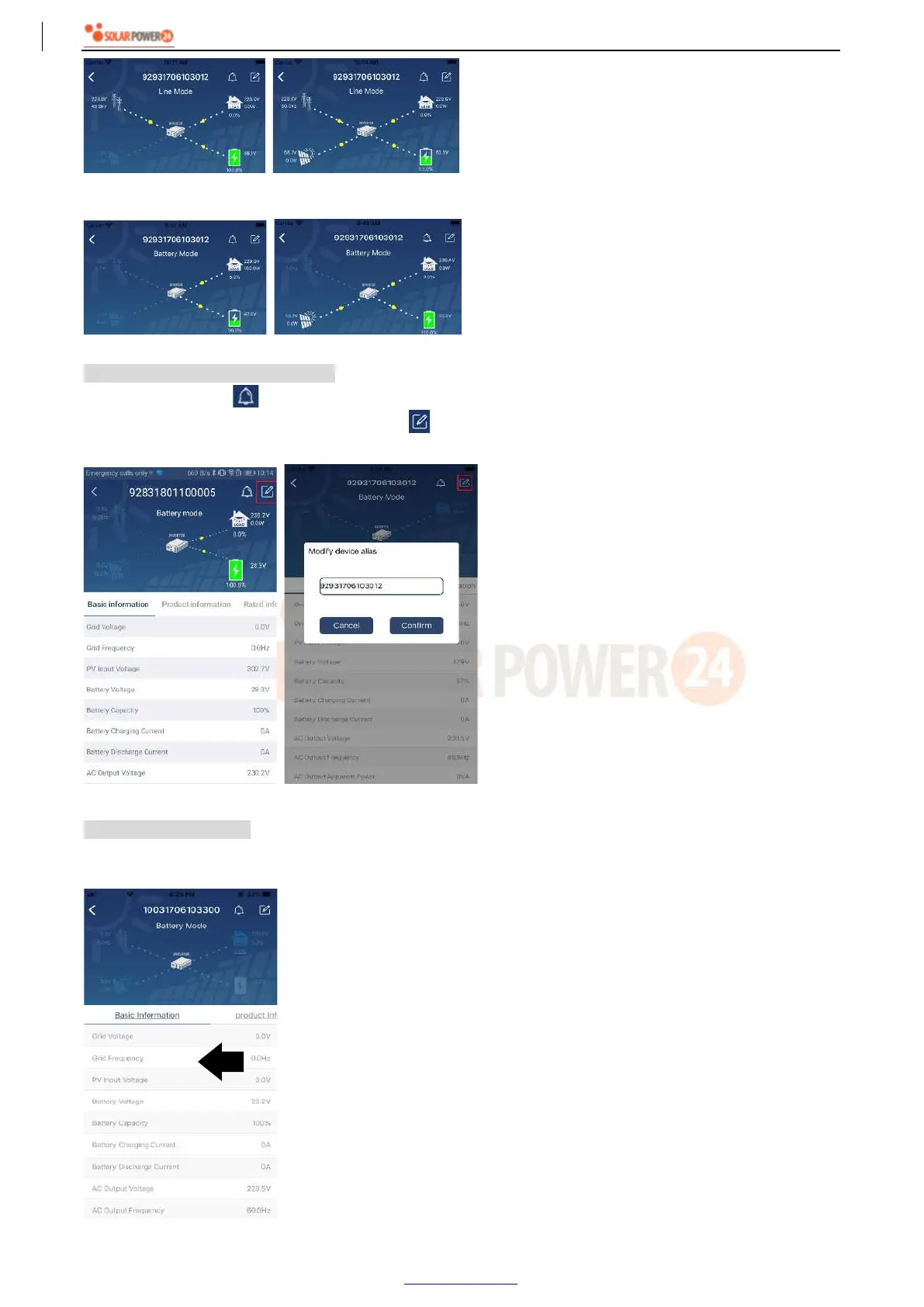
【Battery Mode】Inverter will power the load from the batter with or without PV charging. Only PV source can
charge battery.
Device Alarm and Name Modification
In this page, tap the icon on the top right corner to enter the device alarm page. Then, you can review
alarm history and detailed information. Tap the icon on the top right corner, a blank input box will pop out.
Then, you can edit the name for your device and tap “Confirm” to complete name modification.
Device Information Data
Users can check up 【Basic Information】,【Product Information】,【Rated information】,【History】, and
【Wi-Fi Module Information】by swiping left.
Swipe left



 To Next Page