10
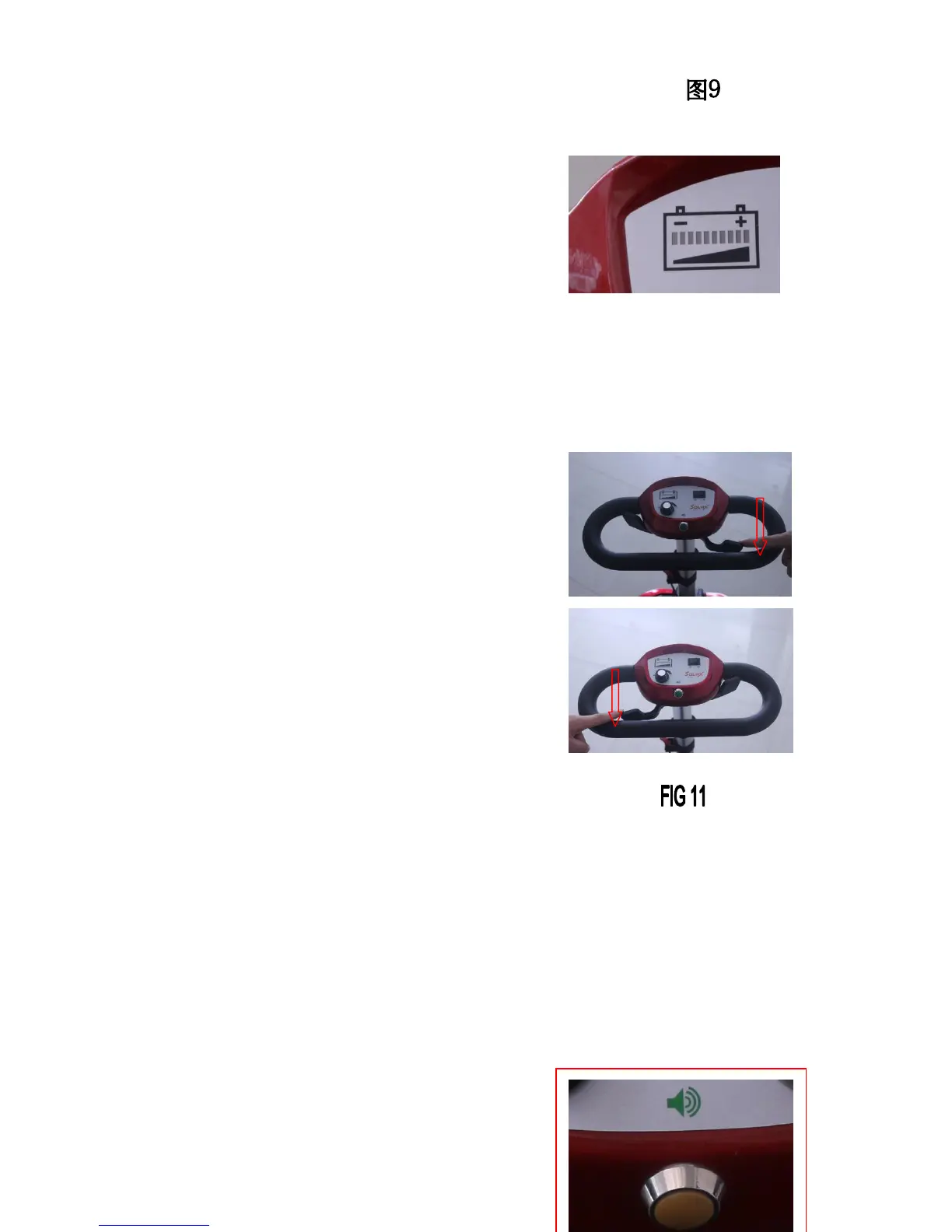
Power indicator(FIG 10)
Switch the rocker switch to「-」, the power
indicator will show the power condition.
Green means the power is enough; yellow
means the power is weak; red means it needs recharging.
Direction control lever(FIG 11)
The direction control lever is used to control the
forward and backward.
● Hold the rubber handlebar with both hands.
● Pull the control lever on the right,
the scooter will go forward.
● Pull the control lever on the left,
the scooter will go backward.
● When the scooter moves backward, the horn will start the beeping.
● The control lever will return to the center position when released
and the brake will be locked.
Horn button(FIG 12)
When you press the button, it will sound the beeping alarm.


 To Next Page