18
What are the features required for the Bluetooth® product to work?
Android 4.3 and top phones and tablets equipped with Bluetooth Smart 4.0
and higher. Apple iPhone or iPad with iOS 9.0.
How can I resume the associaon or start-up procedure from scratch?
To resume an inializaon procedure, simply unplug and reconnect the power
supply.
If my device is no longer powered, do I lose the programs?
No, they’re never lost, they’re saved in a memory.
How do I reset my device’s programming?
Open the app, enter the product, then open the sengs and select «Delete
Programs and Duraons.»
FAQ
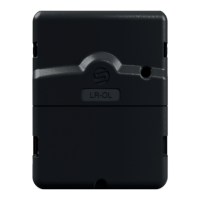
INFORMATION ABOUT THE STATE OF LED
Green LED: Normal operaon
Flashing green LED: An acve line is underway (the number of ashes
corresponds to the number of the acvated line).
Fixed Red LED: The product is in boot mode for 2 minutes
Flashing Red LED 2 mes: The programmer has lost the me, reconnect to
re-synchronize it.
LED o: The product is not powered.


 To Next Page