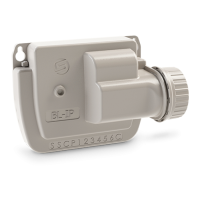
Step 2
CREATE AN ACCOUNT
To benefit from all SMART-IS features, please create a MySOLEM Account.
1. Launch MySOLEM app from your smartphone and /or tablet.
2.
Go to «
My account
» by taping on
g
icon.
3. Follow the steps described on the app.
Step 3
CONTROLLER SETUP
Be sure that the place where you are wiring the SMART-IS is covered by a Wi-Fi
connection.
1.
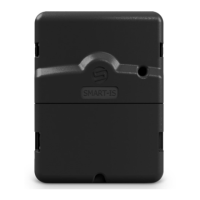
Remove the SMART-IS bottom trap.
2.
Plug the provided
230 /24 Vac
power and put back the trap.
3.
Launch MySOLEM app from your smartphone and /or tablet.
4.
Click on «Add a controller».
5.
Select the SMART-IS from the available controllers list.
7. To finish your SMART-IS pairing, follow the next steps described in the app.
Note: To identify your SMART-IS among the available controllers, please refer to the
number displayed corresponds to «Default name» present on his product label on
the back of the product.


 To Next Page