EasyManua.ls Logo

Soleus Air GL-DEH-30-1 - User Manual

Soleus Air GL-DEH-30-1
10 pages
Print Icon
To Next Page IconTo Next Page
Loading...
Models
GL-DEH-30-1
Portable Dehumidifier
Operating Instructions

Questions and Answers

  • M
    michaelrodriguezAug 15, 2025
    Why does my Soleus Air GL-DEH-30-1 Dehumidifier run too much?
    • J
      Joseph ParkerAug 15, 2025
      If your Soleus Air Dehumidifier runs too much, it might be due to the area being too large for the unit's capacity. Alternatively, open doors and windows can also cause this issue. To resolve this, close all doors and windows to the outside, and consider whether a higher-capacity dehumidifier is needed for the room size.
  • M
    Matthew RobinsonAug 18, 2025
    What to do if my Soleus Air Dehumidifier does not start?
    • E
      Emily WolfeAug 18, 2025
      If your Soleus Air Dehumidifier doesn't start, several factors could be at play. First, ensure the dehumidifier is properly plugged into the outlet. Check your house's fuse or circuit breaker and replace the fuse or reset the breaker if necessary. Also, the dehumidifier might have reached its present humidity level or the bucket might be full; try setting it to a lower level or emptying the bucket. Ensure the bucket is correctly placed, as the dehumidifier won't operate if it isn't. Finally, remember that after a power failure, there's a protective time delay (up to 3 minutes) to prevent compressor overload, so the unit might not start immediately.
  • D
    David FullerAug 21, 2025
    Why is my Soleus Air GL-DEH-30-1 not drying the air properly?
    • W
      wesleyschultzAug 21, 2025
      If your Soleus Air Dehumidifier isn't drying the air adequately, consider these points: * Allow at least 24 hours for the unit to reach the desired dryness, especially after initial setup. * Ensure that curtains, blinds, or furniture aren't blocking the front or back of the unit. * Make sure that all doors, windows, and other openings are securely closed. * For drier air, lower the humidity percentage using the “-” button or set the dehumidifier to CO for maximum dehumidification. * Relocate the dehumidifier away from the clothes dryer, ensuring the dryer is vented outside. * Keep in mind that moisture removal is most effective at higher room temperatures, as this model operates best above 41°F.
  • J
    Jasmine JonesAug 25, 2025
    Why does frost appear on the coils of my Soleus Air GL-DEH-30-1 Dehumidifier?
    • S
      Steven WestAug 25, 2025
      If frost appears on the coils of your Soleus Air Dehumidifier, especially soon after turning it on, or if the room temperature is below 41°F, don't worry. This is normal, and the frost should disappear within about 60 minutes.
  • N
    nmooreAug 27, 2025
    Why my Soleus Air Portable dehumidifier does not start?
    • R
      Ryan EsparzaAug 27, 2025
      If your Soleus Air Portable dehumidifier doesn't start, several factors could be at play. First, ensure the dehumidifier is properly plugged into the outlet. Check your home's fuse or circuit breaker and replace the fuse or reset the breaker if necessary. Also, the dehumidifier might have reached its present humidity level or the bucket might be full; try lowering the setting or emptying the bucket. Finally, make sure the bucket is correctly placed, or there may be a protective time delay (up to 3 minutes) after a power failure to protect the compressor.
  • S
    Sarah BishopAug 30, 2025
    What to do if my Soleus Air Portable dehumidifier does not dry the air as it should?
    • S
      Sandy PattonAug 30, 2025
      If your Soleus Air Portable dehumidifier isn't drying the air effectively, consider these possibilities. When first installed, it can take up to 24 hours to reach the desired dryness. Check for obstructions like curtains or furniture blocking airflow to the unit. Ensure the filter is clean. Adjust the Humidity Control to a lower setting to reduce the humidity percentage, or set the dehumidifier to CO for maximum dehumidification. Verify that doors and windows are tightly closed, and ensure that a clothes dryer isn't blowing moist air into the room, and if it is, make sure it is vented outside. Finally, remember that lower room temperatures can reduce the dehumidifier's moisture removal rate; this model operates best above 41°F.
  • J
    Jerry LuceroSep 2, 2025
    Why does my Soleus Air Portable dehumidifier run too much?
    • D
      davissarahSep 2, 2025
      If your Soleus Air Portable dehumidifier is running excessively, it might be due to the area being too large for the unit's capacity. Ensure that all doors and windows are closed to prevent outside air from entering.
  • A
    Arthur TorresSep 5, 2025
    Why does frost appear on the coils of my Soleus Air Portable dehumidifier?
    • K
      Kaitlyn CruzSep 5, 2025
      If you notice frost on the coils of your Soleus Air Portable dehumidifier, especially soon after turning it on or if the room temperature is below 41°F, don't worry. This is normal and the frost should disappear within about an hour.
  • S
    stevenmasonSep 8, 2025
    Why is my Soleus Air Portable dehumidifier making fan noise?
    • C
      Catherine EspinozaSep 8, 2025
      Fan noise from your Soleus Air Portable dehumidifier is usually normal, as it indicates air moving through the unit. However, check the hose connection, as a loose connection can also cause noise.
  • S
    Sarah MosleySep 12, 2025
    What to do if hose is attached to Soleus Air Portable dehumidifier but not draining into a drain?
    • D
      denise27Sep 12, 2025
      If the hose is attached to your Soleus Air Portable dehumidifier but not draining, disconnect the hose if you intend to use the bucket. Alternatively, make sure to place the hose near a drain.

Summary

General Dehumidifier Information

Recommended Humidity Levels

Lists recommended indoor humidity levels for different seasons.

Emptying the Bucket

Explains how often to empty the bucket based on model and usage.

Less Moisture Removed Over Time

Explains why moisture removal decreases as humidity stabilizes.

Features

Key Features Overview

Summarizes main features including capacity, control, and special functions.

Operational Modes & Indicators

Details fan speeds, timer, bucket full indicator, and auto-restart.

Important Instructions

Package Contents

Specifications

Control Panel & Digital Display

Operating Instructions

Getting Started and Basic Controls

Covers initial operation, power, humidity, and fan speed settings.

Advanced Operation and Maintenance

Explains timer, bucket full notification, and filter replacement.

Choosing a Location

Automatic Defrost

Continuous Drainage Hose

Troubleshooting

Unit Power and Performance Issues

Addresses problems like unit not starting or not drying air.

Operational Anomalies and Leaks

Covers excessive running, frost, control issues, fan noise, and water leaks.

Warranty Information

Warranty Coverage Exclusions

Lists items and conditions not covered by the limited warranty.

Technical Support and Service

Contact information for technical support and warranty service.

Overview

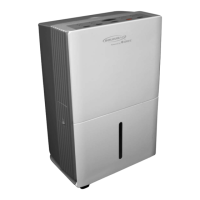
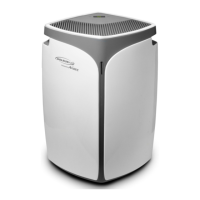
The Soleus Air GL-DEH-30-1 is a portable dehumidifier designed to remove moisture from the air, suitable for indoor residential applications. It is powered by Gree and carries an Energy Star certification, indicating its energy efficiency.

Function Description:

The primary function of the GL-DEH-30-1 is to reduce and maintain a comfortable humidity level in a given space. It operates by drawing in moist air, passing it over cold evaporator coils to condense the moisture, and then releasing drier air back into the room. The collected water is stored in an internal bucket, which needs to be emptied, or can be continuously drained via an external hose. The unit features an automatic defrost function to prevent ice buildup on the coils, ensuring continuous operation even in cooler environments. It also includes an auto-restart function that resumes operation with previous settings after a power interruption.

Important Technical Specifications:

  • Dehumidifying Capacity: 30 Pints per day. This refers to the amount of moisture the unit can remove from the air in a 24-hour period, not the bucket size.
  • Power Consumption: 420 Watts.
  • Air Flow Volume (High/Med/Low): 109 / 97 / 85 CFM (Cubic Feet per Minute).
  • Power Source: 115 V / 60 HZ.
  • Rated Current: 3.8 A.
  • Sound Pressure Level (max): 55 dB.
  • Weight: 34 lbs.
  • Dimensions (WxDxH): 13.5" x 10.375" x 19.5".
  • Operating Temperature: Operates effectively down to 41°F (5°C), making it suitable for basement use in winter.
  • Energy Star Certified: Yes.

Usage Features:

  • Adjustable Humidistat: Allows for precise humidity control. Users can set the desired relative humidity between 35% and 80% in 5% increments.
  • Digital Humidistat Display: Shows both the set humidity level and the current room humidity level.
  • Continuous Operation Mode: By setting the humidity level to "CO" (Continuous), the dehumidifier will operate continuously regardless of the room's humidity, indicated by a "Continue" light on the control panel.
  • 3-Speed Fan: Offers High, Medium, and Low fan speeds, allowing users to choose between maximum dehumidifying power or quieter operation. Fan speed indicators are present on the control panel.
  • Automatic Shut-off Timer: A timer function allows the unit to be programmed to automatically turn off after 2 or 4 hours.
  • Bucket Full Indicator and Alarm: An audible alarm sounds and the "Bucket Full" indicator lights up when the water bucket is full, at which point the unit automatically shuts off until the bucket is emptied and replaced.
  • Loss of Power Protection: The unit remembers all settings even if power is interrupted.
  • Auto-restart: Automatically continues operation with previous settings when power is restored, eliminating the need for manual restart.
  • Continuous Drainage Option: Water can be automatically emptied by attaching a standard garden hose (not included) to the continuous drainage port on the side of the unit, allowing for uninterrupted operation without needing to empty the bucket. The bucket must still be in place and securely seated for this function to work.

Maintenance Features:

  • Bucket Cleaning: The water bucket should be cleaned every few weeks with a mild detergent to prevent the growth of mold, mildew, and bacteria. It must be thoroughly dried before being placed back into the unit.
  • Filter Replacement/Cleaning: The "Filter" indicator lights up when the filter needs cleaning. The filter should be removed, cleaned with warm, soapy water, thoroughly dried, and then replaced. Pressing the FILTER button resets the indicator.
  • Automatic Defrost: When frost builds up on the evaporator coils, the compressor cycles off, and the fan continues to run until the frost melts. Once defrosted, the compressor or fan automatically restarts, and dehumidification resumes.

Operational Guidelines:

  • Initial Operation: It is recommended to run the dehumidifier in Continuous mode for the first 24 hours after installation.
  • Placement: Place the unit on a smooth, level floor surface strong enough to support the unit with a full bucket of water. Maintain at least 12-18 inches of clearance around the unit. Do not block air inlet or outlet grilles.
  • Environment: The dehumidifier is most effective in enclosed areas. Close all doors, windows, and other outside openings to the room for optimal performance. Avoid using it outdoors or in commercial/industrial settings.
  • Power: The unit must be connected to a correctly grounded power supply. Do not use adapter plugs or extension cords.
  • Safety: Do not start or stop the unit by plugging/unplugging the power cord. Do not insert anything into the air outlet. Inspect the power cord for damage before use. Unplug the unit before cleaning.
  • Spring/Summer: 30% - 50%
  • Fall/Winter: 30% - 40%

The dehumidifier is designed to create a more stable humidity level over time, so a decrease in the amount of moisture removed or a longer time for the bucket to fill is a normal indication of improved humidity conditions in the area.

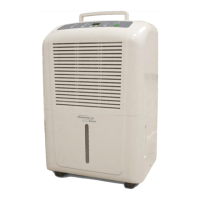
Soleus Air GL-DEH-30-1 Specifications

General IconGeneral
BrandSoleus Air
ModelGL-DEH-30-1
CategoryDehumidifier
LanguageEnglish

Related product manuals