EasyManua.ls Logo

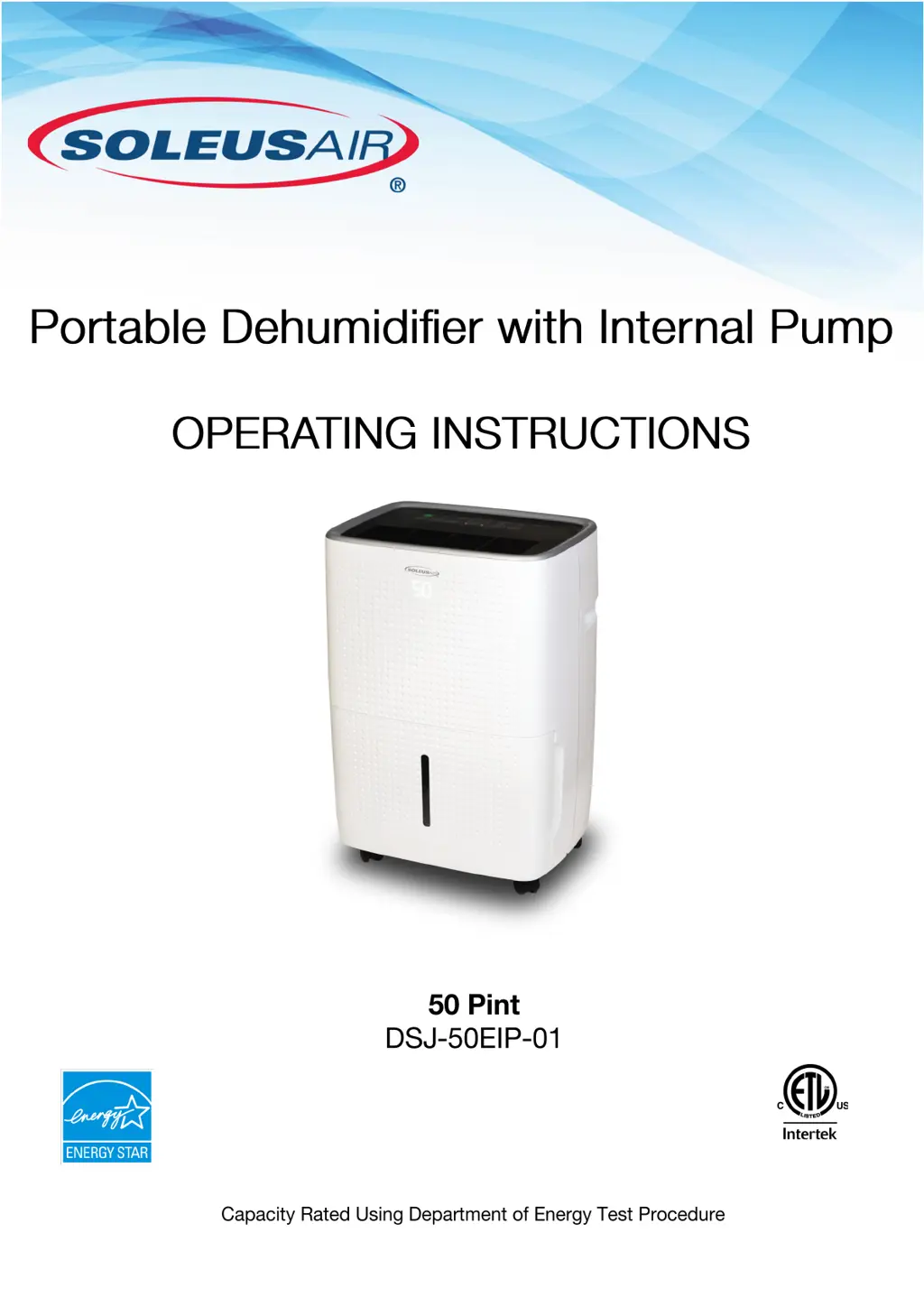
Soleus Air DSJ-50EIP-01 - User Manual

Soleus Air DSJ-50EIP-01
16 pages
Print Icon
To Next Page IconTo Next Page
Loading...
Dehumidifier must be upright for 24 hours prior to operating.
This ensures that the compressor will function as intended.
V.191217
4000234

Questions and Answers

  • M
    Marie TannerAug 4, 2025
    How to fix water on the floor from Soleus Air Dehumidifier?
    • K
      Kelly MoralesAug 4, 2025
      If you find water on the floor near your Soleus Air Dehumidifier, it could be due to a loose hose connection. Check the hose connection. Alternatively, if the hose is attached but not draining into a drain, disconnect the hose if you're using the bucket, or place the hose near a drain.
  • A
    Andrew ZimmermanAug 10, 2025
    Why is water draining in the bucket when Continuous Mode is on for my Soleus Air DSJ-50EIP-01 Dehumidifier?
    • J
      Joseph SmithAug 10, 2025
      If water is draining into the bucket even when Continuous Mode is activated on your Soleus Air Dehumidifier, make sure that a garden hose is being used. Also, ensure that the unit is placed on a flat, level surface.
  • J
    Judy RodriguezAug 16, 2025
    Why is water draining in the bucket when Pump Mode is on for my Soleus Air DSJ-50EIP-01 Dehumidifier?
    • V
      Valerie HigginsAug 16, 2025
      If you notice water draining into the bucket while Pump Mode is active on your Soleus Air Dehumidifier, ensure that the included plastic drain tube and nozzle adapter are tightly installed.
  • L
    lindadavisAug 22, 2025
    Why is my Soleus Air DSJ-50EIP-01 Dehumidifier on but the fan not running?
    • T
      Thomas SchmidtAug 22, 2025
      There are several reasons why your Soleus Air Dehumidifier's fan might not be running: 1. The dehumidifier may have reached its present level or the bucket is full, which automatically turns it off. Try changing to a lower setting or emptying the water bucket and replacing it properly. 2. The bucket might not be in the proper position. Ensure it is in place and securely seated. 3. There may have been a power failure. There is a protective time delay (up to 3 minutes) to prevent tripping of the compressor overload. The unit may not start normal dehumidification for 3 minutes after being powered back on.
  • J
    Jared LewisAug 28, 2025
    What to do if Soleus Air Dehumidifier shows E5 error?
    • L
      Louis SchmidtAug 28, 2025
      The E5 error code on your Soleus Air Dehumidifier indicates an internal pump malfunction. Ensure that you are using the included plastic drain tube with drain adapter. It will not operate with a garden hose or any other tubing. Be sure that the plastic drain tube and drain adapter are tightly and securely installed. Once installed, turn the unit off and unplug it to reset the E5 code. Wait 30 seconds and then plug in the unit and turn it on. The error code should reset.

Summary

Important Safety Instructions

General Operating Precautions

Essential guidelines for safe and proper operation, including placement, power supply, and handling.

Dehumidifier Information

Recommended Humidity Levels

Optimal relative humidity ranges for different seasons to ensure comfort and efficiency.

Bucket Management and Normal Operation

Details on emptying the bucket, normal warm air exhaust, and interpreting moisture removal rates.

Package Contents and Specifications

Included Items

List of components included in the dehumidifier package.

Technical Specifications

Detailed performance metrics including capacity, power, airflow, and physical dimensions.

Product Features

Core Performance and Operation

Features like dehumidifying capacity, humidity control, fan speeds, low-temperature operation, and quiet performance.

Smart Controls and Modes

Functions for automated operation, personalized settings, and power interruption recovery.

Convenience and Indicators

Systems for user notifications, easy viewing, and automatic coil maintenance.

Internal Pump System

Functionality for continuous drainage without manual bucket emptying.

Control Panel Overview

Main Control Buttons

Description of primary buttons for unit operation, settings, and modes.

Status and Indicator Lights

Explanation of LED indicators for power, filter status, fan speed, modes, and bucket status.

Operating Instructions

Control Panel Operation

Detailed instructions on using the control panel for power, humidity, fan speed, timers, modes, and child lock.

Bucket Full Indicator and Maintenance

Guidance on the bucket full alert, unit shutdown, and cleaning the water bucket.

Internal Pump Mode Setup

Step-by-step guide on connecting the pump drain hose kit for continuous operation.

Continuous Drainage

Garden Hose Installation

Instructions for connecting a garden hose to the unit for continuous water drainage.

Choosing a Location

Location Requirements and Considerations

Guidance on optimal placement, airflow, temperature conditions, and suitable areas for operation.

Automatic Defrost Functionality

Explanation of how the unit automatically defrosts frozen coils to maintain continuous operation.

Maintenance

Filter Cleaning and Replacement

Instructions for cleaning or replacing the air filter and resetting the indicator for optimal performance.

Unit Housing Cleaning and Storage

Guidance on cleaning the exterior and preparing the unit for end-of-season storage.

Troubleshooting

Common Operational Issues

Solutions for problems like unit not starting, poor drying, excessive runtime, frost, and control issues.

Drainage and Water Issues

Troubleshooting for water on the floor, unit not draining, or water in the bucket during operation.

Self-Diagnosing Codes

Error Code Descriptions and Resolutions

Explanation of error codes (E1, E2, EH, E5) and recommended troubleshooting steps.

Limited Warranty

Warranty Coverage and Limitations

Details on warranty periods, what is covered, exclusions, and liability limitations.

Soleus Air DSJ-50EIP-01 Specifications

General IconGeneral
Model NumberDSJ-50EIP-01
TypeDehumidifier
Energy Star RatedYes
Auto RestartYes
Continuous Drain OptionYes
Control TypeElectronic
Built-in PumpYes
Capacity50 pints
Noise Level51 dBA
Coverage Area3000 sq. ft.
Operating Temperature41°F to 95°F
Power Source60Hz
FeaturesAuto defrost, digital display, washable filter

Related product manuals